

Every Thinger.io server release, newest first, with what it adds, improves, fixes and changes and its release dates. Versions 4.6.7 and earlier are listed inside 5.0.1. Each library and tool has its own changelog next to its reference: Arduino library, CLI, Dashboard SDK and VS Code extension.
7.4.1
Release Date: 27-10-2026
Covers every change since 7.0 (including the 7.1, 7.2 and 7.3 maintenance releases).
Added
Dashboards & apps
- URL dashboards: a dashboard can now be a web application (for example, a folder of a file storage with its
index.html) shown inside the console in a sandboxed iframe. The console hands it the session, the user, the project and the subject (device, product, asset type or group), keeps the app route in the console URL and follows its navigation. - Built with the new Dashboard SDK (
@thinger-io/dashboard-sdkon npm): typed access to devices, buckets (incremental realtime subscriptions included), properties, alarms, storages and projects. Apps can also run standalone with an access token, outside the console.
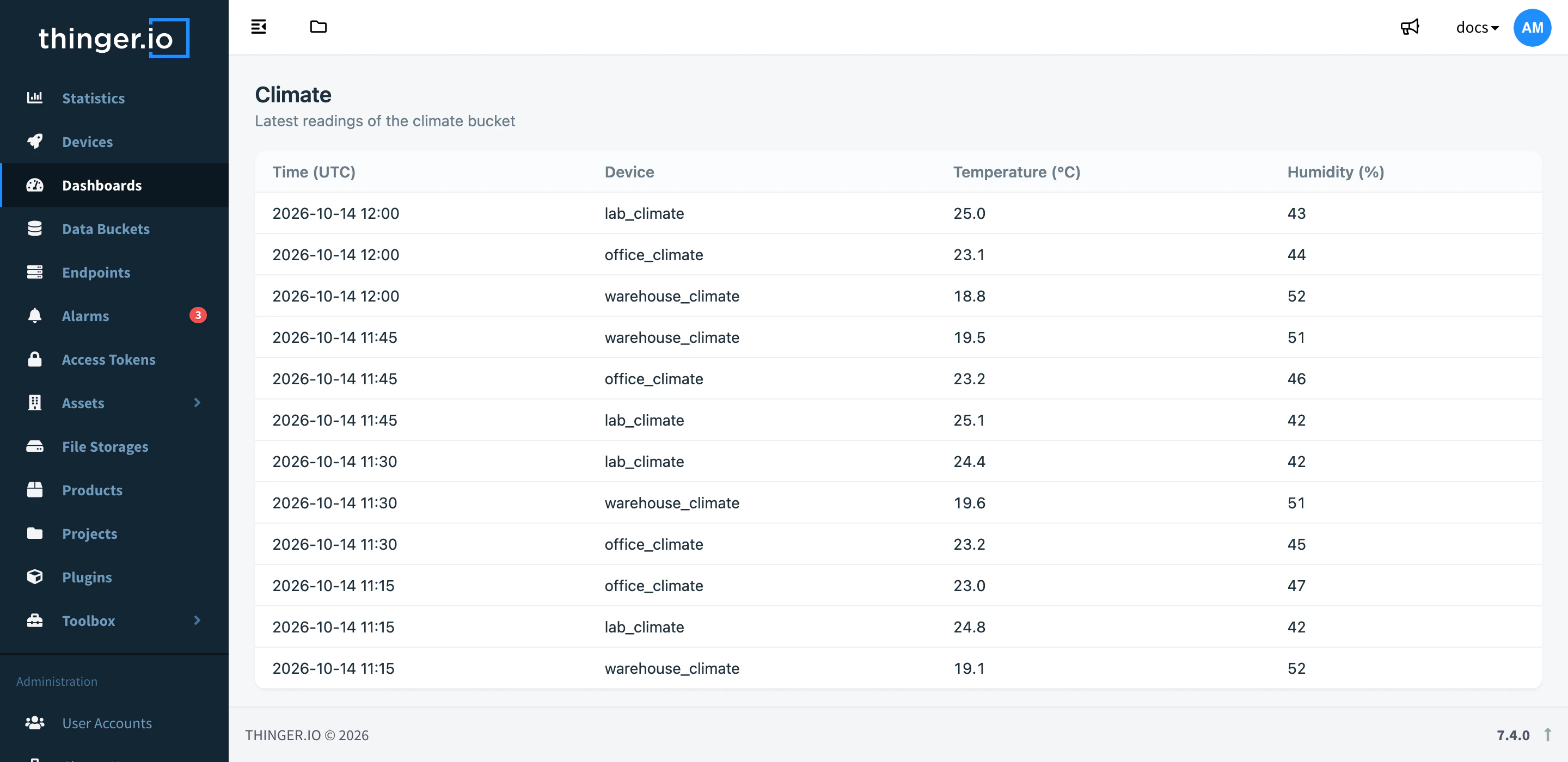
- Storage files are served with HTTP revalidation (ETag, Last-Modified, 304), so apps and assets reload only when they change.
- Product type system with a device monitor view and brand-based visibility.
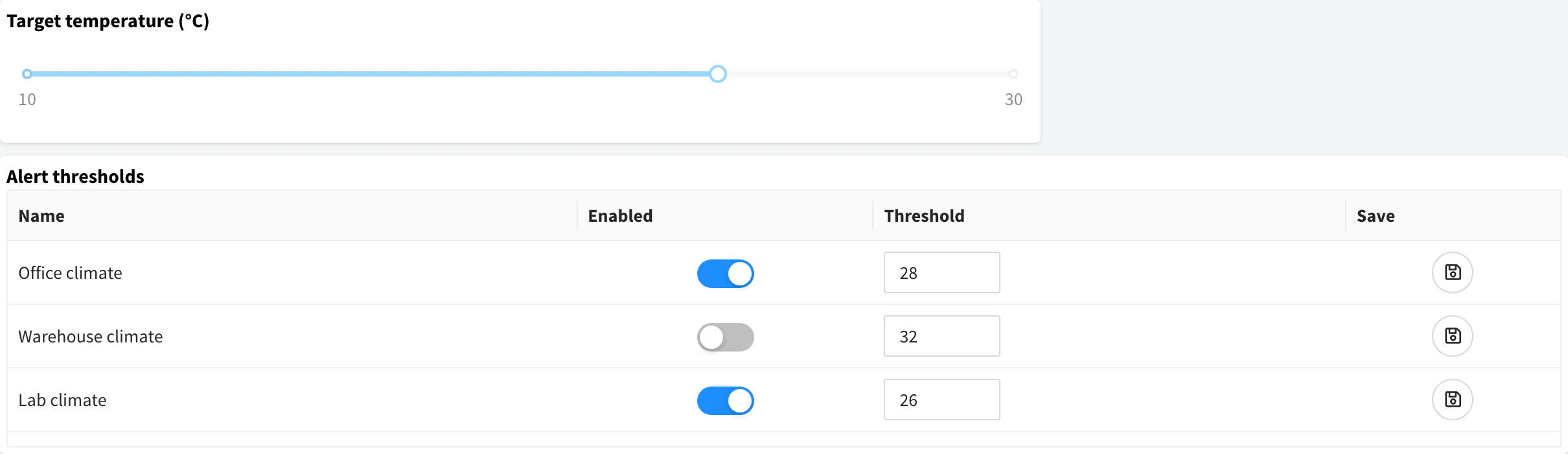
- Control widgets and the LED indicator widget migrated from AngularJS to Angular, with unified default colors.
Products, APIs & flows
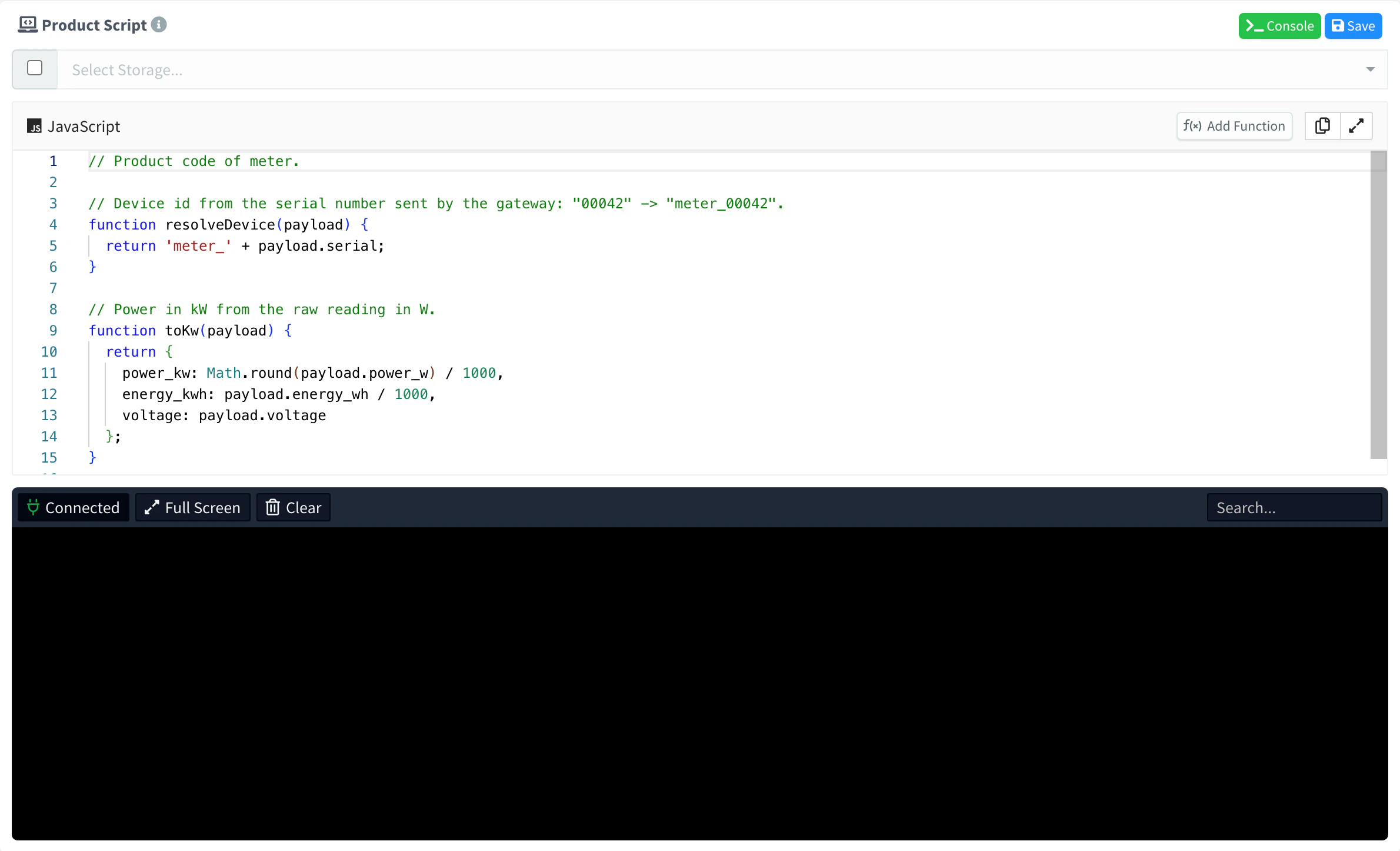
- Product code from a folder of a file storage (
profile.code.path), so one storage can hold a whole application (dashboard and product code). The code reads only its own storage.

- Real-time script console for debugging product code.
product_streamas a flow source and target.- Profiles fed by server events are initialized when the product is created and at startup.
- Provider-declared resources are seeded at startup.
- Placeholder paths accept backslash-escaped dots.
Devices, buckets & events
- Free-form device labels with multi-dimensional filtering (
?labels=<key>,?labels.<key>=<value>). - Resource lists filter by nested fields (
?origin.id=,?alarm.rule=), by booleans, and by several values of the same parameter. - Native geofence events carry the product, asset type, group, zone id and zone properties; exits are emitted before entries, and geofences are checked when the
locationproperty is updated. - Project members and access tokens can subscribe to alarm and device state events, always scoped to their project.
- MongoDB buckets get secondary indexes on tag fields and a 10 s query timeout.
Authentication & security
- Access token expiration:
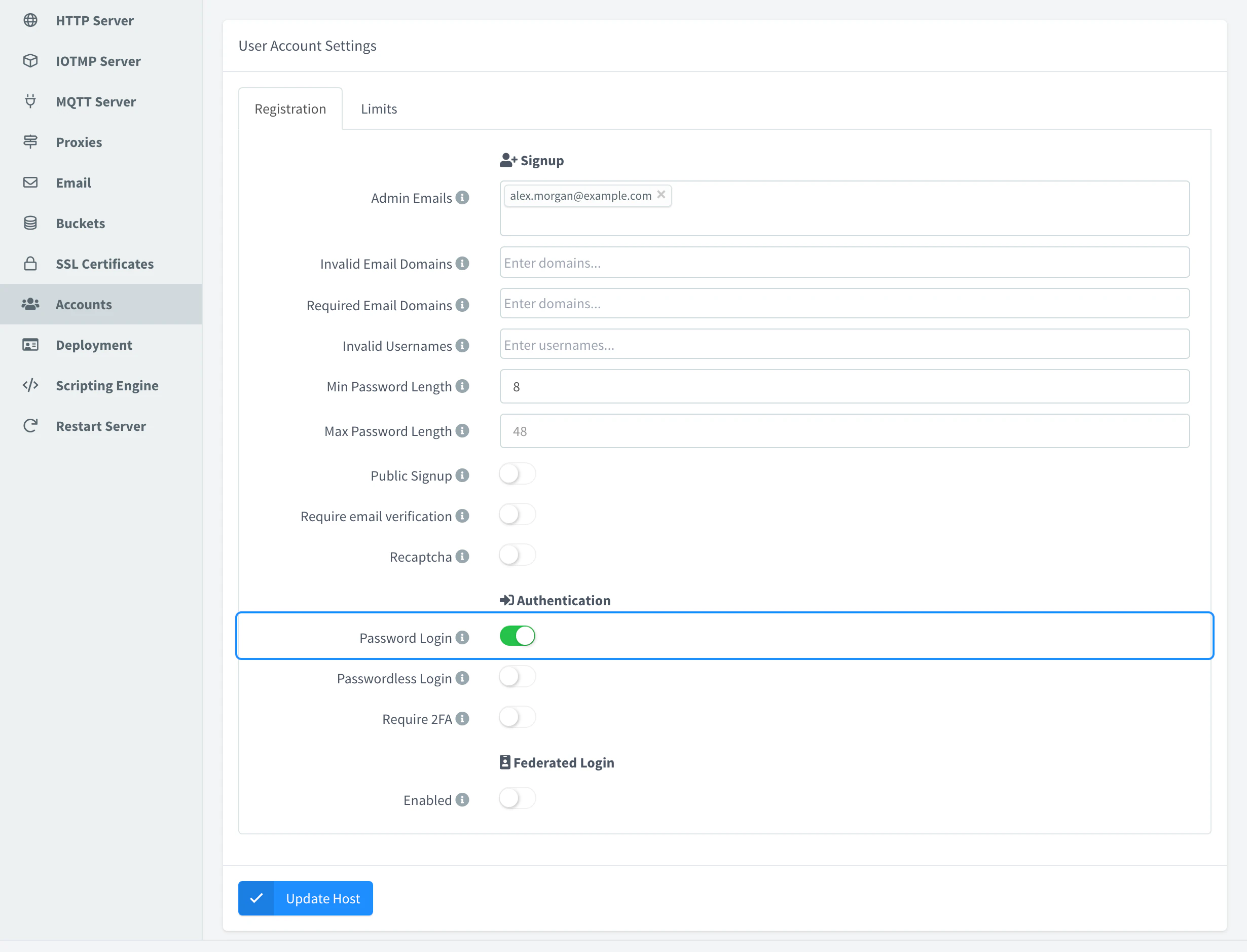
expire(unix ms) is now enforced. It is signed into the token, checked on every request, and expired tokens are deleted. allow_passwordsetting to disable password-based login (federated sign-in only).
- New projects enable
limit_bucket_accessby default: members read bucket data only of the devices of the project.
Administration
- Host logs over HTTP:
GET /v1/hosts/{host}/logsreturns the last lines of the server log as text (lines,since,timestamps). - Admin APIs for brands, hosts and domains are validated and documented, including brand email templates (links, placeholders, logos) and a brand
PATCH. - OpenAPI schemas and examples for user resources, product profiles, code and services.
Improved
- SSL certificates: expired certificates are renewed (an expired one was never renewed); a wildcard certificate covers a single label, and its bare domain only when the certificate names it; the updater starts once the servers are listening; after a failed renewal it retries in 5 min, 30 min and 2 h instead of a day; Let's Encrypt errors are logged with their type and detail.
- Saving a product profile no longer goes over every connected device: only the streams that could not start are retried. Product streams start as soon as their resource becomes available.
- Aggregations of MongoDB buckets: latest per group without a pre-group sort; fields are auto-discovered (numeric fields only) when none are given.
- Missing resources answer 404 instead of 500.
- Alarm rule
test-sourceworks before the rule exists and leaves no running instance.
Fixed
- Security hardening of access tokens and device tokens, authentication, MQTT connections, logs and bucket queries. We recommend updating.
- Creating a file storage with an id that already exists (409) no longer deletes the files of the existing storage.
- Alarms: a missing field no longer normalizes an alarm without a normalization condition of its own;
a or bconditions activate on devices that only havea. - Project members can subscribe to buckets filtered by several devices (widget dashboards over many devices kept no realtime).
- List filters match ids that are numeric or start with digits (IMEI, MAC,
0001). - Product property permissions saved by the console are accepted by the profile validation.
- Saving a brand through the API keeps its reCAPTCHA secret.
- Geofence points use (lon, lat): circles have their real radius and polygons beyond 90° of longitude work.
- Product streams: no duplicate or orphan streams; disabled Virtual devices are not connected; no duplicate first sample.
- IOTMP: legacy varint fields read as 64-bit, exponential PSON sizing removed, float truncation and missing stream ids fixed.
- HTTP: optional whitespace after header colons (RFC 9112); web proxy fixes (SSL source port, Set-Cookie rewriting, full request bodies).
- Aggregation periods in seconds no longer crash MongoDB bucket reads.
- Alarm and device pool lifetime fixes in async callbacks.
Changed
Behavior that may need attention when upgrading:
- Reserved bucket fields: records with a
tagsor_idfield are refused by MongoDB buckets (in a batch, the whole batch). - Bucket reads: invalid parameters return 400, as do
items=0anditems>1000. - Aggregations over several fields include records that have only some of them;
countis per field. - Product API target
propertywrites to the configuredrequest.property. - Product code has no filesystem access when inline, and only its own storage when loaded from one.
- New listeners of a product stream get no immediate sample: they receive the next one.
- Super admin: the
thingersuper admin login needs theTOKENvariable of the server. On servers without it, it is disabled: use the administrator accounts. - Device tokens only reach the resources and the status of their device. To manage the device, use an access token.
- MQTT: clients that send anything before
CONNECTare disconnected. Clients that follow MQTT 3.1.1 are not affected. - InfluxDB bucket reads validate their parameters, and tag filters match literal values, as in MongoDB buckets.
- Realtime subscriptions: an access token bound to projects must subscribe with
?project=; without it, the subscription is rejected. The Dashboard SDK already sends it. - Access tokens:
expiremust be a future timestamp in milliseconds and cannot be changed after creation; tokens created before 7.4 withexpireshow it but do not expire. - Cloud instances (configured by a subscription): plan settings (account, brand, domain and member limits, plugins, rate limiter, database, HTTP hosts and the deployment container name) come only from the subscription.
- Product profile PUTs are validated against their schema.
- Validation of brand, host and domain admin APIs is stricter (the console is compatible).
- URL dashboards receive the viewer's session token (same-origin pages only). Treat apps in public storages accordingly; a scoped token is planned.
- The Dashboard SDK is no longer served from
/sdk/: it is published on npm and pinned in the console.
7.0
Community Release Date: 04-02-2026
Private Servers Release Date: ~18-02-2026
Added
Authentication & security
- Federated authentication via OpenID Connect (OIDC), allowing users to sign in using external identity providers (Google, Microsoft, Auth0, Okta, PingOne, and custom OIDC).
- Multi-Factor Authentication (MFA) support, including:
- TOTP (RFC 6238) with QR code setup and backup codes.
- WebAuthn security keys as a second factor.
- Passkeys for passwordless authentication with cross-platform support.
- OAuth2 Device Authorization Flow, enabling secure device login via verification URLs.
- Certificate-based authentication for device auto-provisioning, with enhanced credential validation.
- Login attempt limiting for both password and MFA authentication, protecting accounts against repeated failed sign-in attempts.
Alarms & rules
- Advanced alarm rule testing tools, including:
- Source data testing.
- Dry-run mode for rule evaluation and notifications.
- Copyable numeric variables from test results.
- New
presentandabsentcomparators, enabling alarms that detect missing or non-reporting devices. - GROUP BY support for alarm data sources in MongoDB and InfluxDB.
- Variable-friendly naming for alarm data sources in time-series configurations.
- Alarm instance list now includes Origin ID and Origin Name fields.
File explorer & file management
- New file explorer for browsing and managing files on devices.
- Support for custom terminal images when accessing storage terminals.
- Filesystem API for devices, enabling upload, download and file management operations on compatible IOTMP devices (ThinRemote).
- Filesystem API v2 for storages, with streaming uploads for large files and improved path validation.
Plugins & marketplace
- Modernized plugin marketplace UI, with improved browsing and filtering.
- Improved plugin README rendering with:
- GitHub-style markdown
- Syntax highlighting
- Alerts, tables of contents and proper image resolution
- Improved plugin image and asset resolution across the platform.
Monitoring & metrics
- Initial system and Docker monitoring components, providing container-level metrics.
- New APIs for retrieving container and runtime statistics.
Devices & connectivity
- Subdevice (virtual device) support, allowing devices to be dynamically created from MQTT gateway flows.
- Improved device connectivity handling with timeout-based lifecycle management (sleep / wake / disconnect states).
Products, APIs & flows
- Granular API endpoints for product profile resources.
- Support for handling endpoint call responses in product profiles.
- Display of full API endpoint URLs when device identifier resolvers are configured.
- Support for array field matching in event filters.
- Product and device context is now fully included in resource stream events.
UI & dashboards
- Migration of text widgets, device console, and terminal components from AngularJS to Angular.
- New text widget with color, icon, and value-based rules.
Improved
- Updated Node.js runtime to 24 LTS, including an improved permission model.
- Improved HTTP and streaming support
- Improved product configuration schema validation, returning structured JSON error responses.
- Reduced unnecessary dashboard data refreshes and improved bucket data consistency.
- Performance improvements in scripting, sockets and request handling.
Fixed
- Fixed multiple alarm rule evaluation edge cases, including:
- GROUP BY behavior without aggregation.
- Missing data source handling.
- Query limits affecting device status rules.
- Fixed authentication issues in mixed and federated flows.
- Correct handling of tag parameters in API requests and dashboards.
- Fixed CSV import issues related to timestamp parsing and normalization.
- Various UI fixes related to widgets, layouts and rendering.
Changed
- Removal of legacy protocols and dependencies.
6.5
Community Release Date: 02-06-2025
Private Servers Release Date: 09-06-2025
Added
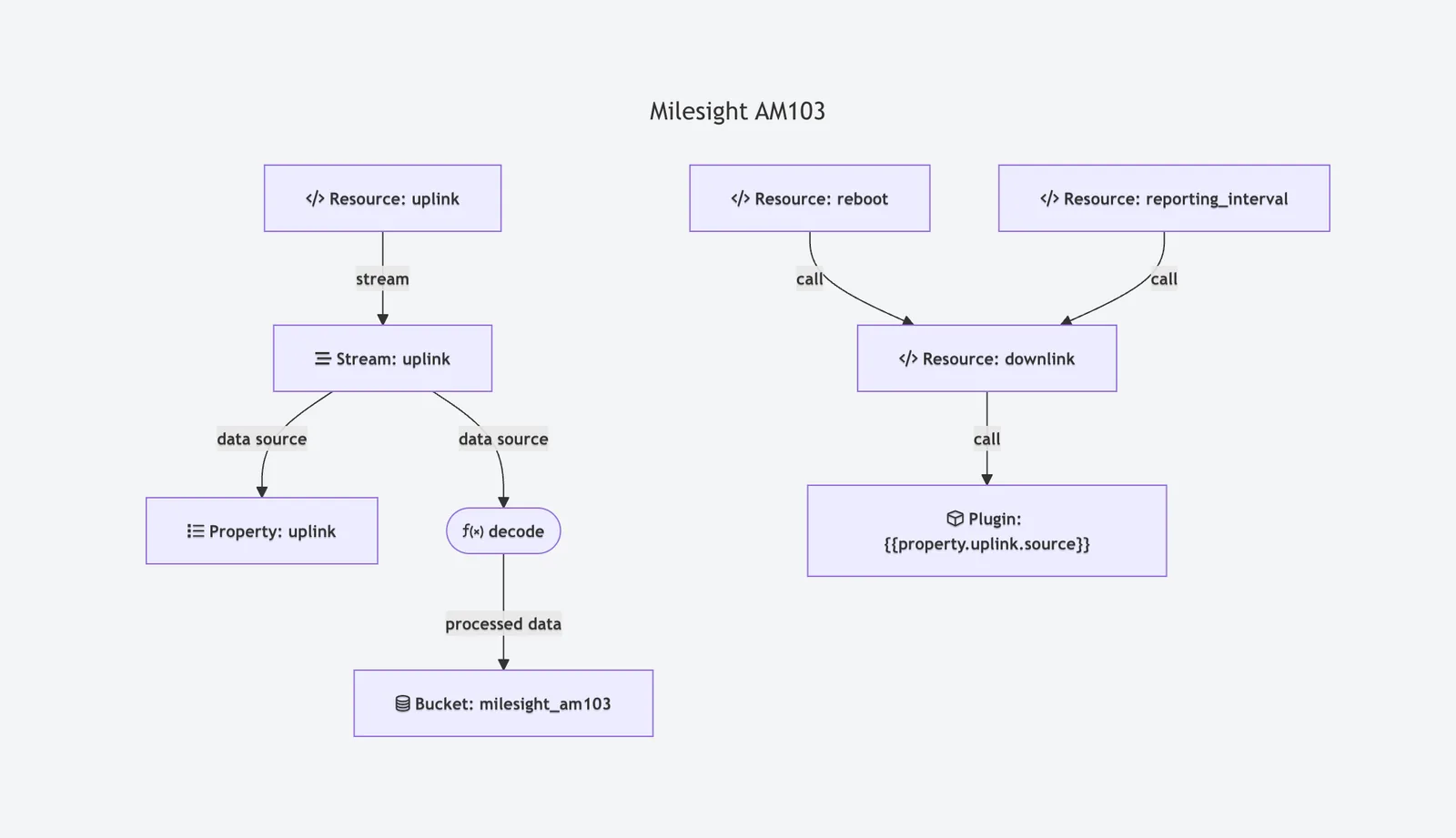
- Products now display a graph view of data sources and targets, helping visualize the flow configuration within the product profile.
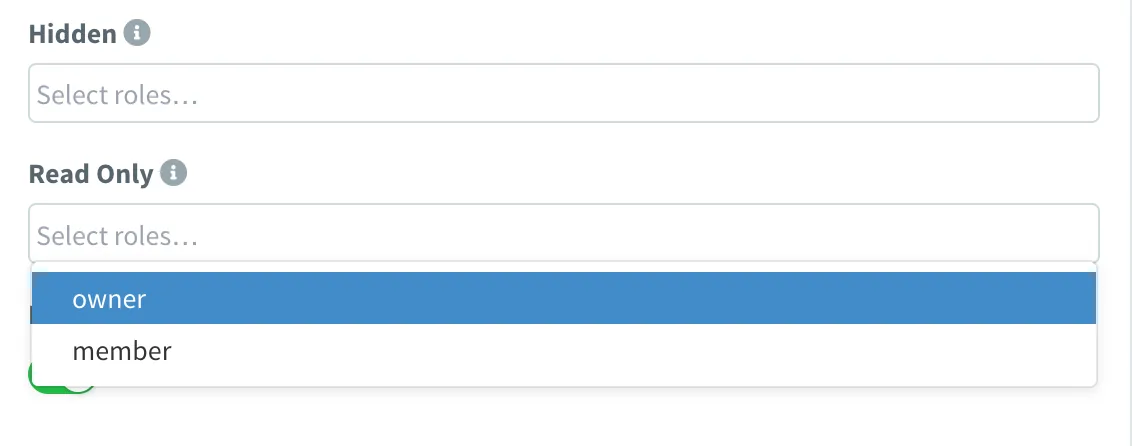
- Added property-level permissions in products to control which device properties a project member can view or edit.
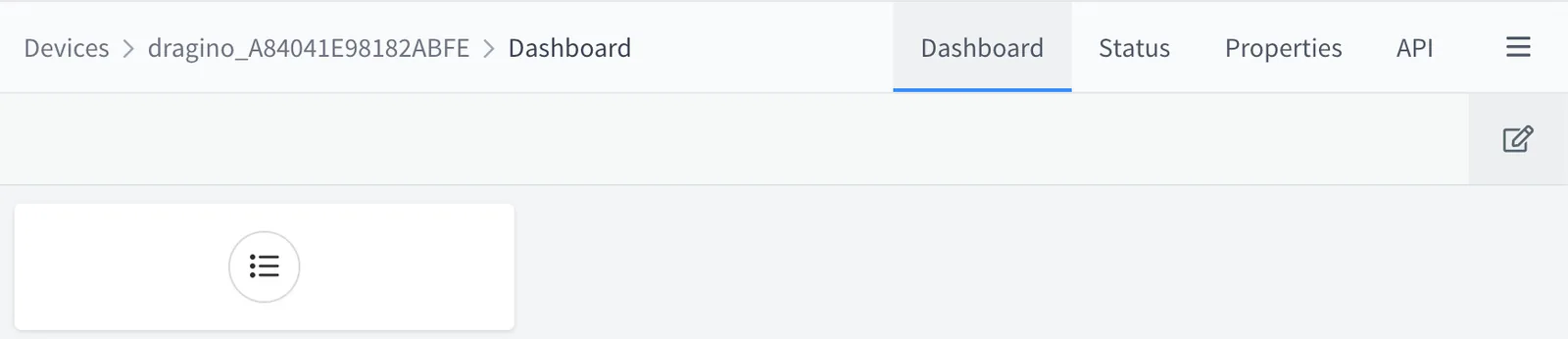
- It is now possible to edit dashboards on individual devices (when inherited from a product). Editing can be restricted through new property permissions, allowing project owners to override the product dashboard while limiting access for end users.
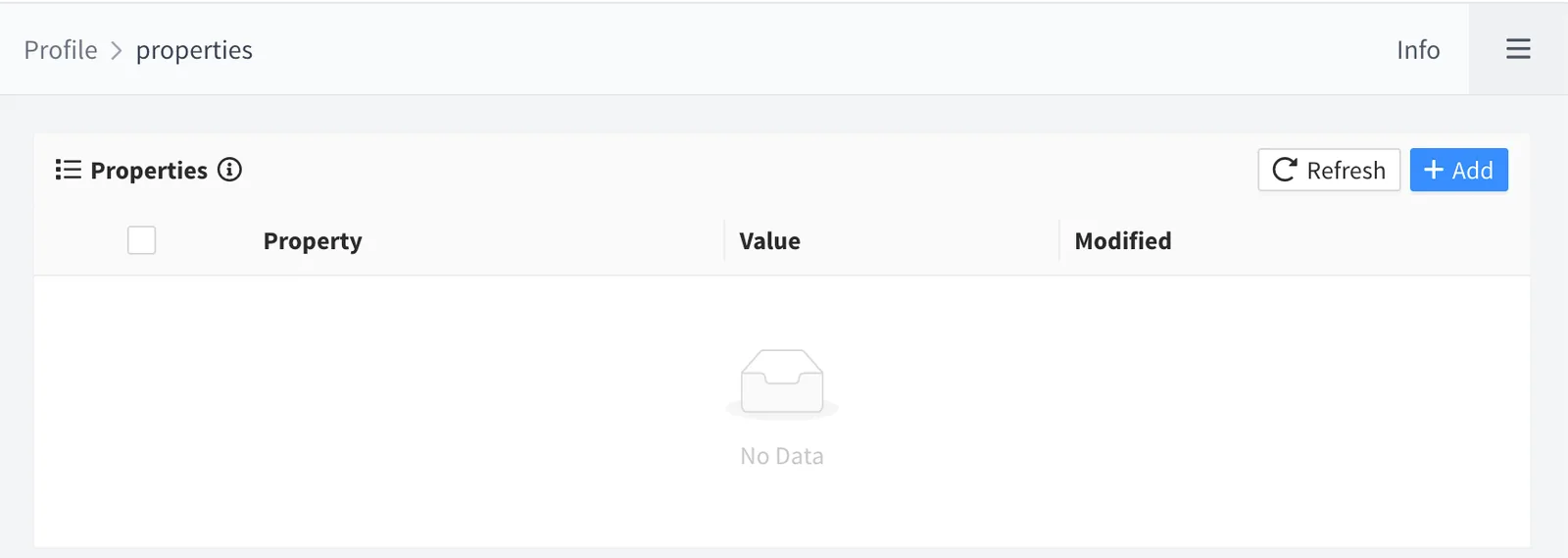
- Introduced user properties, available under Profile > Properties. These will be further integrated into other system areas such as alarms, custom forms, and automations.
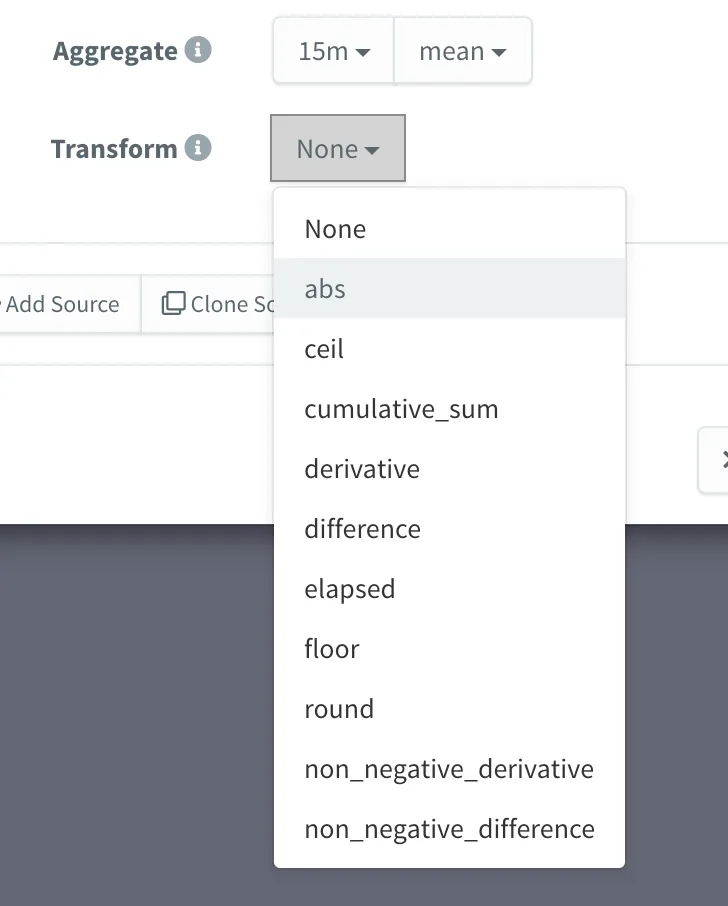
- Added support for MongoDB Transforms, offering the same functionality previously available for InfluxDB. MongoDB now provides full parity in terms of data processing capabilities.
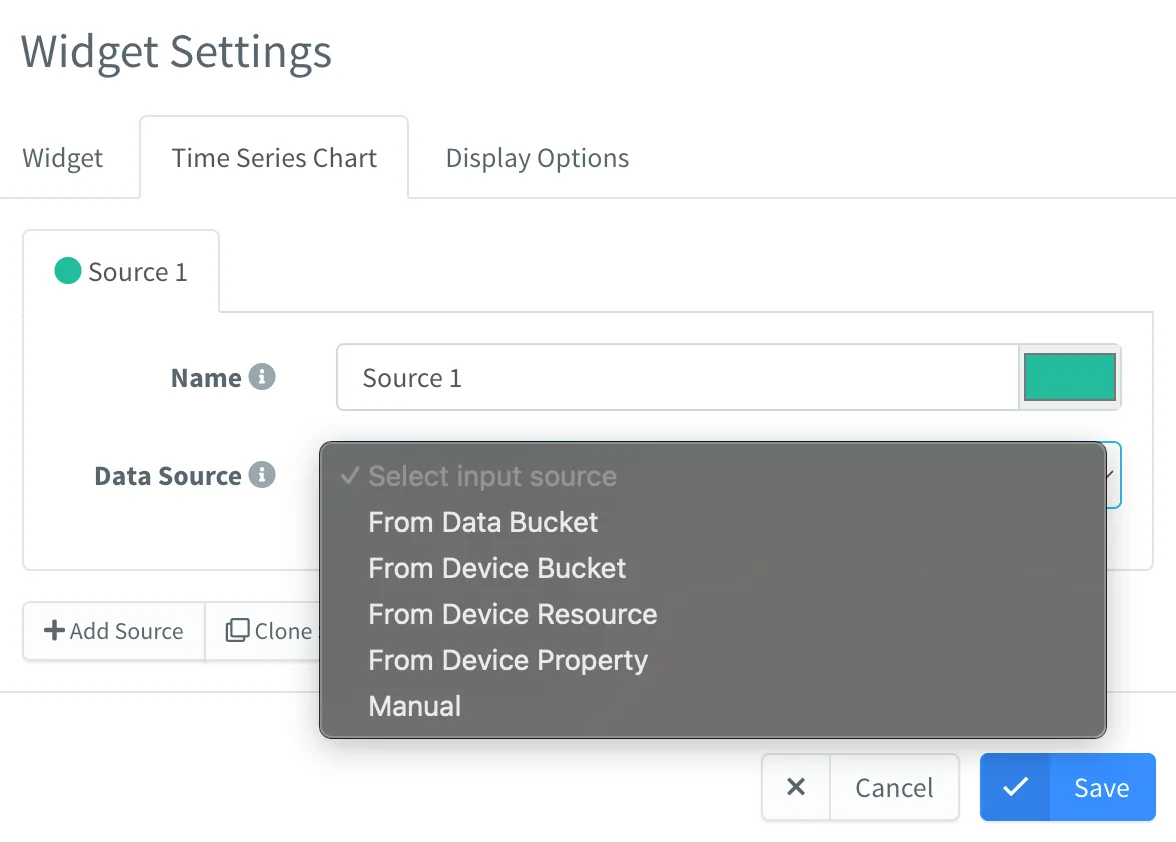
- Initial support for using Device Buckets as data sources in dashboards. Device Buckets are defined at the product level. This avoids the need to share a root bucket when sharing devices across projects.
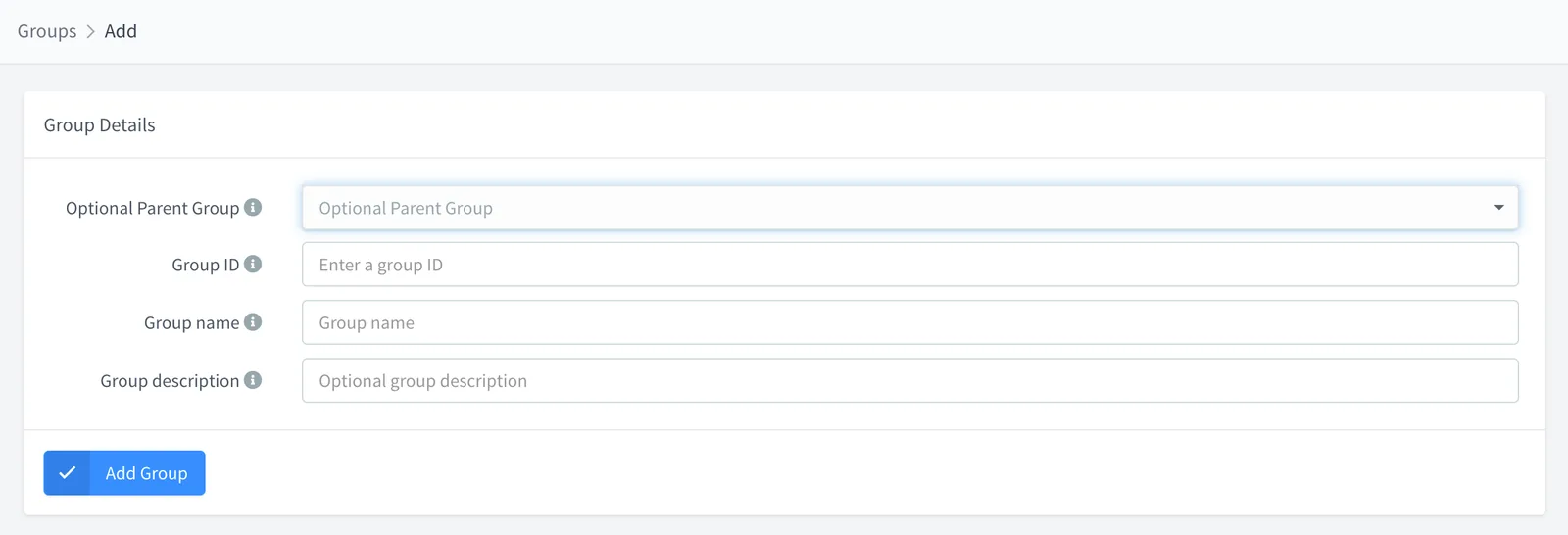
- Introduced Group Hierarchies: you can now create nested groups and subgroups, enabling more organized asset structures.
- Project members can now be restricted to specific groups or subgroups within a project.

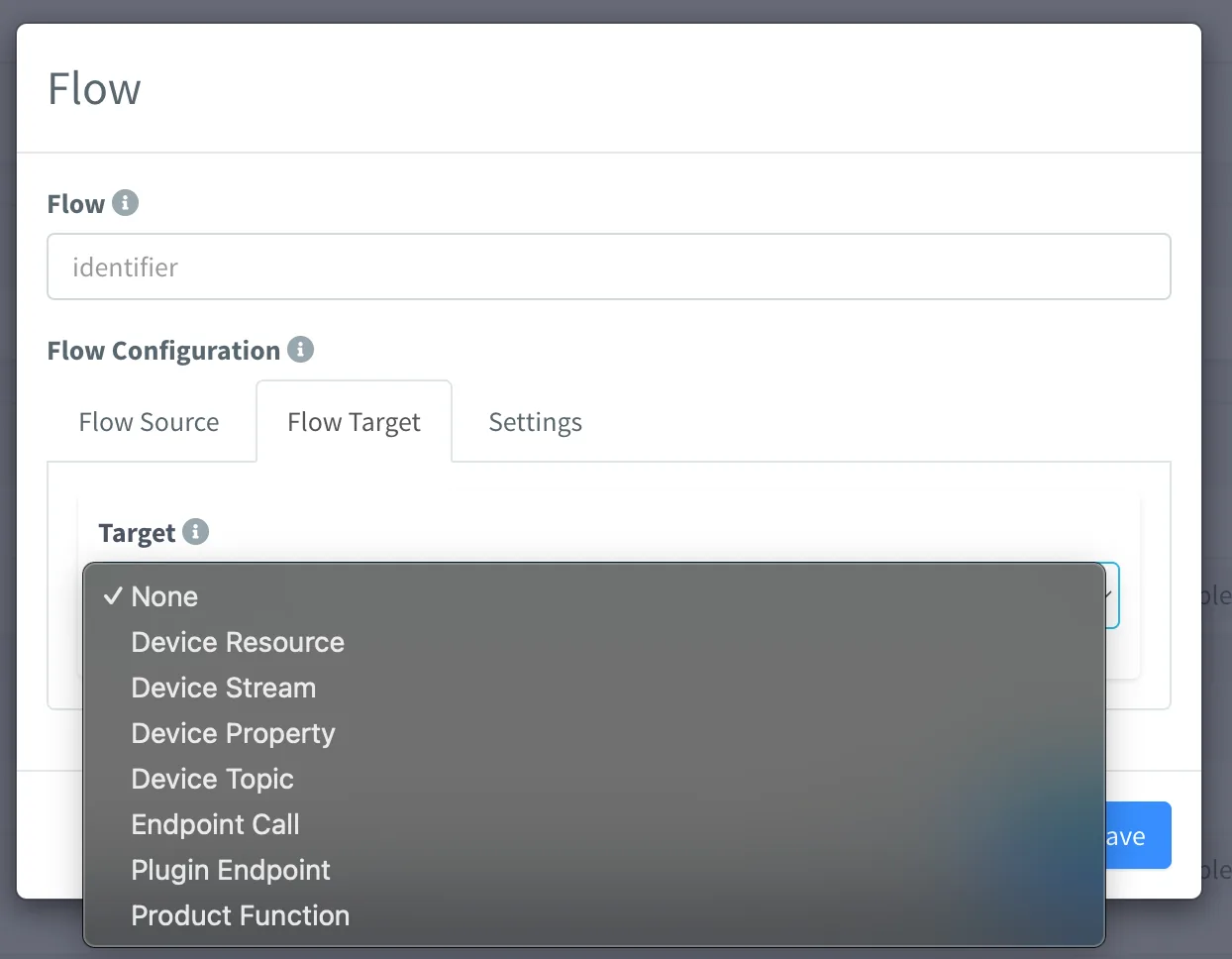
- New Flow feature in the Product Profile, enabling the definition of custom sources and targets. You can now redirect data flows, for example, from a topic to an HTTP endpoint, or from a device property update to a topic. This feature deprecates the previous Endpoint, as it is much more versatile. Available targets include Device Resource, Endpoint Call and Product Function.

- Initial support for mTLS (mutual TLS) on MQTT devices. This feature is currently under testing in selected deployments and is not yet intended for production use. Contact us for early access or details.
- Dashboards now implement lazy-loading to avoid fetching data from all tabs until they are accessed. This significantly improves loading times on large dashboards.
Enhancements
- Support for JPG and WebP formats when selecting plugin icons in the product plugin exporter.
- Added
build_dateandlicenseto the/v1/server/versionendpoint, preparing for Community On-Premise releases. - Hide the billing link when using a Community license.
- Removed Twitter link from the menu and brand settings.
- Automatically clean up Docker user networks when the last plugin is uninstalled.
- Improved Docker logging by printing command responses to the plugin logs.
- Plugin installation dialog now displays the resource ID if the name is not available.
- Added support for binary data in HTTP requests with unknown content types.
- Dashboard placeholders can now accept multiple values from a single data source.
- Dashboard functions can now access placeholders via the
sharedvariable. - Product property forms now support dates as keys and multi-field value inputs.
- Multiple improvements to MongoDB Bucket performance and data retrieval.
- Plugin installer now correctly handles cases where only development versions of the plugin are available.
- User sessions are now preserved for 24 hours by default. Opening Thinger.io in a new browser tab within that period will no longer trigger permission prompts.
Fixed
- Fixed public signup logic for Community On-Premise instances.
- Fixed console access over private IPs in On-Premise deployments.
- Fixed ApexCharts not displaying inside Group Widgets.
- Fixed incorrect data types returned in the Server Statistics API.
- Resolved an issue where global roles were not applied in the Console.
- Fixed missing error details in alert banners from failed HTTP requests.
- Prevented database callback structures from being created on virtual devices.
- Fixed loading of HTML Widgets from public storages, regardless of access settings.
- Restored default HTTP connection timeout to 10 minutes.
- Fixed plugin configuration: volumes and environment variables were not applied properly.
- Fixed confirmation message not updating after changing the user password.
- Fixed the multiple-resource-selector making unnecessary API calls.
- Fixed Control Widget not working inside Group Widgets.
- Fixed dashboard updates from buckets not being reflected in real-time.
- Device status filters not working on alarm rules
6.4
Community Release Date: 22-01-2025
Private Servers Release Date: 29-01-2024
Added
- Plugin Installation Dialog:
- Support for custom volumes, enabling the mounting of custom file storage to plugins like Node-RED, FTP, etc.
- Support for configuring custom environment variables, e.g., for enabling Node-RED projects.
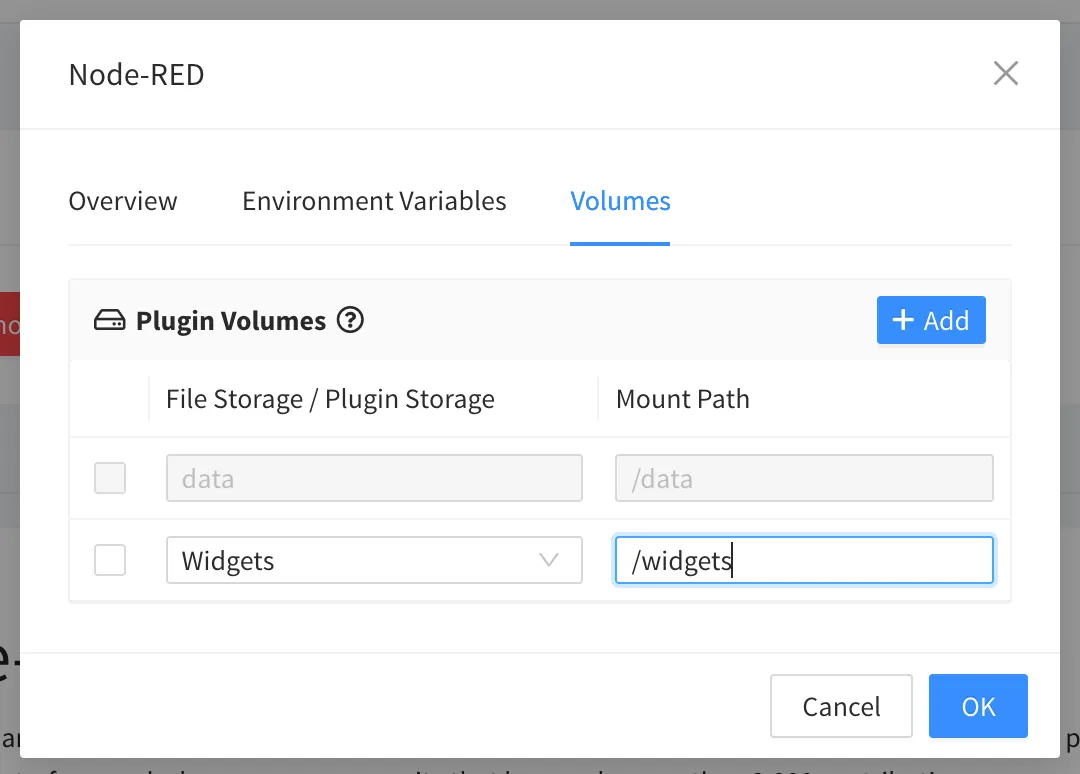
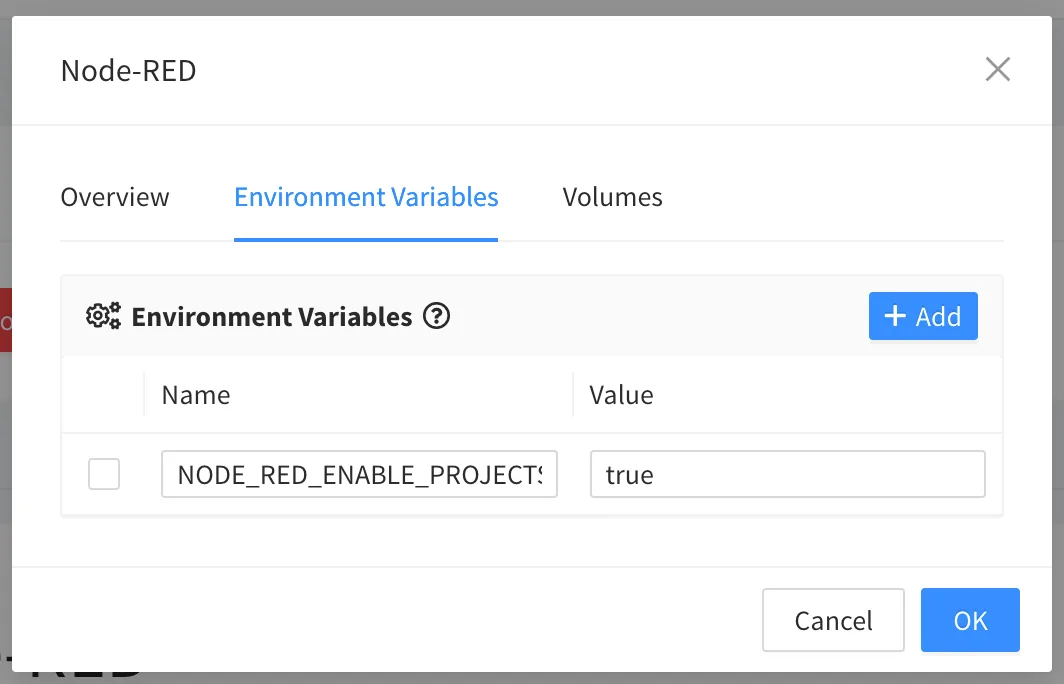
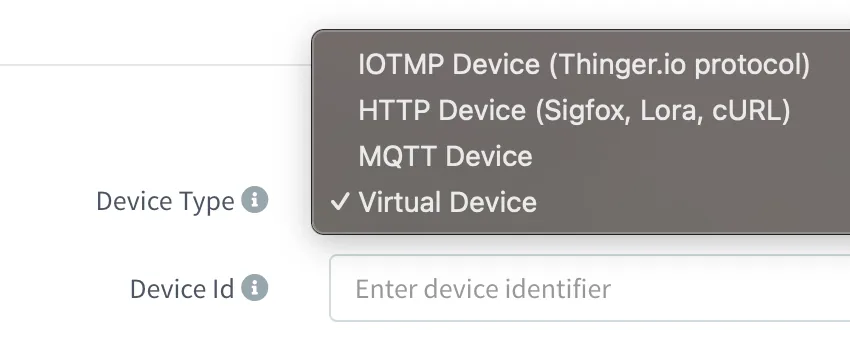
- Virtual Devices: Initial support for devices that are always connected and can fetch data from external resources (e.g., endpoints via products). Example use case: creating a weather device that fetches weather data and forecasts.
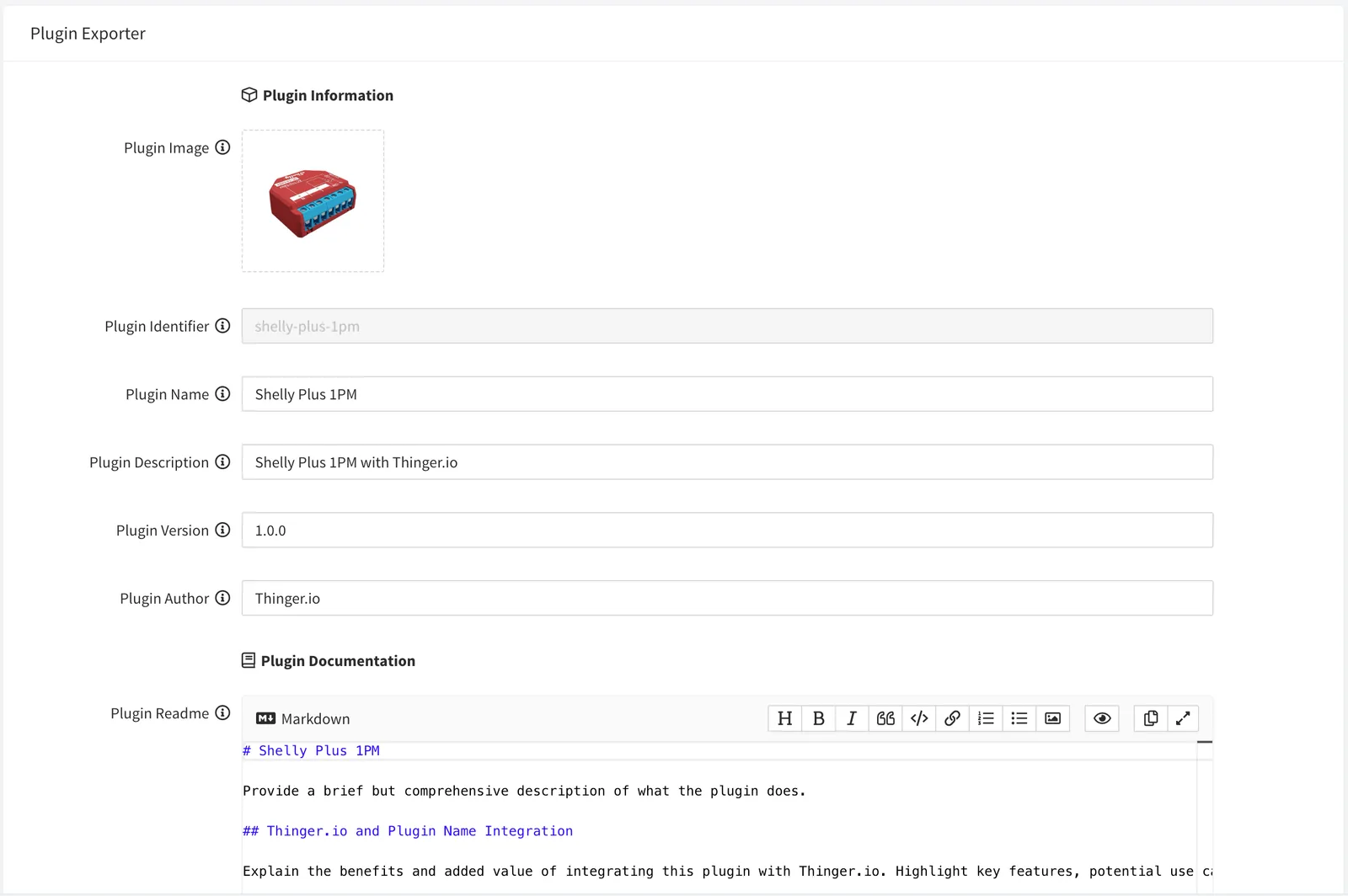
- Product Plugin Exporter: Export products to a file storage, with options to:
- Set plugin image, name, description, and version.
- Edit the markdown readme with images, changelogs, etc.
- New Event:
endpoint_call_response, providing the result of endpoint calls. - Billing Menu for Admins: Added a menu item linking to the customer portal.

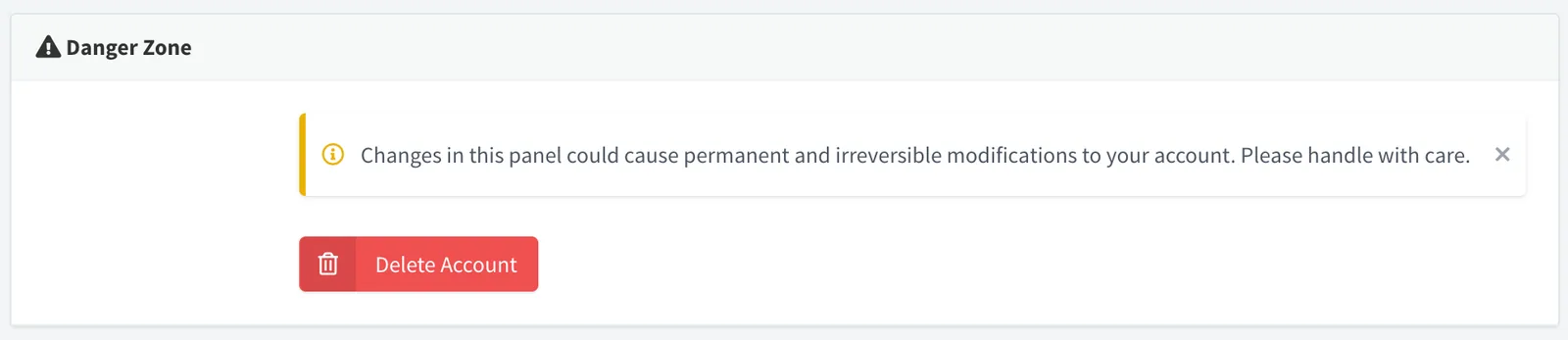
- Account Deletion: Community users can now delete their accounts.
- Enhanced Product Profile Resources: Resources can now target endpoints, plugin paths, call other api resources, and enable operations based on their responses.
- Experimental MongoDB Backend:
- Support for custom data retention policies for individual buckets.
- Deprecates InfluxDB for new instances.

Improved
- Default Plugin Shell: Updated to point to
/bin/sh(used in minimal images). Configurable via thetask.shellparameter. - Plugin Installation: Plugins can now be installed directly from file storage, where Plugins are exported by default in the Plugin Exporter feature.
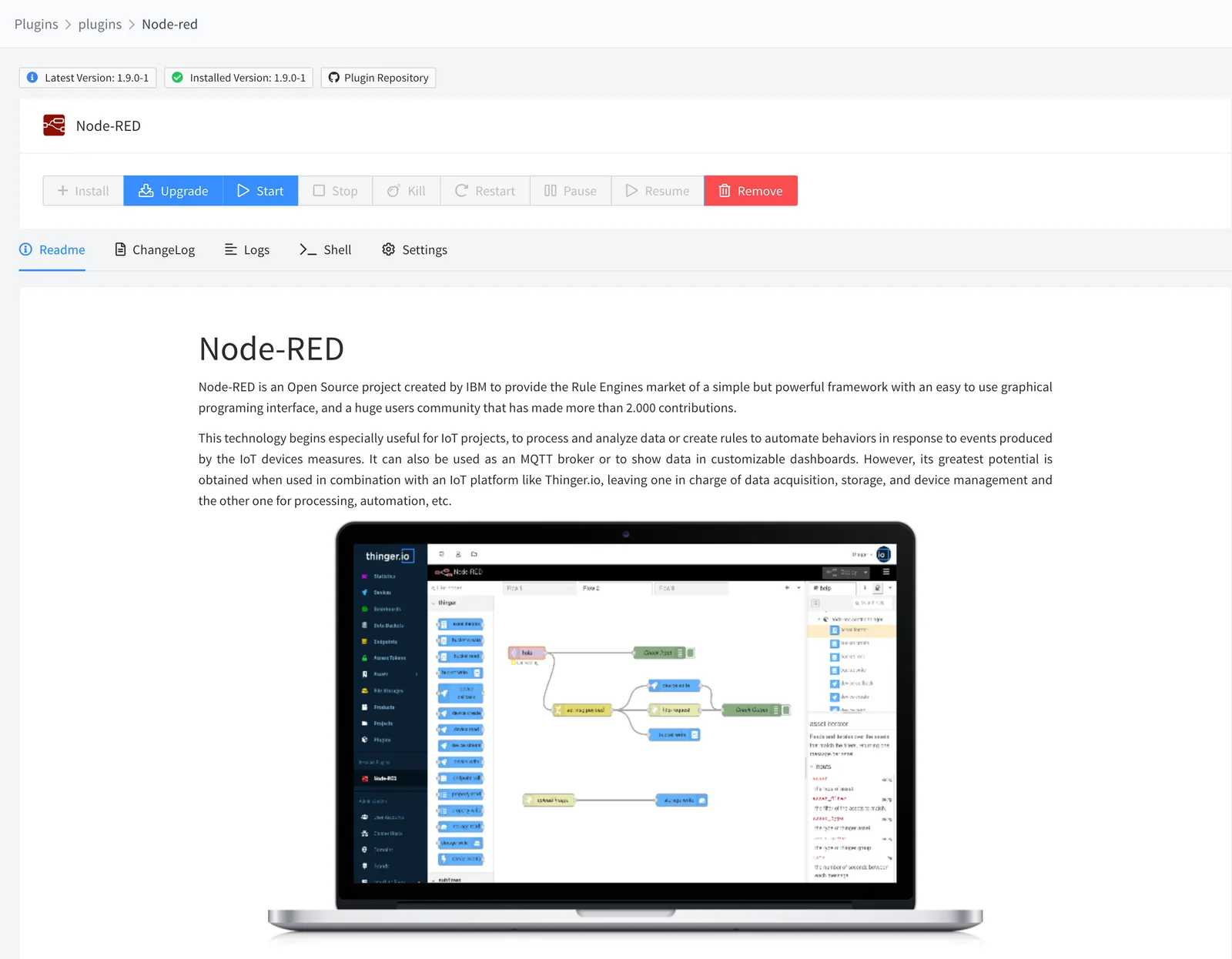
- Plugin Management Page: Migrated to Angular with new features:
- Supports reading
readme.mdand images from file storage.
- Supports reading
- Console Component: Updated to Angular with text search functionality.

- Charts: Migrated to Angular using
ng-apexcharts, resolving several issues. - Location Updates: Location properties now update with the current latitude and longitude values.
- File Storage API:
- Added support for specifying storage paths using the
pathparameter. - Automatically creates parent directories when uploading a file via
PUTif they do not exist.
- Added support for specifying storage paths using the
- Swagger API Schema: Improved schema definitions for better clarity and usability.
Fixed
- Bucket Operations:
- Resolved bucket writes with empty tag values.
- Fixed bucket reads not using the
projectfield.
- Endpoint Calls:
- Fixed endpoint call tests are not displaying
application/jsonbody with UTF-8 encoding in response headers.
- Fixed endpoint call tests are not displaying
- Plugin Environment Variables:
- Fixed creation of environment variables for plugins without default values.
- Fixed issues when adding environment variables to such plugins.
- Project Roles: Fixed form creation for project roles.
- Device Buckets: Fixed an unauthorized message when a project member accesses
DeviceBucket. - Resource Streams: Fixed product resource streams not initializing for non-IoTMP/PROTO devices on connection.
- Dashboard:
- Fixed window titles containing placeholders.
- Fixed the removal of incorrect sub-widgets in group widgets.
- Fixed missing sources in widgets within the group widgets.
- Sharing a dashboard now automatically grants file storage read permissions if required (e.g., for HTML widgets).
- Frontend API: Fixed API resource permissions.
- Mobile App: Fixed issues with loading HTML widgets.
- HTML Widgets: Fixed reliance on public access to file storage.
- Project Switching:
- Admin users within a project no longer see the info page.
- Redirecting to the default state when switching projects now applies to all users.
- Resource List: Under some conditions, a resource list, i.e., devices, may display duplicated items.
6.3
Community Release Date: 17-06-2024
Private Servers Release Date: 20-06-2024
Added
Products
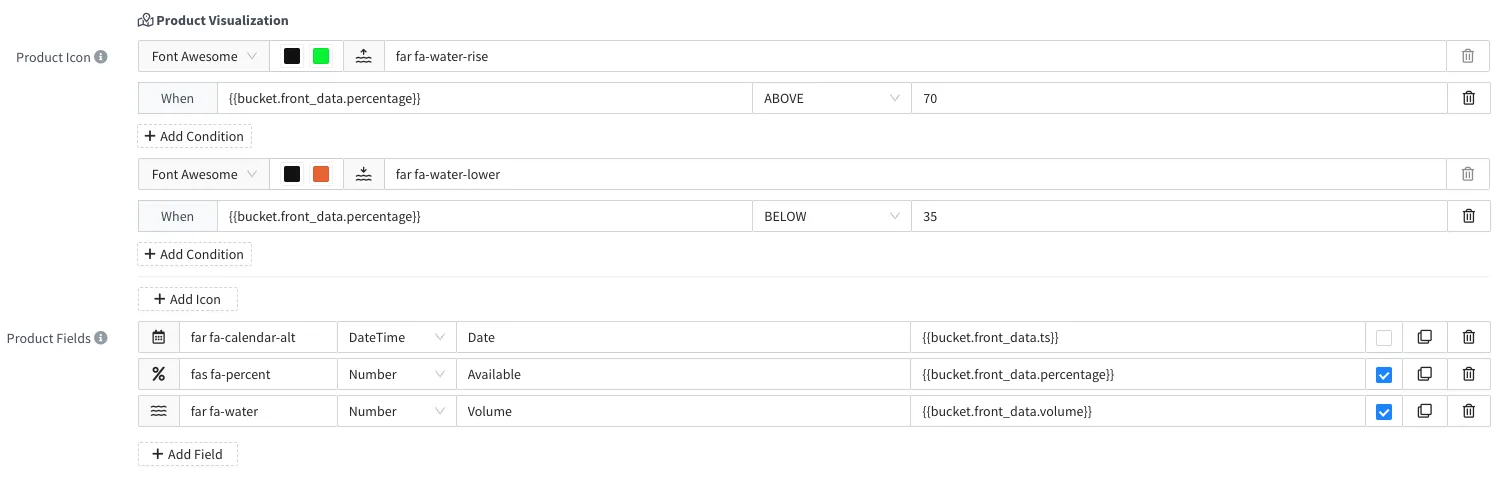
- Products now include a new functionality to configure how devices should be displayed on an Assets Maps widget, including icons, background colors, labels, and extended information when the icon is clicked. It supports conditional icons and background colors according to the latest bucket data, property values, or device status.

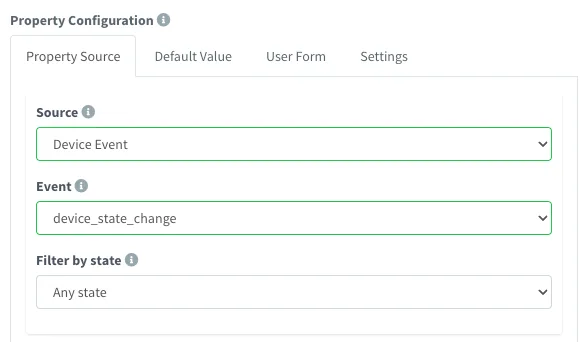
- Initial support for Device events as a source for Product resources (properties, buckets, endpoints), i.e., for reacting to device connection events.
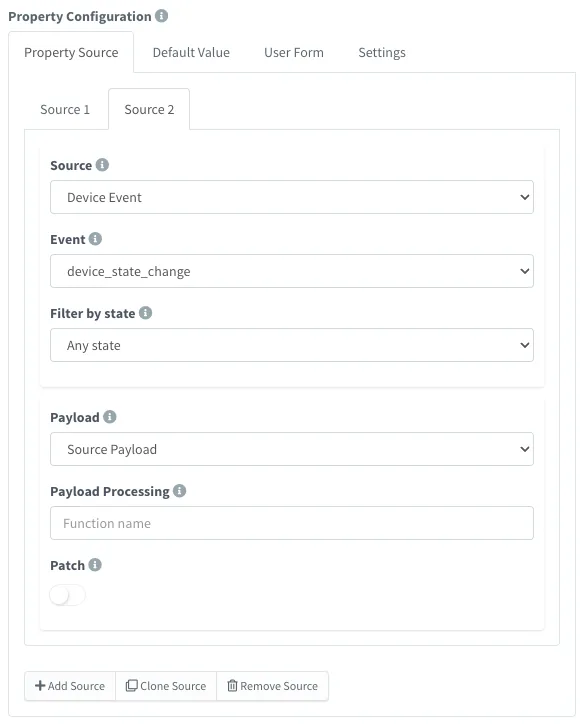
- Initial support for multiple data sources on Product properties, i.e., listening for different events/resources to update a single property.
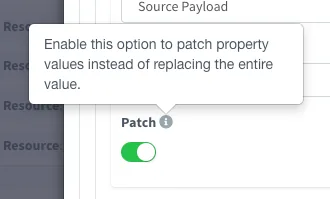
- Initial support for Product properties PATCH to allow partial updates.
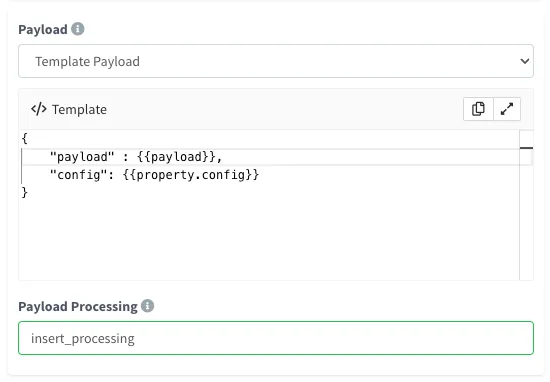
- Initial support for property data fetch on Product property, endpoints, and buckets template payloads. For example, it can be useful for modifying incoming bucket data based on device configuration.
Other
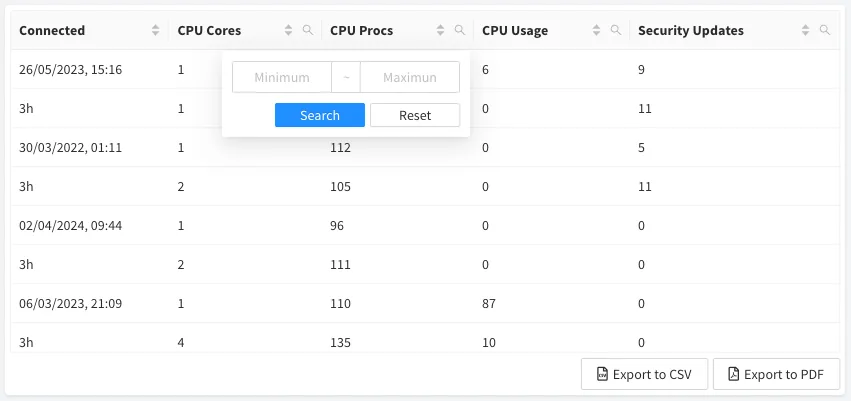
- New Assets Table widget to display device information in a table, with the possibility to export data to a PDF report, CSV file, and filter and sort columns. The asset table can merge multiple pieces of information from each asset, i.e., from device state, buckets, or properties.
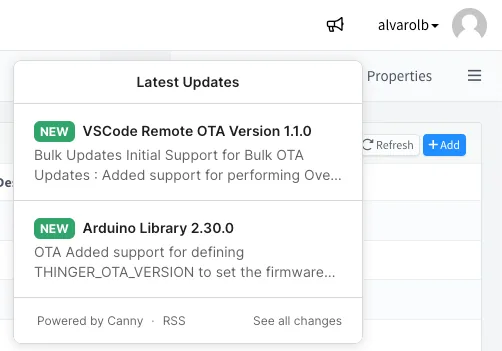
- New notification icon to stay updated on the latest news in the Thinger.io ecosystem, like server updates, new library releases, etc.
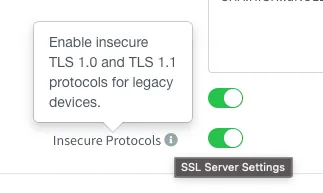
- Support for enabling legacy TLS protocols (TLS v1.0 and TLS v1.1) by reducing OpenSSL security level. This can be useful to support connectivity with old devices that don't support newer TLS versions. It can be configured under Cluster Host > Settings > SSL Certificates.
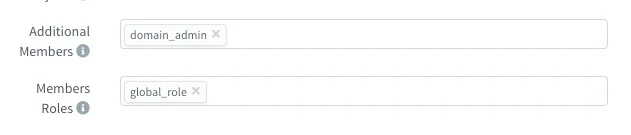
- Enable configuration for setting additional members and roles on project claims, i.e., for supervision and management.
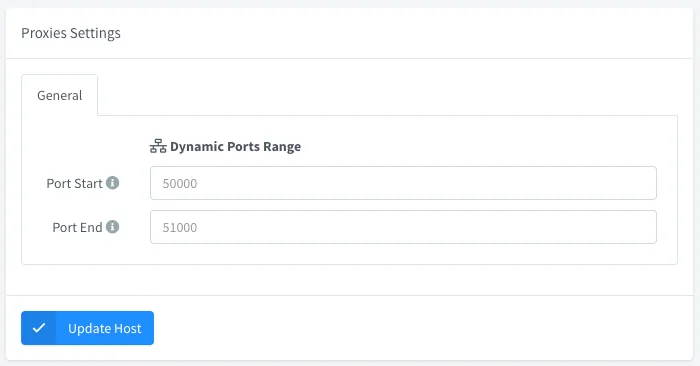
- Device services configured over Products will now use a configurable range of ports. This will simplify on-premise setup and speed up service access, as there will be no need to manage firewall rules dynamically. The port range is set in the host configuration.
Improved
- Product profile resources now simplify the payload configuration by allowing the selection of the source event, source payload, or a template payload. It also allows defining a custom payload processing function that is easier to configure than the current
{{payload:fn}}definition. - Schema validation error messages are both in the API and server logs.
- Reduce the required buffer size for each connected device.
- Increased maximum dynamic buffer size, supporting larger message sizes.
- Product API Resource responses can now use template placeholders, including properties or other API resources.
- Improved claim resources landing with more informative messages.
Fixed
- Send
device_state_changeafter product initialization. - Installing development plugin versions.
- Bucket export download URL for buckets updated from a Project Member.
- Inside and outside expression comparators on alarms.
- Potential socket leak if the client did not try to perform the TLS handshake.
- Console permissions when a developer/admin closes an external project.
- Dashboard widget on community server not allowing the selection of a value.
- Dashboard not showing configurable time selector.
6.2.2
Community Release Date: 18-04-2024
Private Servers Release Date: 30-04-2024
Added
- Devices associated with a Product can now display bucket data directly from their pages, under the menu option called "Buckets". Each device can now list all the associated buckets and will filter out its data in the Data view. In future releases, we will add options for exporting, importing, and clearing data. This opens the possibility to avoid sharing raw bucket data with project members and effectively grant access only to their device data. With this feature, permissions are granted at the device level, with permissions like ViewDeviceBuckets, ReadDeviceBucket, ReadDeviceBucketTag, and ListDeviceBucketTags.
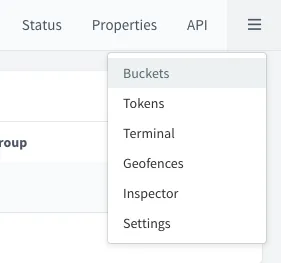
- Introduced two new specific permissions for listing and reading bucket tags:
ListBucketTags: Allows listing of bucket tags.ReadBucketTag: Allows reading of individual bucket tags. Previously, these operations required a more generalReadBucketConfigpermission. This change provides more granular control over permissions. - Claims now support including additional projects in the claim process. This way, claimed resources can be added automatically to parent "global" projects that can be used to manage the resources with different profiles.

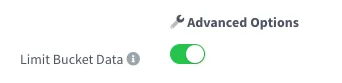
- Projects can be configured to limit bucket data access based on project devices. This functionality is useful for displaying aggregated data on the project dashboard or for restricting data access to project members. Additionally, this option can be set in the claim settings, ensuring that member projects are automatically created with this access limitation in place. The option is in the project settings.
- Device Tokens are now available for MQTT and HTTP devices, as they can have regular API resources over a product.
Improved
The templating system (used on products or endpoints) can now process placeholders with spaces.
text{{ payload : FunctionName = 22 }}Internal LRU cache with a modern and safer implementation.
Removed unused 'curl' dependency on the base image, slightly reducing image size.
Fixed
- MQTT and HTTP devices can now also define Device tokens via the GUI, as they can define API resources over Products.
- Problem when removing nested resources, i.e., Bucket exports, Project Members.
- Bucket exports should not display set projects and clone context actions.
- Bucket exports are not loading by default.
- Apex Chart Widget preview is preventing the dashboard from being saved.
- Apex Chart Widget series colors are not being updated when the widget has titles.
- Problem when updating device locations.
6.1.0
Community Release Date: 08-04-2024
Private Servers Release Date: 15-04-2024
Added
- Brand PWA configuration includes support for uploading app icons directly from the filesystem. It also allows the configuration of both 'maskable' and 'any' icon purposes. Fixes https://github.com/thinger-io/thinger-server/issues/84
- Brand Share Image includes support for uploading an image directly from the filesystem.
- Brand Logos are now served from the web server instead of a JSON config, which should reduce load time.
- Brand PWA "start_url" to make the console installable on Chrome.
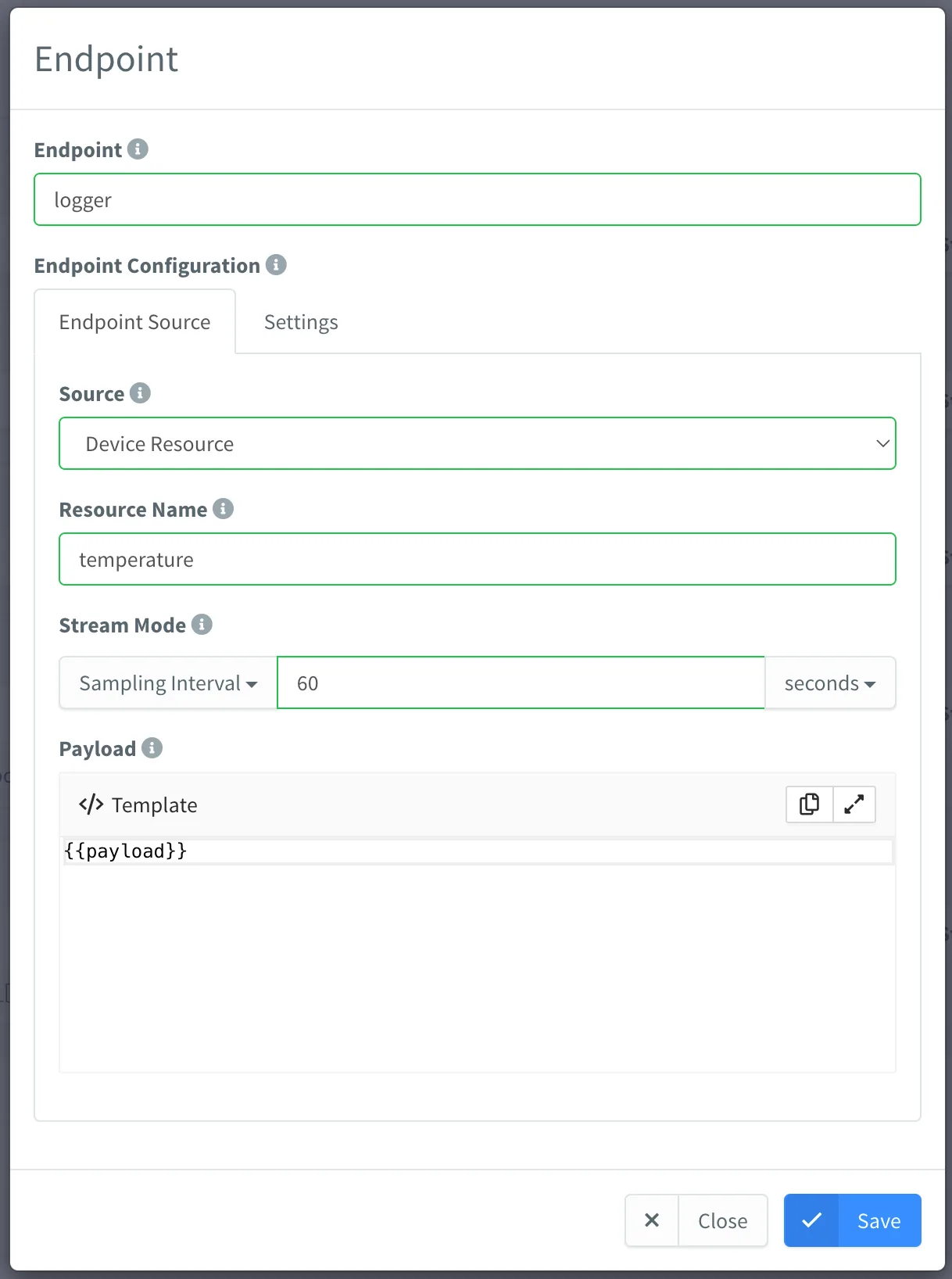
- Products can now be configured to resend device data to a given endpoint. For example, fetch a given resource every n seconds, or take data from a topic, and resend it to another service.
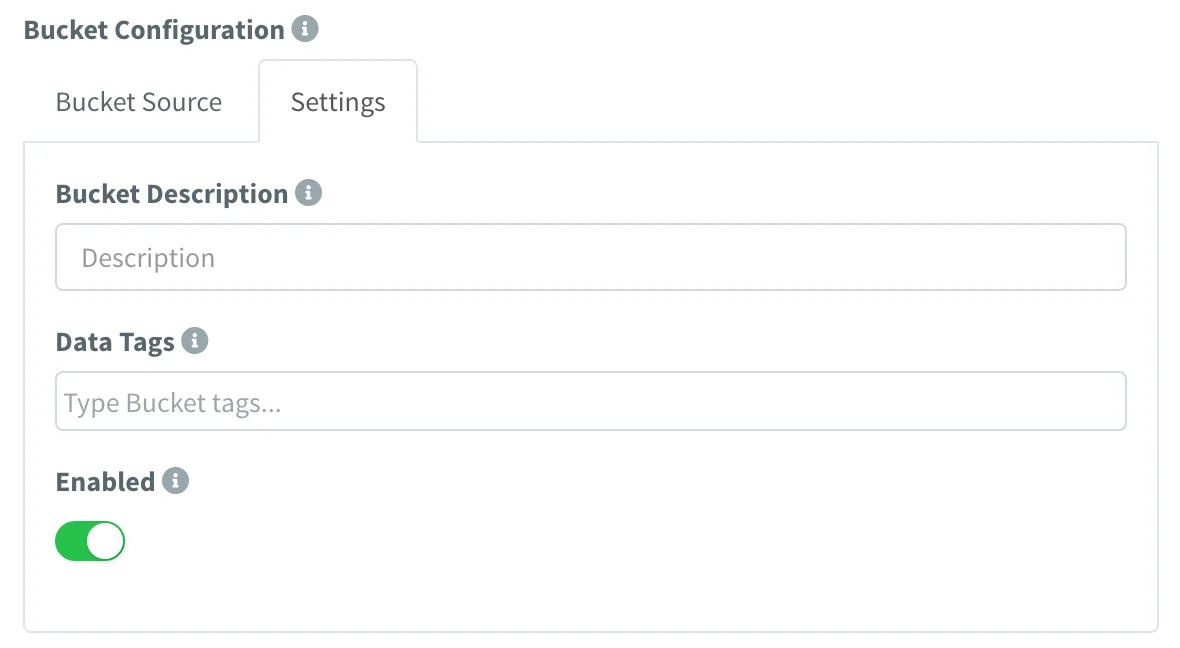
- Products can now configure bucket tags to be used on the automatic initialization. Fixes https://github.com/thinger-io/thinger-server/issues/81
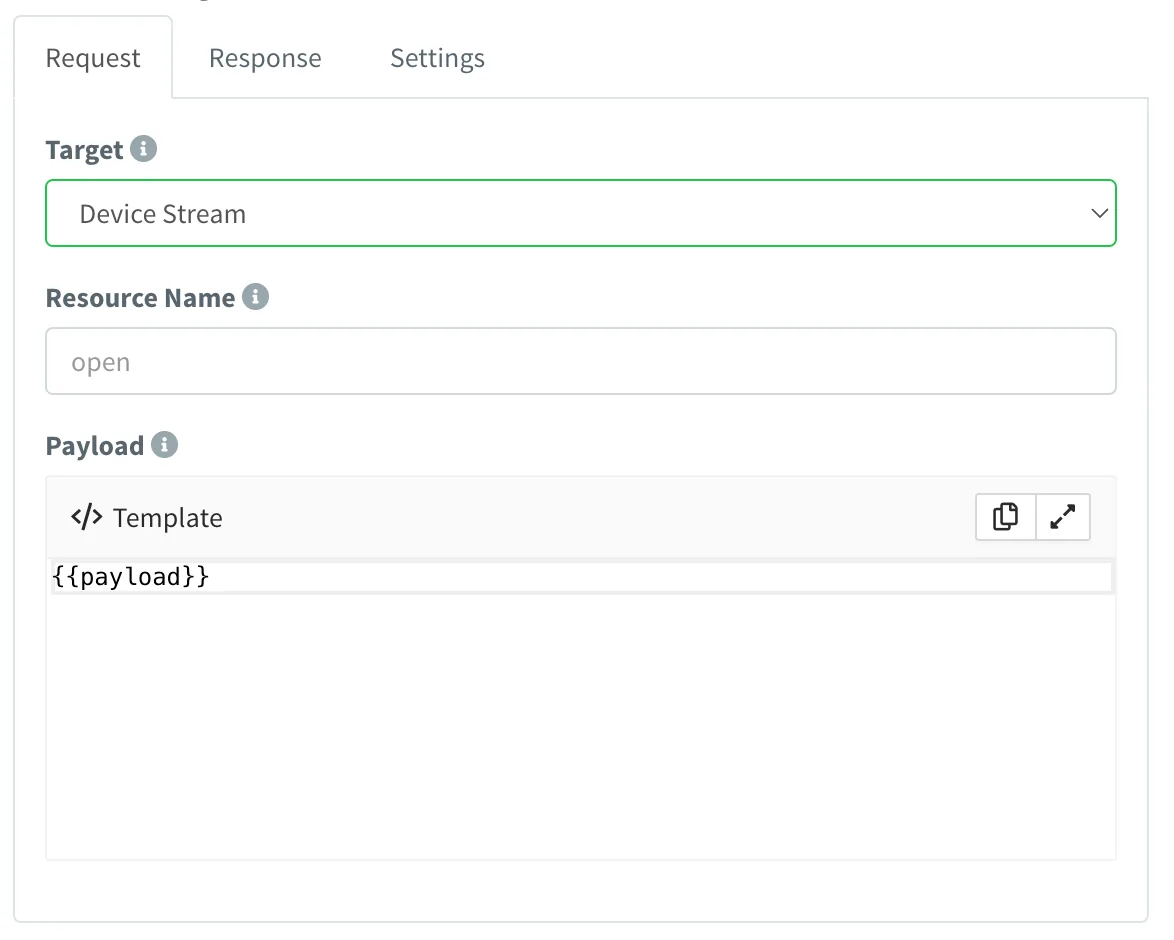
- Products can now handle Resource Streams, i.e., to create custom profiles for HTTP devices. Product API Resources have a new Device Stream target.
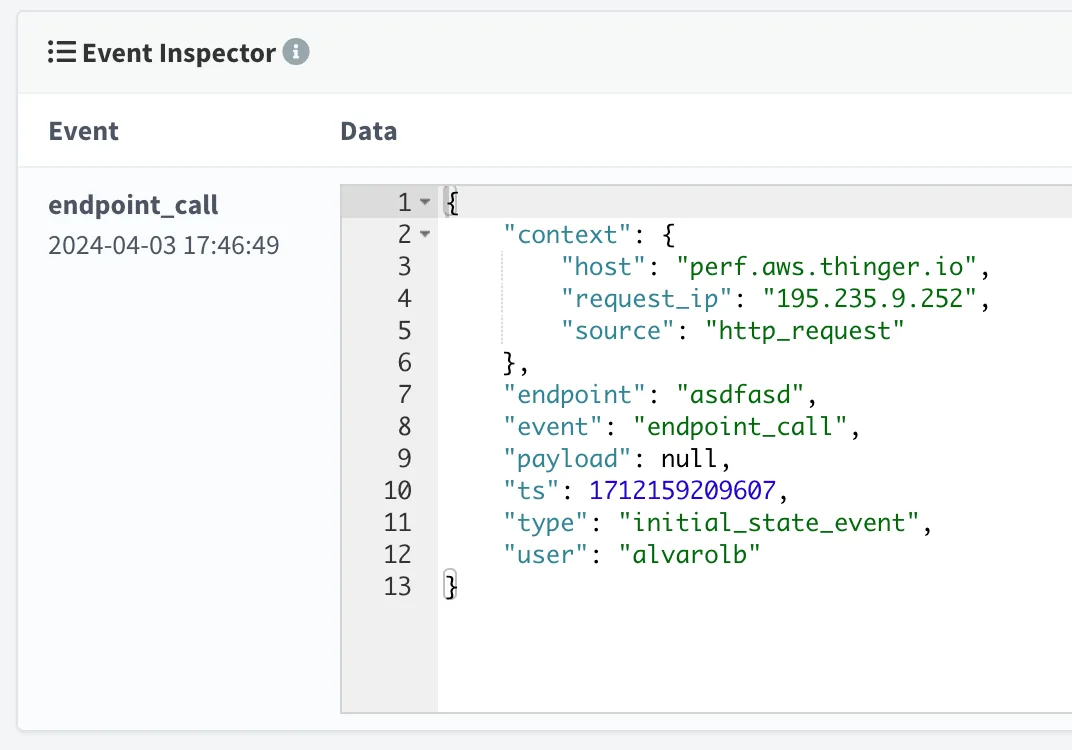
- The endpoint call event now provides context about the caller.
Improved
- Add a resource cache for better performance on massive endpoint calls and bucket writes.
- HTTP devices have been migrated to a new connection schema where it is possible to log their statistics, like bytes sent, received, and connections, as any other MQTT or IOTMP device.
- HTTP devices can now be used inside dashboards with resources defined at the product level.
- Device property selector for HTML widgets allows selecting any parent node (with nested values), or all property values by not selecting any field. Fixes https://github.com/thinger-io/thinger-server/issues/16
- Property PATCH now supports regular JSON for partial property updates. Fixes https://github.com/thinger-io/thinger-server/issues/16
- Brand icons and logos are now served from the filesystem instead of a data URL, improving page load.
- Dashboard HTML widgets from external storage no longer require public storage access. In the case of members of a project, they will require read access to the storage.
- Product properties, topics, resources, and functions can be generated now by calling a product function.
- Product bucket writes can now override tag values based on the write payload. Previously, tags like device were always being set by the product, discarding any "device" field present on the payload.
- Compatibility with OpenSSL 3.0 on SSL certificate provisioning.
- IP Geocoding automatic updates.
Fixed
- Apex Charts widget colors do not honor time series color configuration.
- Binary data on a product payload is not processed correctly.
- Visual Studio Code is not opening the file storage correctly.
- Products with just "run" resources were not displayed on the API explorer.
- Product profile list for buckets, endpoints, auto provision, and api resources were always displaying "Property" instead of the resource type.
- The info page displays on empty or restricted resources.
- Statistics on socket count.
6.0.0
Release Date: 11-03-2024
Added
- Property Forms: Allow creating custom forms for improving the user experience when setting values inside a property, i.e., when configuring a device. The form can be defined at a Product level, and it is currently supported by Formly.
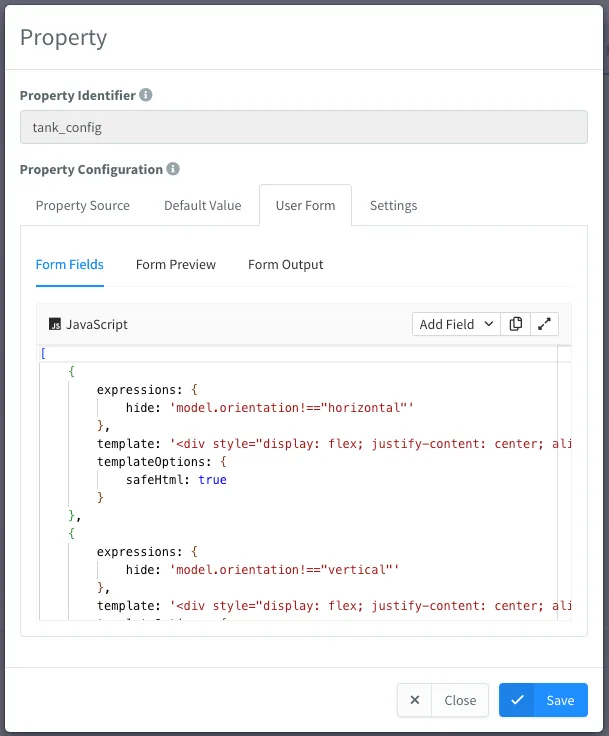
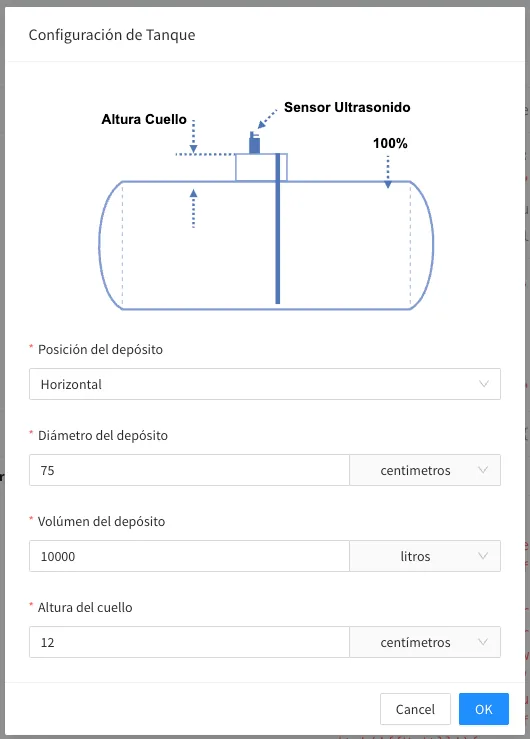
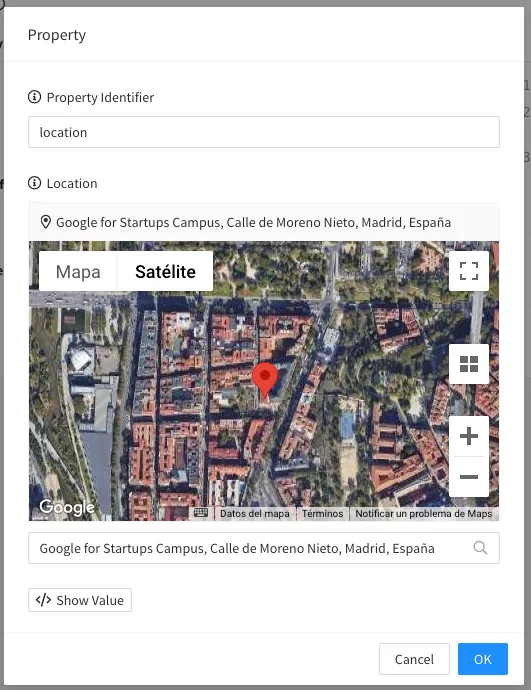
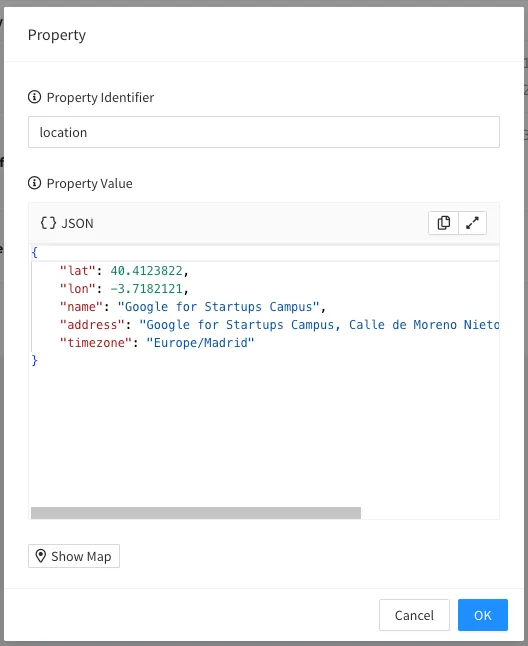
- Property Location: Location properties now display a map for picking the address directly from the map or via a search bar for using an address. Once an address is selected, it automatically fills in the coordinates and timezone.
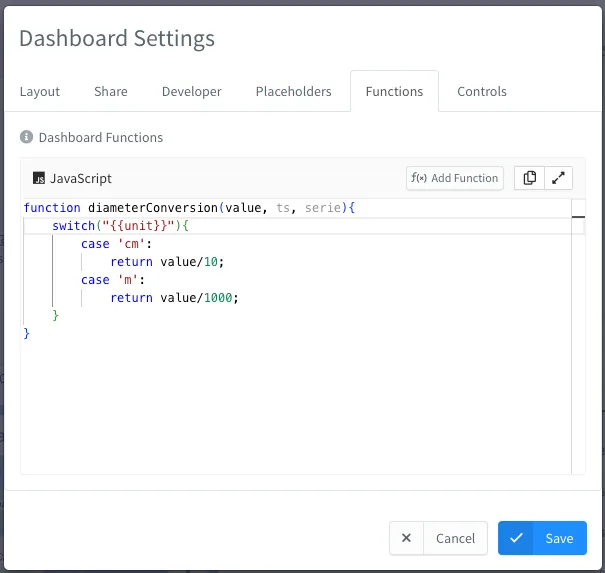
- Dashboard Functions: Dashboard now supports creating custom functions for processing any data used in the dashboard, i.e., for changing units, cropping decimals, or filtering values. Conversion functions can be selected in the data source configuration.
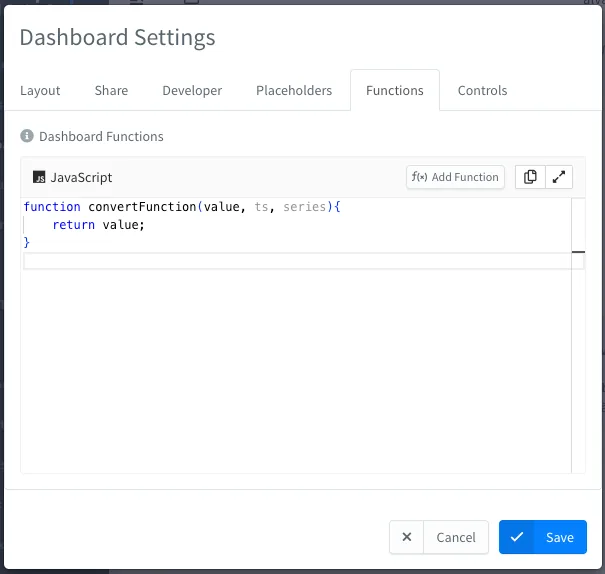
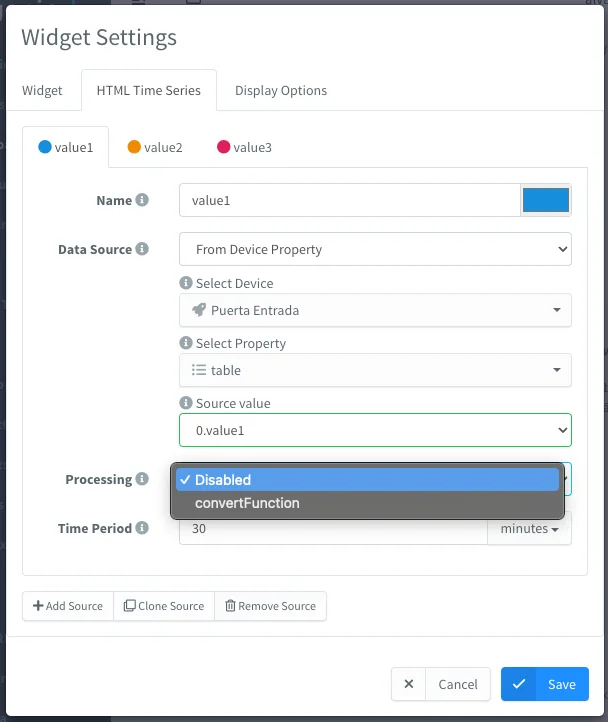
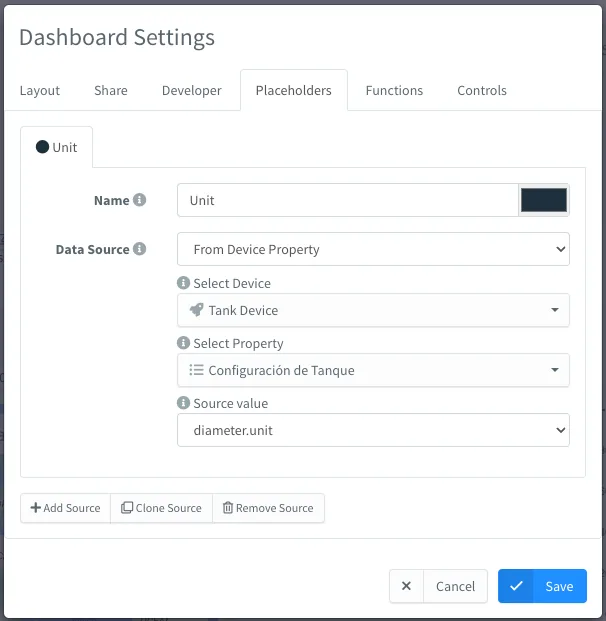
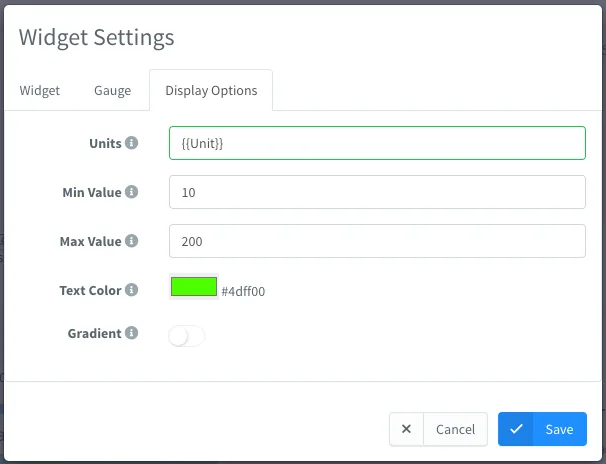
- Dashboard Placeholders: Dashboard now supports settings placeholders from a fixed value or a device property. Placeholders can be used in any string field on the dashboard, i.e., titles, units, or even inside functions to change the behavior of the function depending on the current device configuration.
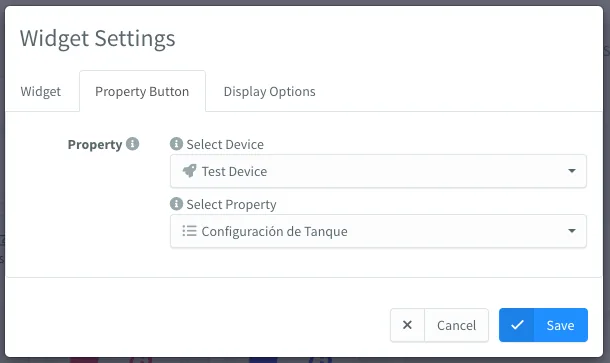
- Dashboard Property Button: New "Property Button" widget for opening device properties for modification, even if they have a Property Form defined.
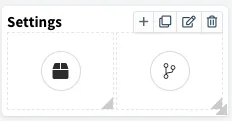
- Dashboard Group Widget (BETA): New Group Widget that brings the possibility to add any number of widgets inside a parent widget.
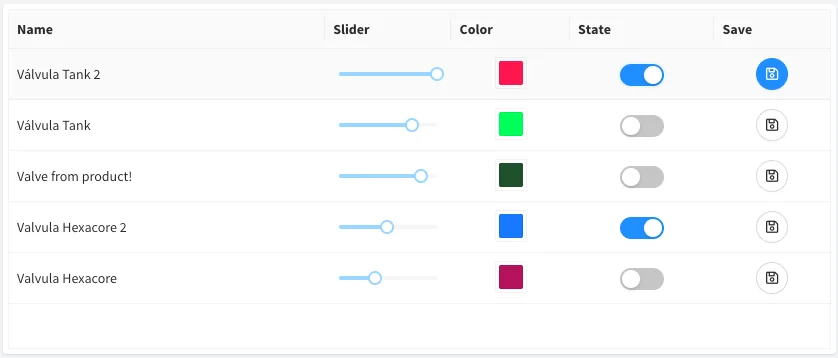
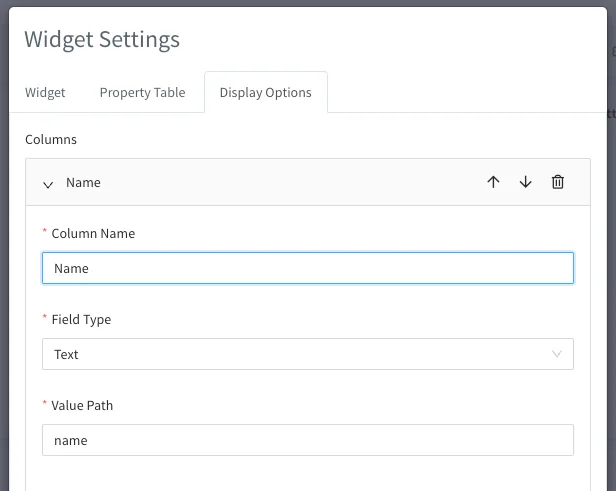
- Dashboard Property Table (BETA): Introducing a new widget that enables quick editing of properties for a device or a set of devices. This widget includes various built-in controls such as text display, input text, input number, slider, color selection, switch, a save button, and an edit button. These elements can be configured in each column to patch a single property value.
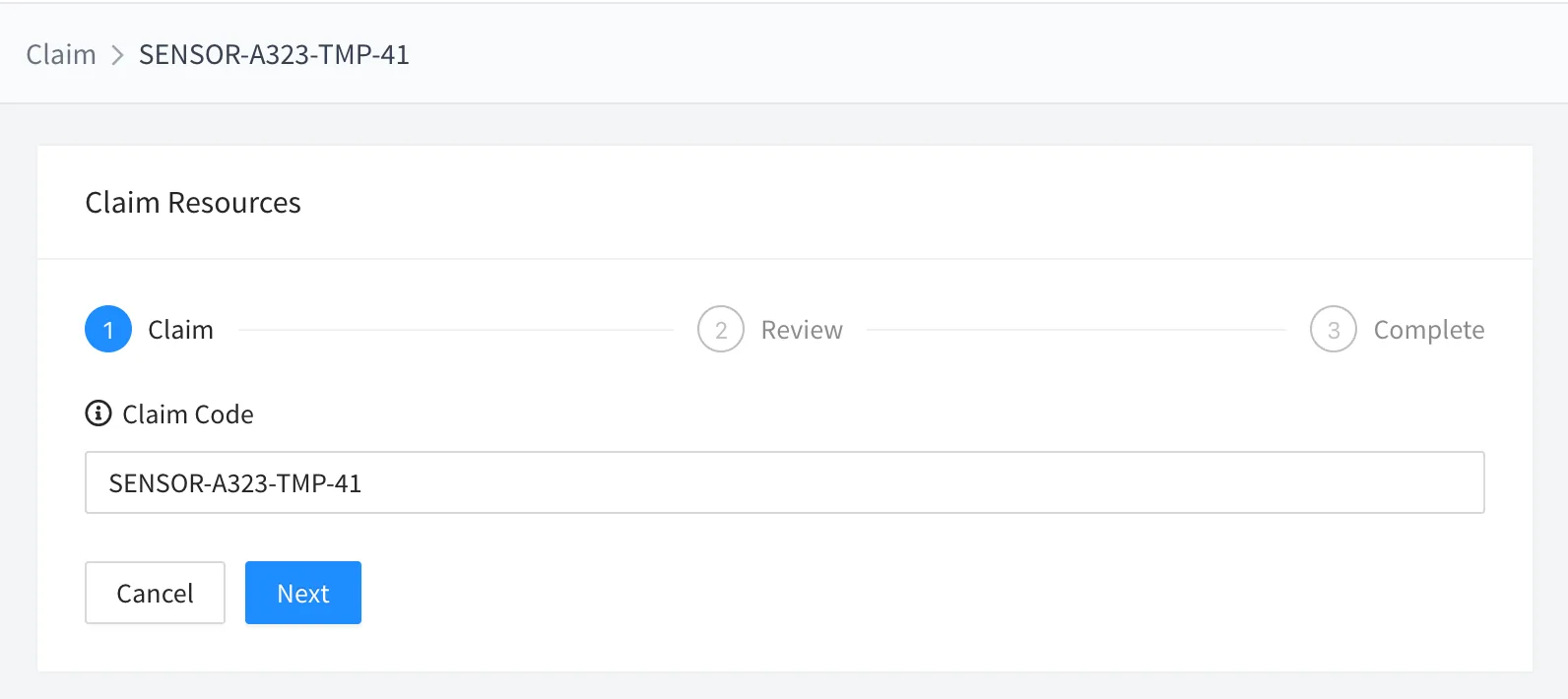
- Claiming Feature: The Claiming Feature is a versatile and user-friendly tool designed for administrators to configure and expose a selected number of resources, such as devices, for end-user claiming. This feature enables administrators to set up various resources that end-users can subsequently request effortlessly. Upon a successful request, these resources, like specific devices, are automatically integrated into the end-users' accounts. This streamlined process not only enhances user experience by simplifying resource acquisition but also provides administrators with efficient control over resource distribution and management.
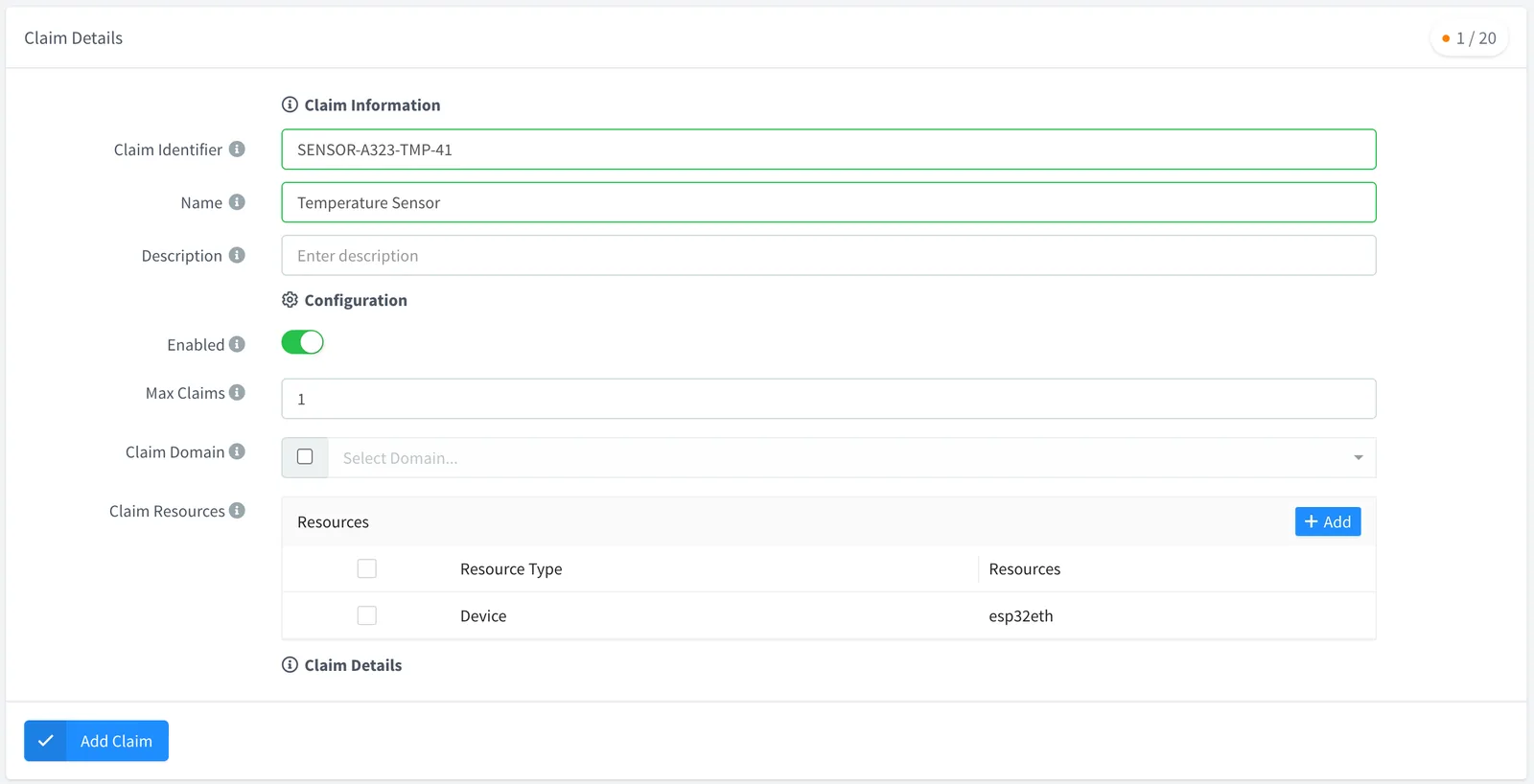
One of the key strengths of this feature is its flexibility in claiming methods: users can initiate a claim through a directly generated URL, by scanning a QR Code, or by using a specific Claim Code.
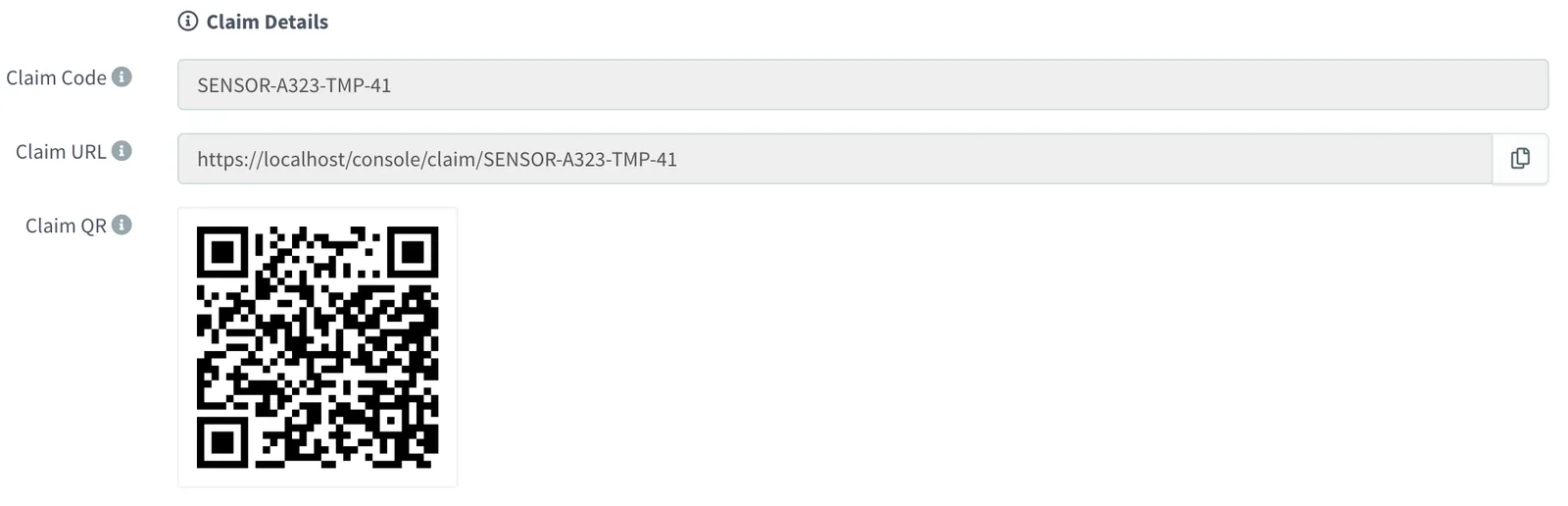
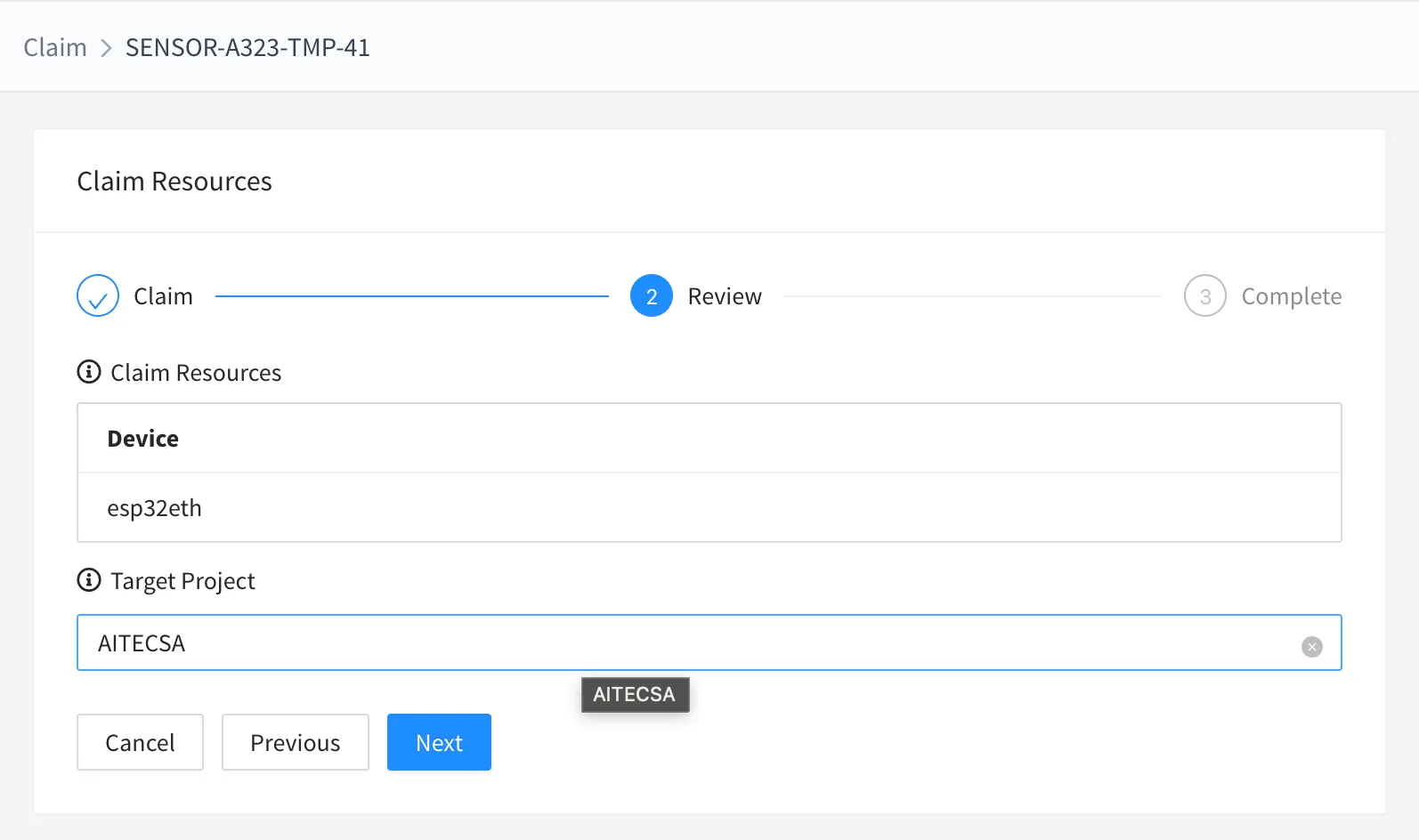
The second phase shows a review of the claim.
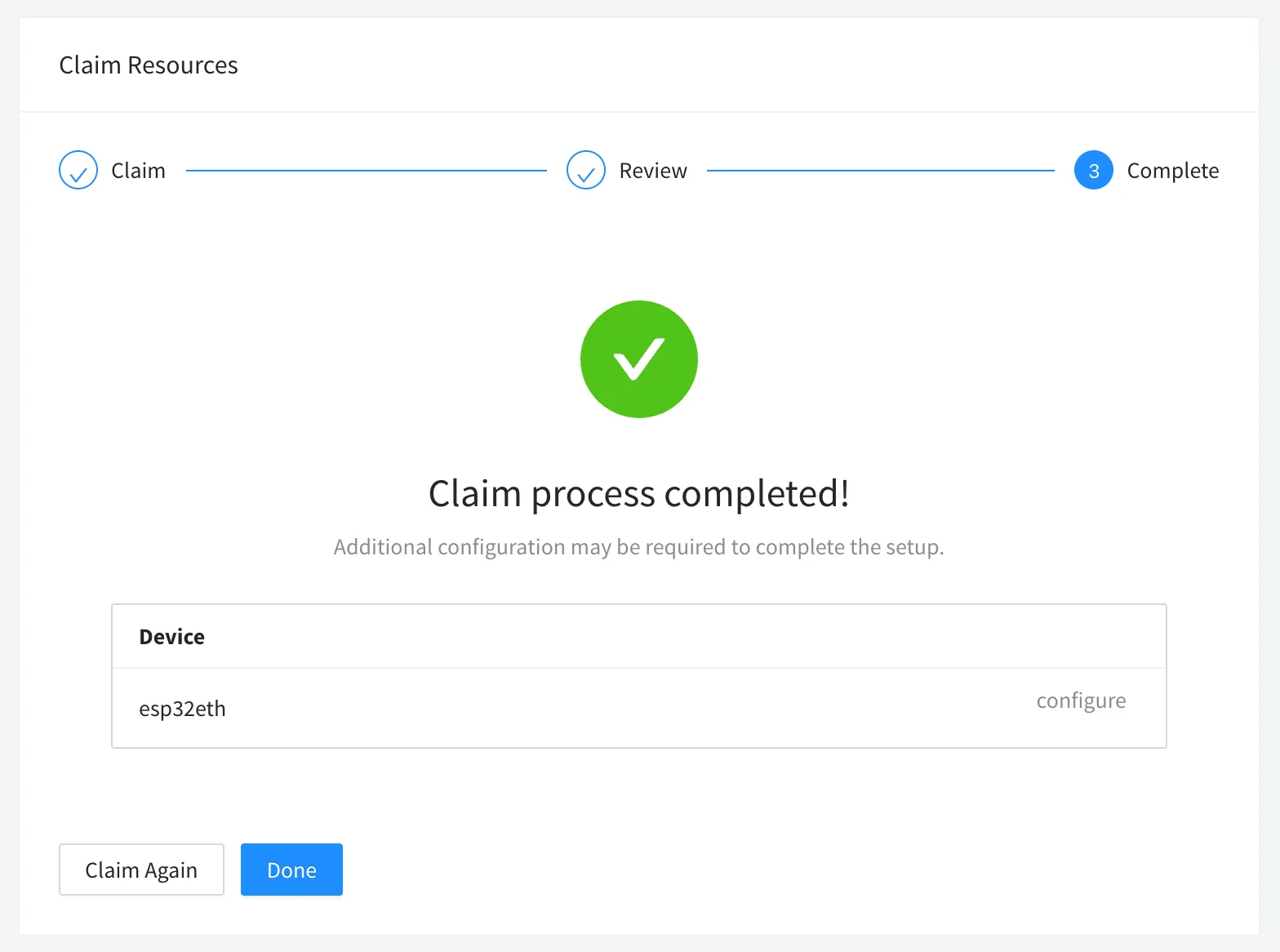
Once the claim is completed, the process may request the configuration of the devices, i.e., via the Property Forms defined on the product.
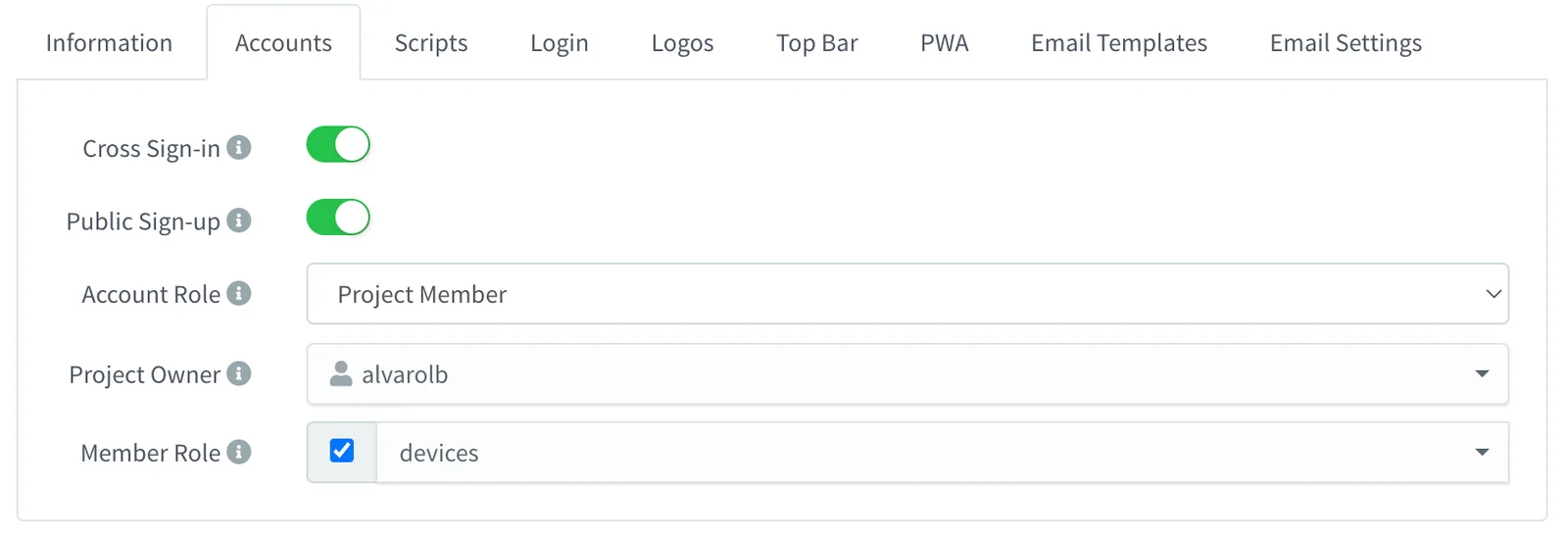
Configurable Brand Accounts: We've introduced a new "Accounts" section for each brand. This enhancement allows more control over brand-specific behaviors, including:
- Cross Sign-In Control: Determine whether users registered with one brand can log in to another, thereby enhancing security and user management.
- Public Sign-Up Options: Choose whether to allow public sign-up for each brand, providing flexibility in user onboarding.
- Automated Role Assignment: Set specific account roles for users who register through public sign-up, such as automatically assigning 'member' status for device claiming purposes.
This update offers more customization to better align with the brand's unique operational needs.
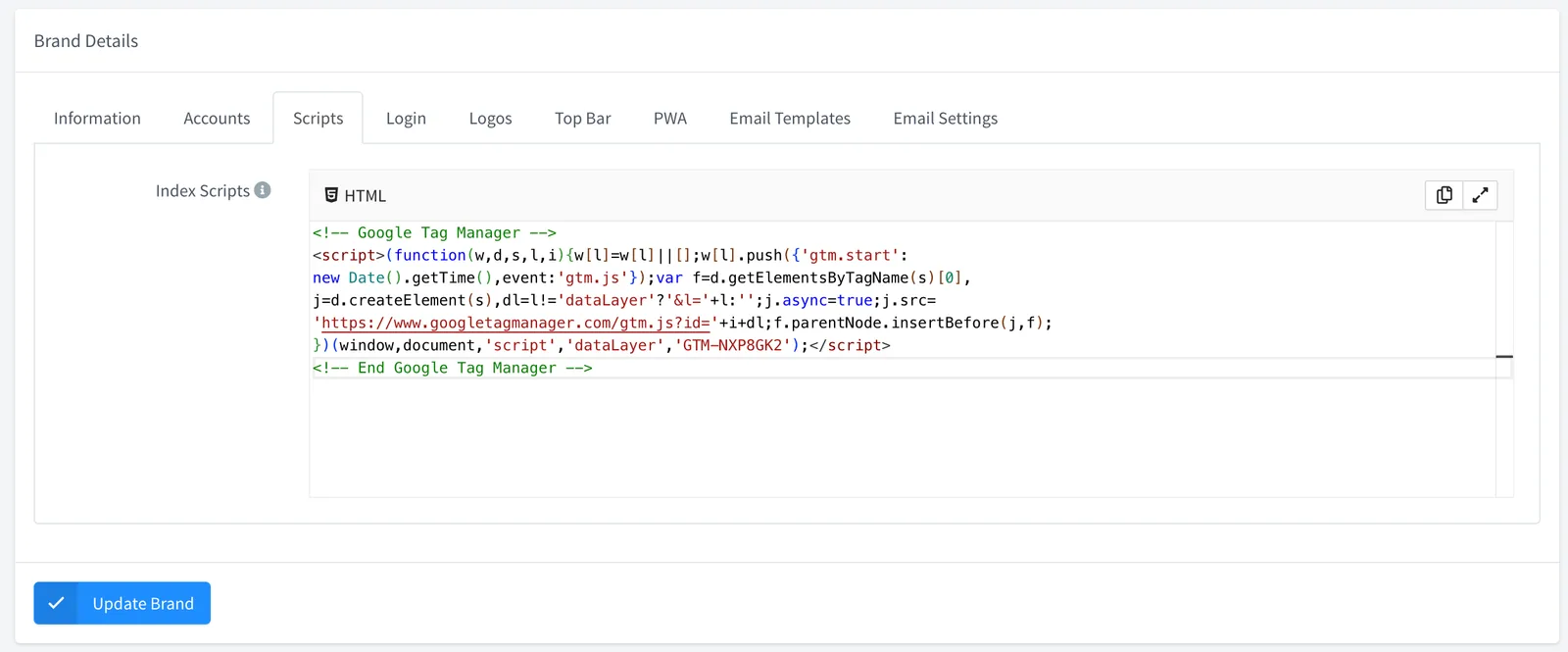
- Configurable Brand Scripts: An update has been released that allows for the configuration of custom scripts for a brand's
index.html. This enhancement facilitates the integration of tools such as Google Tag Manager and the monitoring of customer traffic.
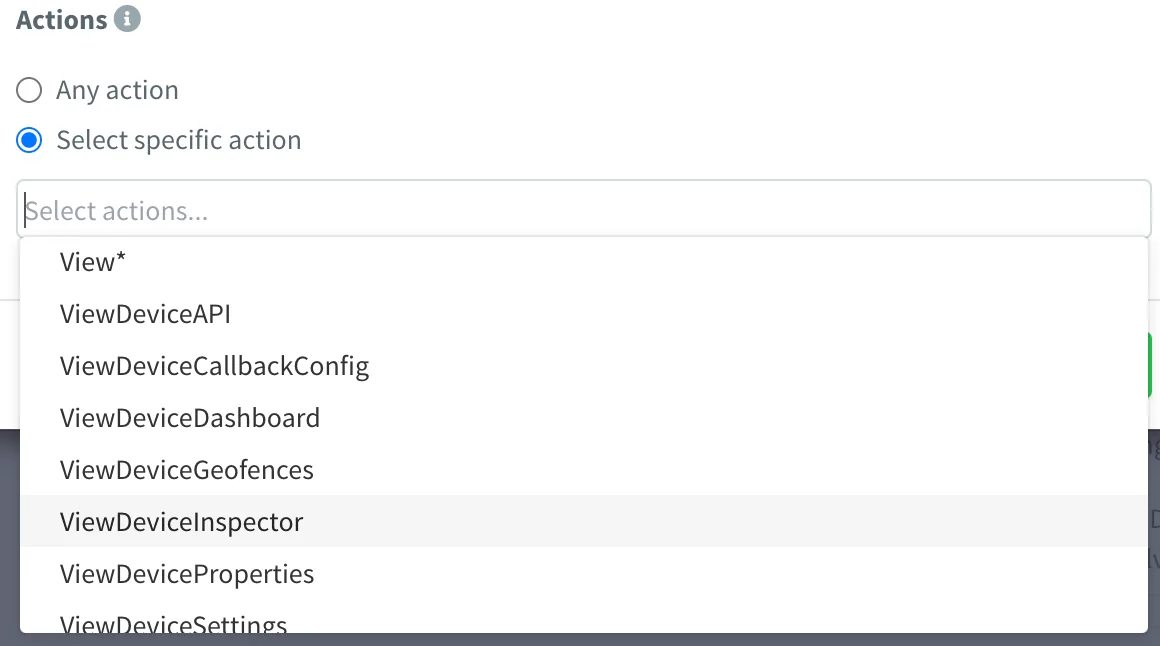
- New Permissions: Console is introducing an array of specific new permissions, enhancing the granularity with which administrators can control member access and actions within the console. This update distinctly separates permissions for actions performed through the API from those executed directly on the console interface. In the current version, all existing permissions will continue to function as before. However, future updates will require the explicit assignment of 'View' permissions to maintain the access level. This change lays the groundwork for more precise and customizable user role management, ensuring enhanced security and efficiency in operation. At this moment, they are partially released for Devices, but will be covering the whole console in future updates.
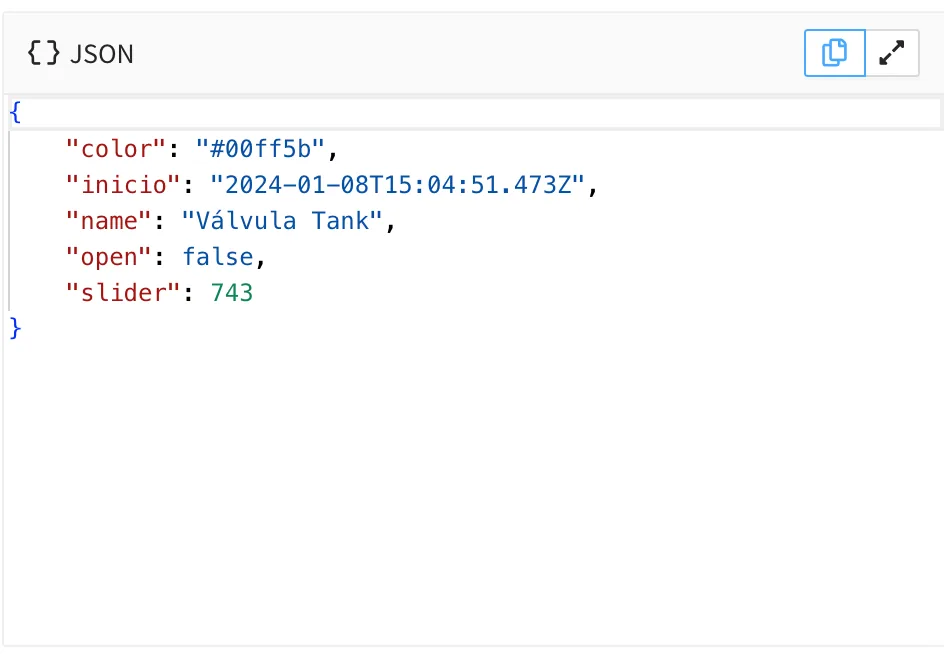
- Updated Editors: Now, editors are based on Monaco (the editor from Visual Studio Code) with support to maximize the editor and copy the contents.
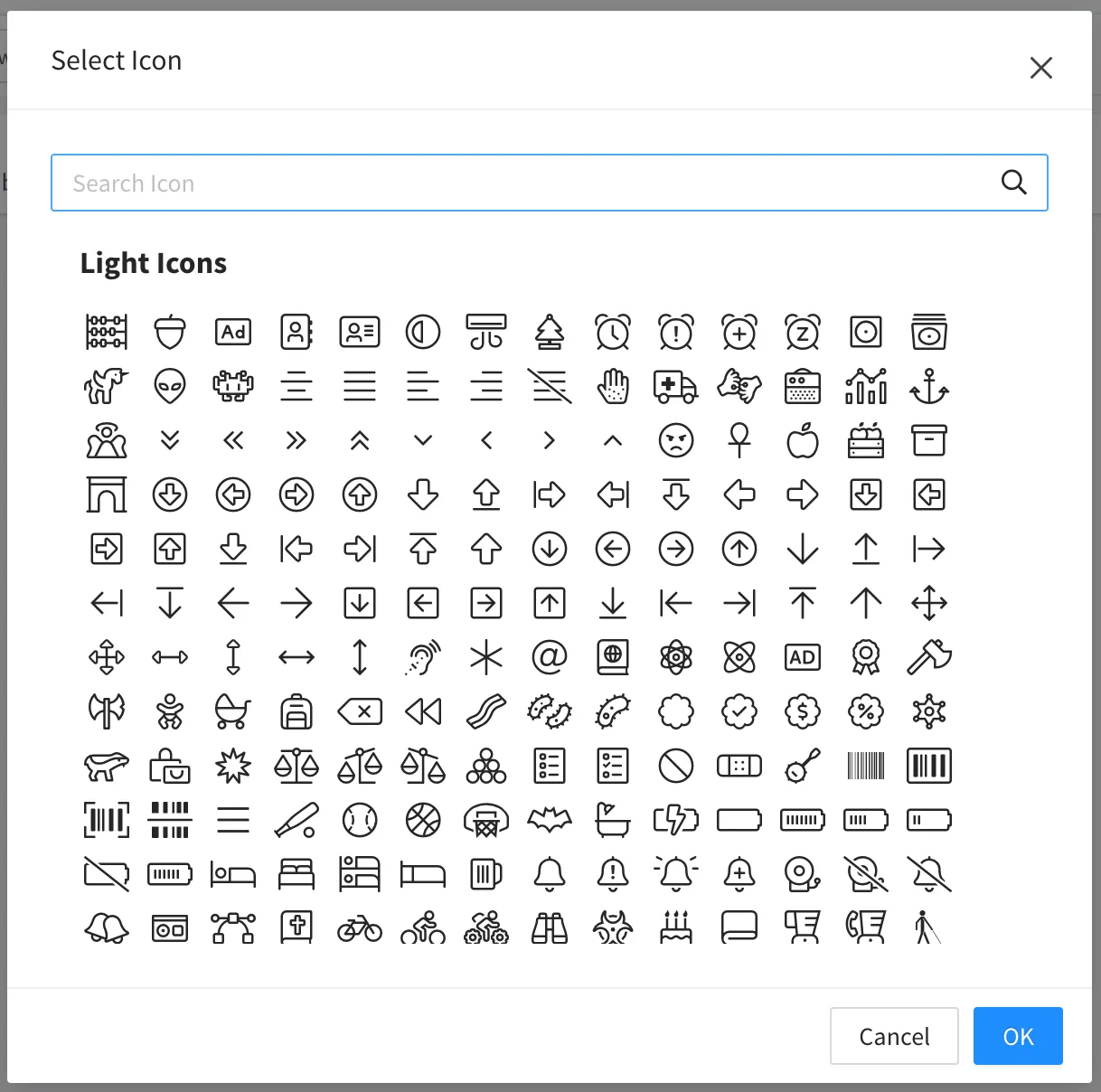
- New Icon Picker: There is a new icon picker with a much greater variety of icons and improved search capabilities.
Improved
- Double-click on Widget now opens the Widget editor!
- Create and update properties' performance.
- Time series data should not present data wraps anymore.
- Internal Google Maps loader to potentially avoid multiple loads.
- Buckets API query now supports the "group_by" parameter.
- Move Swagger to an Angular component. New URL: https://console.thinger.io/swagger
- Initial deprecation of InfluxDB v1.
- Widget add time series automatically selects a different name and color for each series.
- Dashboard source switching now allows switching between bucket tags, with minimum and maximum selected tags.
- Dashboard internals.
Fixed
- Push button widget not working on mobile devices.
- Real-time dashboards now work properly with project members and shared dashboards.
- Fixed the issue where the dashboard widget with device resource data source was showing offline, despite the widget receiving data.
- Deletion event not triggered for nested resources, i.e., device property.
- Creation event not triggered for property resources.
- Data bucket storage from Products using device resources with a fixed interval randomly stops writing.
- Add Syncs to the tokens' actions.
- Dashboard editing is not being disabled on non-active tabs.
- Token configuration was missing the description field.
- Delete resource from the console, sending parameters like index, count...
5.3.7
Release Date: 30-11-2023
Fixed
- Issue while displaying the default project on member accounts.
- Reset password not working for some email addresses.
5.3.6
Release Date: 24-10-2023
Added
- Support for HTTP_HOST and HTTPS_HOST environment variables for HTTP requests over a proxy.
- Support for disabling HOSTNAME resolutions on installed plugins, i.e., useful for plugins that require querying an external public IP (like FTP).
Improved
- Prevent large navigation breadcrumbs from overlapping the right menu button.
Fixed
- Device link to a Product web page not working on mobile devices (in the aside menu).
- Error while updating account limits.
- Support for 303 HTTP See Other status.
5.3.2
Release Date: 04-07-2023
Added

- Widgets now have a "Show Offline" parameter to "turn off" the widget if the data is not recent. The widget is displayed as "Disconnected" when its data is older than the configured timespan.

- Product API Response can now be sourced directly from a function.
- Product API Response can now be sourced directly from an IOTMP resource.
Improved
- Internal HTTP client stability.
Fixed
- Problem while counting active alarm instances on the menu.
- Alarms that are not triggering notifications on creation when it has immediate activation.
- Alarms that do not allow for selecting hours as reminder intervals.
- IOTMP with multiple property stream subscriptions.
- Products that do not process the API Responses payload configuration, but return just the original payload.
- Input template params to Product API Request targeting functions are not being correctly processed.
- Plugins that require a MongoDB user to interact with the database fail to upgrade.
- Dashboard widget settings are closed when removing the widget background.
5.3.0
Release Date: 19-06-2023
Discussion Topic: Thinger.io Community
Added
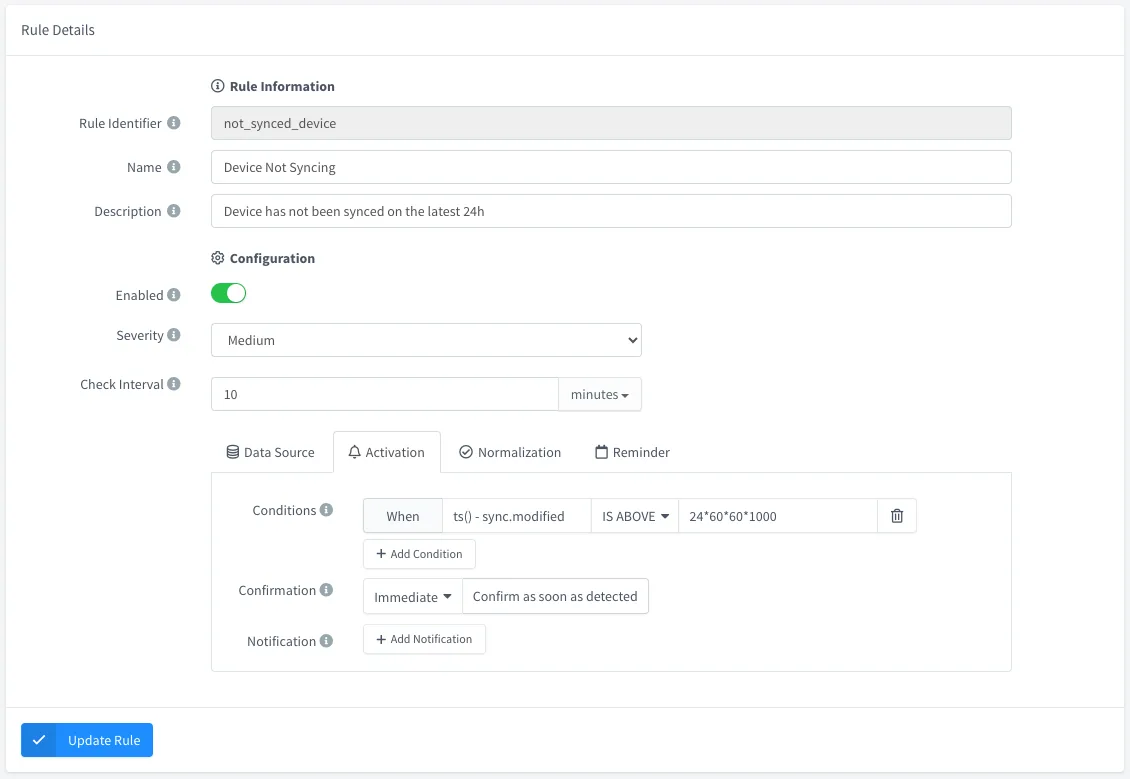
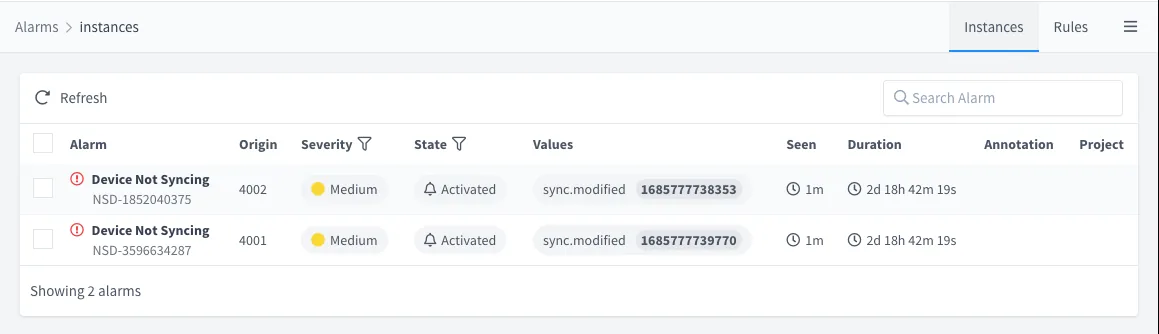
- New Alarms feature (BETA)! A completely new solution for managing IoT alarms, which includes rule definitions and alarm instance management. Some key features of the new solution:
- Multiple data sources for configuring alarm triggering include data buckets, device properties, and device state.
- Multiple severities: High, medium, low, none.
- Independent activation and normalization conditions, including confirmations based on timespan or several consecutive events.
- Multiple endpoint notifications on activation, normalization or reminder, i.e., for sending an email, a message to mobile, etc.
- Alarm instance management via Acknowledge, Shelve, Latch, or Clear, including reactivation timeouts and operator annotations.
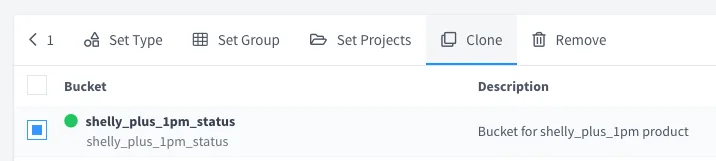
- Support for cloning almost any Thinger.io resource, from dashboards to data buckets, file storage, and projects.
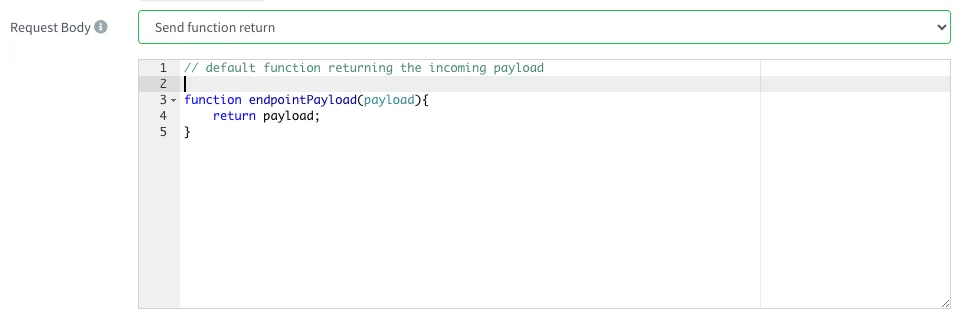
- HTTP endpoints now support embedded NodeJS scripts for custom payload processing when calling third-party services.
Improved
- The bucket list automatically refreshes the bucket state, i.e., when it finishes exporting or importing, which happens on a clone operation.
- IOTMP proxies now work correctly with TLS endpoints.
- HTTP over IOTMP now correctly supports WebSockets.
- Resource list and navigation:
- It is possible to change the maximum number of elements to display per page.
- Page navigation/sorting is not reset after entering one element and going back to the list.
- The changelog is now available at
https://docs.thinger.io/server/changelog.
Fixed
- Remove project properties and project roles from the database on project deletion.
- The bucket field selector now displays an input text for manually selecting the fields if the latest values cannot be queried, i.e., when they are older than one week.
- Double loading of HTML widgets when the dashboard is open.
- Proxy configuration was not displayed correctly if the source was different than TCP.
- The bucket export list is not being displayed under some circumstances.
- Resource lists on the front-end are not showing the correct permissions for members.
- Prevent members from navigating to specific resources if no permissions are available.
- Update the Device permission on the front-end.
5.2.2
Release Date: 12-04-2023
Fixed
- Timestamp on HTTP device callbacks from HTTP plugin
5.2.1
Release Date: 10-04-2023
Discussion Topic: Thinger.io Community Forum
Added
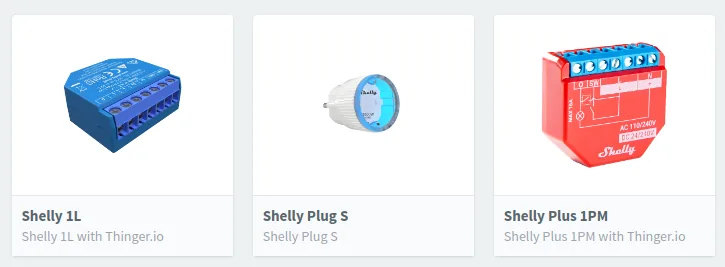
- Included support for installing Products over plugins. Now, there are some Shelly devices added to the plugins Marketplace. We will grow it soon! Looking for contributors and partnerships!
- Initial support for devices auto-provisioning over products. It is currently based on the device id, but will include other features like white lists, manual approval, etc.
![Auto Provision table of a product with shelly_plus_1pm enabled for the pattern shellyplus1pm-[a-fA-F0-9]+](/changelog/5.2.1/product-auto-provision.webp)
- New Plugins Marketplace based on a monorepo repository: Thinger.io Plugins. It will allow better maintainability and simplify new contributions!
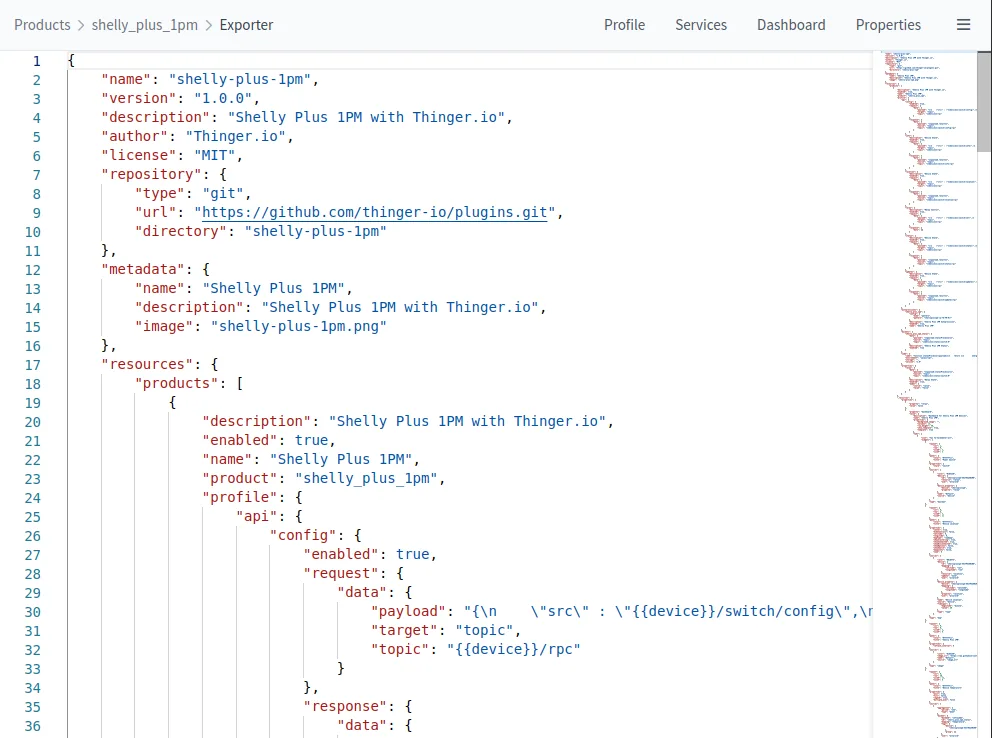
- Initial Plugin Exporter feature inside Products. This way, a Product can be easily converted to a Plugin. enhancing user contributions.
- Device type to "device_authentication_failed" event.
Improved
- Avoid creating a Docker network if the plugin does not run a task (i.e., products).
- Plugins marketplace on the frontend, with better image alignment.
- Permissions assigned to user File Storage are 1000:1000, so they can be easily edited over plugins, i.e, in Node-Red, VSCode, Jupyter plugins, etc.
- Plugin files copied on installation now have 1000:1000 permissions, so they are modifiable over plugin shells.
Fixed
- Bucket exports showing duplicate columns
- Domain creation when setting a name
5.1.12
Release Date: 16-03-2023
Fixed
- Temporal restore of the default IOTMP buffer size until IOTMP-Websocket supports growing buffers
5.1.11
Release Date: 14-03-2023
Fixed
- DynamoDB (community buckets) bucket projections when using reserved keywords
5.1.10
Release Date: 08-03-2023
Fixed
- Null/false on bulk bucket writes when using tags on topic placeholders
- DynamoDB (community buckets) bucket projections when using non-alpha characters
5.1.9
Release Date: 07-03-2023
Improved
- Bulk bucket writes are now also supported by products
5.1.8
Release Date: 06-03-2023
Fixed
- Center images on the dashboard image widget.
- Remove the undesired console.log used in development
- HTML widgets from file storage may fail to load
- The dashboard add widget modal closes when adding a new background color
Improved
- DynamoDB can now use field projections from dashboards to save bandwidth
- Reduced dashboards' max chunks fetch to support large datasets on DynamoDB
5.1.7
Release Date: 06-03-2023
Added
- Daily Data transmission on device Status (For MQTT and IOTMP)
Fixed
- Computed data transmission for current and past days
5.1.6
Release Date: 03-03-2023
Fixed
- Big logo shown on shared dashboards
5.1.5
Release Date: 03-03-2023
Fixed
- Problem when converting certain InfluxDB data back to JSON.
5.1.4
Release Date: 02-03-2023
Improved
- Maximum message size for IOTMP/MQTT devices.
5.1.3
Release Date: 01-03-2023
Fixed
- Fix SSL certificates provisioning on instance startup.
5.1.2
Release Date: 27-02-2023
Fixed
- Plugin Environment variables not initialized on upgrade.
- Dashboard error popups are hidden on the device dashboard.
- The menu on mobile is not responding to the first touch event.
Improved
- Disconnect the mechanism after server restart. It should correctly handle device disconnections and their events.
5.1.1
Release Date: 24-02-2023
Discussion Topic: Thinger.io Community Forum
Added
- Infinity scroll on mobile view.
- Support for bulk data bucket writes, i.e.,
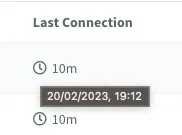
[{"ts": 1675360078000, "val1": 0, "val2": 1},{"ts": 1675360088000, "val1":1, "val2":3}]. Only working on private instances at this time. - The clock icon displays full time when the mouse is over
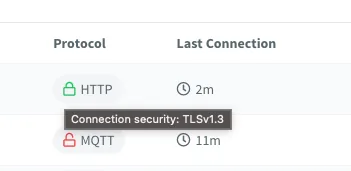
- The protocol column now displays the connection security
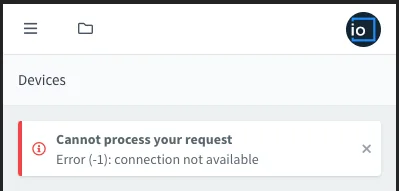
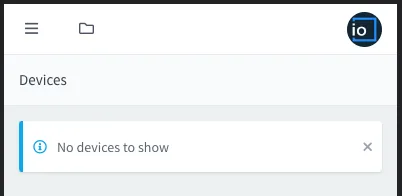
- Error/Info messages on mobile view
Fixed
- "Never" is shown again when the device has not been connected
- Resource inspector not opening
- Minor bugs
- Bucket import error reporting
- Plugin logs are not working with the latest Docker versions
- Locks are not deleted when Sync is removed
Improved
- Scrollbars on the left menu and content are now overlay scrollbars with auto-hide.
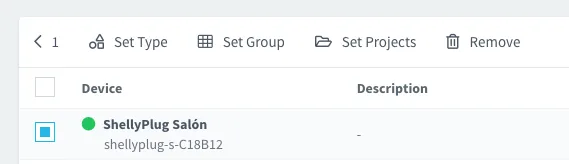
- Action buttons are now displayed on the left in desktop view.
- Resource ID is also displayed on mobile view
- Set Type, Set Group, and Set Projects do not require a list refresh.
5.0.1
Release Date: 2023-02-14
Discussion Topic: Thinger.io Community Forum
Added
- Support for ARM64 (Raspberry Pi, Apple M1, Apple M2).
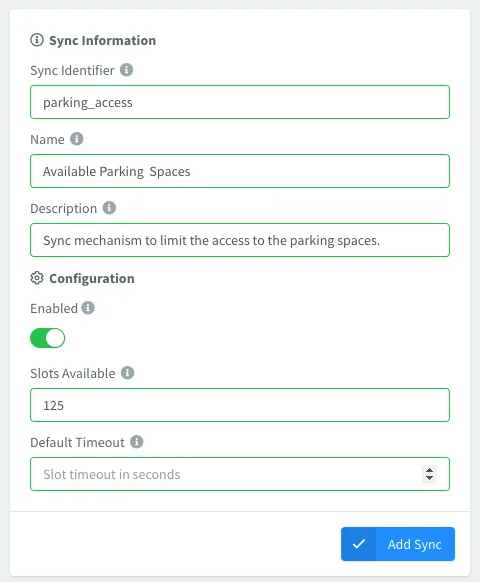
- New 'Syncs' feature inside the Toolbox section: Semaphores for distributed IoT devices that can be used for bandwidth limiters, access control, max number of devices doing OTA, etc. This feature can be used both from the API and IOTMP devices using the new
lock_syncandunlock_syncmethods. Each lock acquires a fixed number of slots if they are available.
- New Content-Security-Policy HTTP header configuration on Cluster Settings > Deployment.
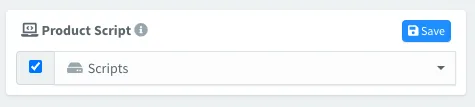
- Products can now target a File Storage for their script (still under testing). It will automatically load the
index.jsscript into the Storage.
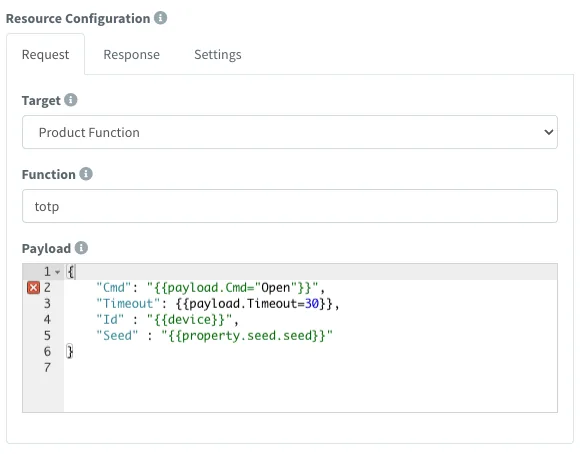
- Product APIs can now target a script function for their destination and include additional placeholder data from properties or other device APIs.
Fixed
- Product APIs with Property as its target (the property was not written).
- Exception when
TOKENis not provided.
Improved
- Installed plugins are now automatically updated on impersonation changes.
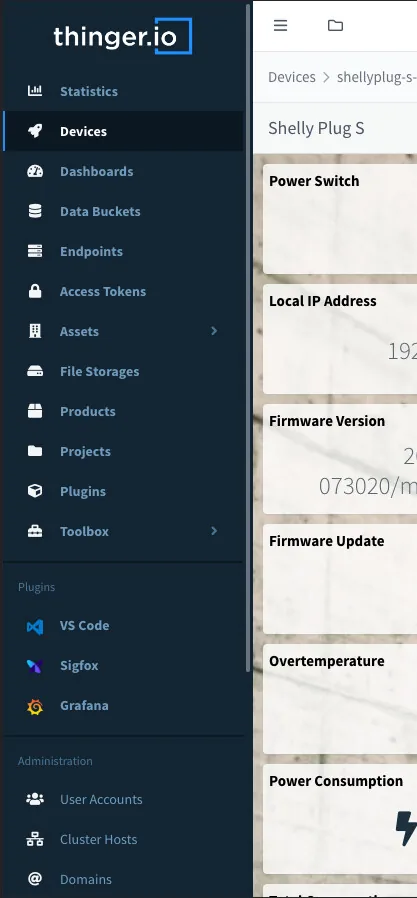
- UI with better support for mobile devices. Will be released as an APP. Still under development!
4.6.7
Release Date: 2022-12-20
Fixed
- SSL automatic updates.
Added
- Search any field on resource lists via API, i.e., email on user accounts.
- Internal configurable parameter "certificates.min_certificate_validity"
Improved
- Validate sort and order query parameters on resource listing.
4.6.6
Release Date: 2022-11-22
Fixed
- Database initialization for users without an initial password.
- Device access without permissions, i.e., from a member.
4.6.5
Release Date: 2022-11-22
Fixed
- Bucket clear error.
- Remove export, create log.
4.6.4
Release Date: 2022-10-28
Fixed
- Bucket export with a custom date interval does nothing.
- The difference transformation without aggregation provoked an error.
- Representation issue on the dashboard when setting an absolute timeframe after a relative timeframe.
4.6.3
Release Date: 2022-10-27
Added
- A new setting on the Dashboard control allows hiding hours from the absolute date range picker.
Improved
- Aggregated dashboard time series queries that include a transform (i.e., a difference or derivative) now automatically expand the query interval (lower bound) to display the expected range on the UI.
Fixed
- Date-time selector now relies on the datetime-local HTML5 component, removing some issues related to the previous date-time picker.
- Access tokens without a project should not limit access to project resources
4.6.1
Release Date: 2022-10-13
Discussion Topic: Thinger.io Community Forum
Added
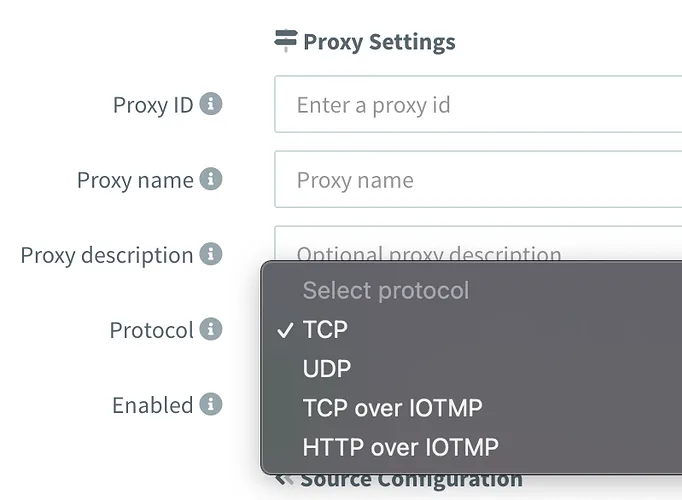
- Experimental IOTMP Proxies (TCP/HTTP) for connecting with device local network resources, i.e., devices/routers webpages, terminals, RDP, VNC, etc. These proxies require a new IOTMP client library for Linux.
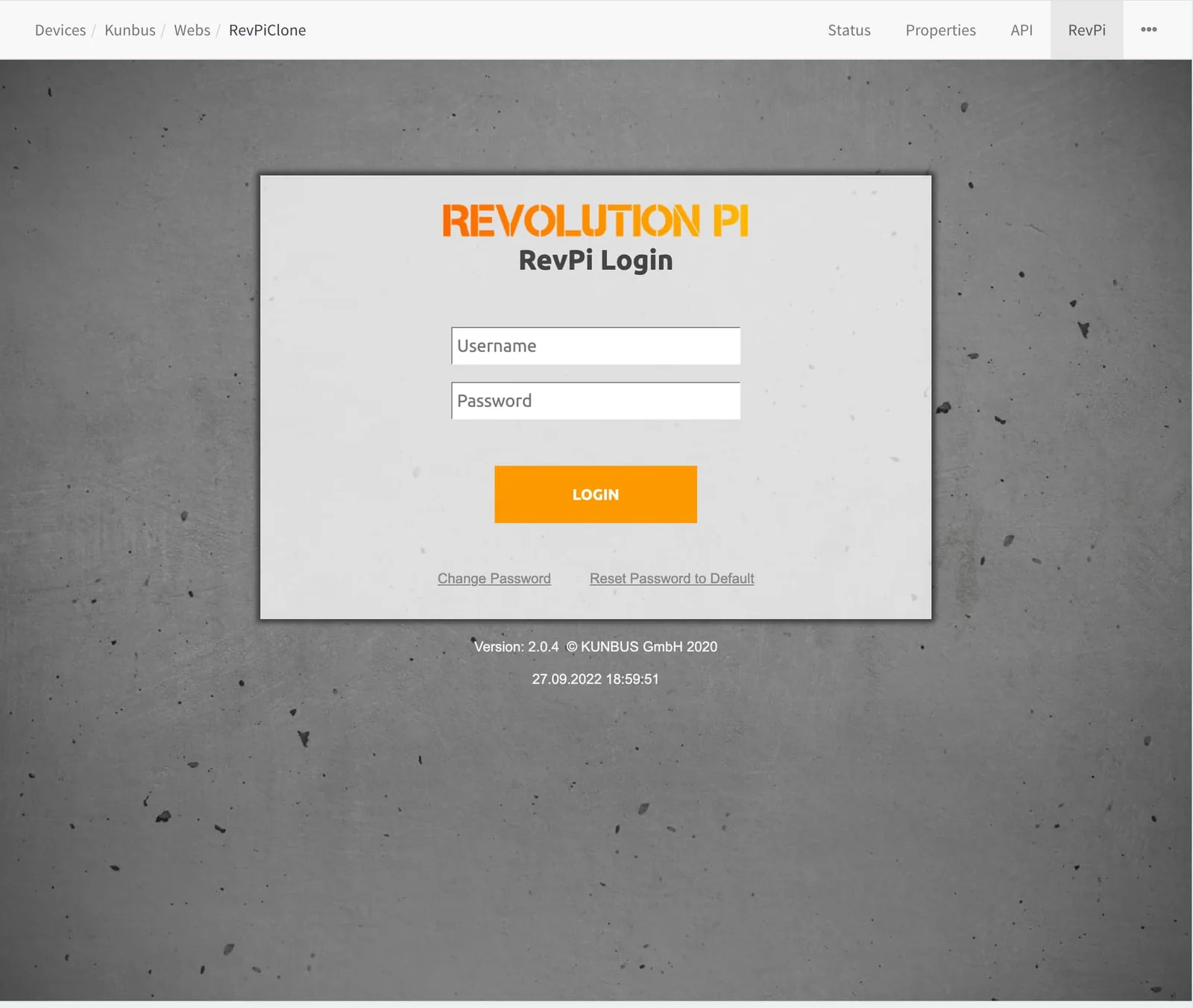
For example, the IOTMP Linux Client working on a RevPi provides access to the device configuration over its local web page.
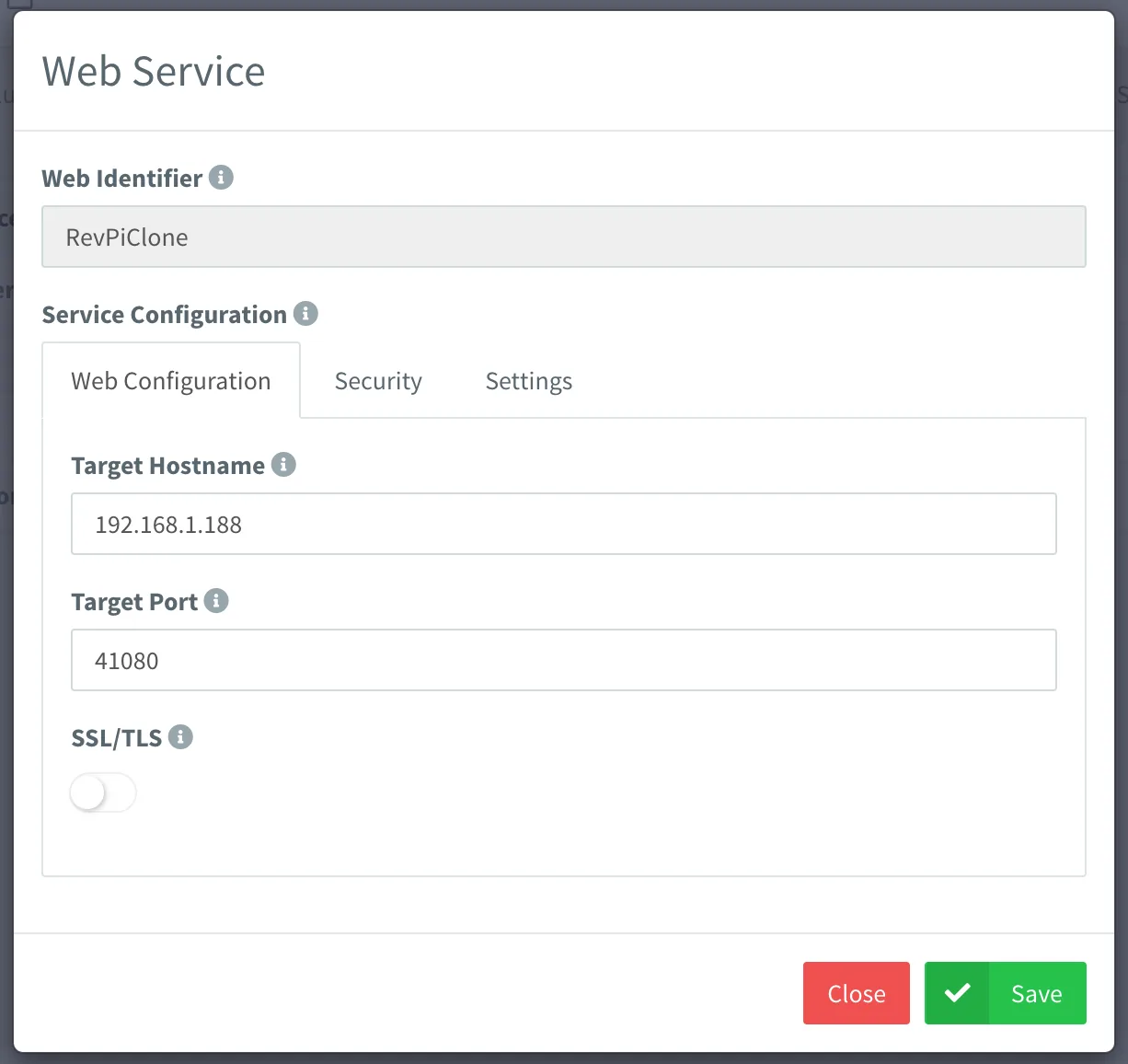
- Support for defining Web Services inside
Productssection. It allows defining web pages that can be accessed over an IOTMP linux client.
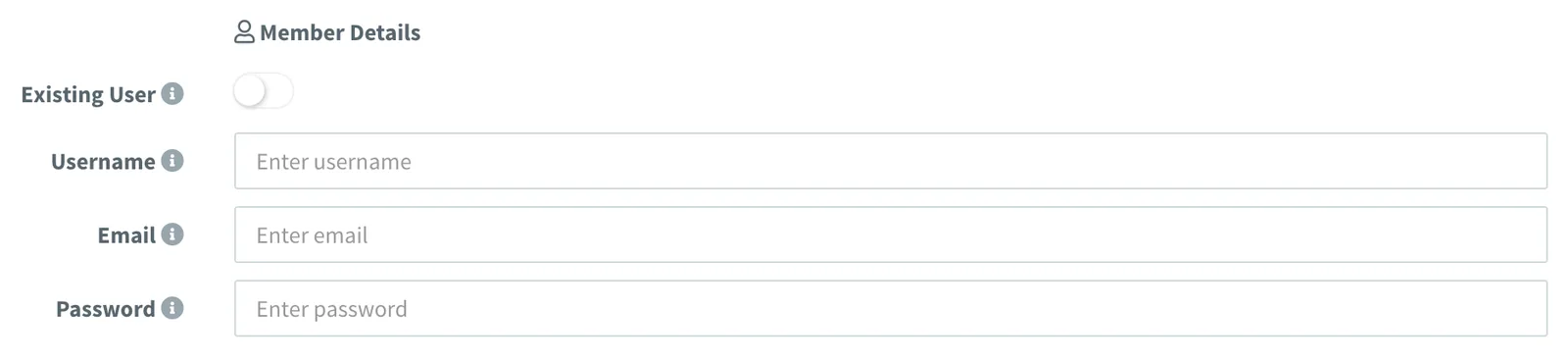
- Ability to create project members directly from the "Add Member" section, creating the user automatically by providing only the email address.
- Each project can now define a set of Project Roles that can be used by any member within a project.
- Each developer/admin account can now define a set of Global Roles that can be used by any member within any project. For example, a general-purpose read role that can be shared in all projects.
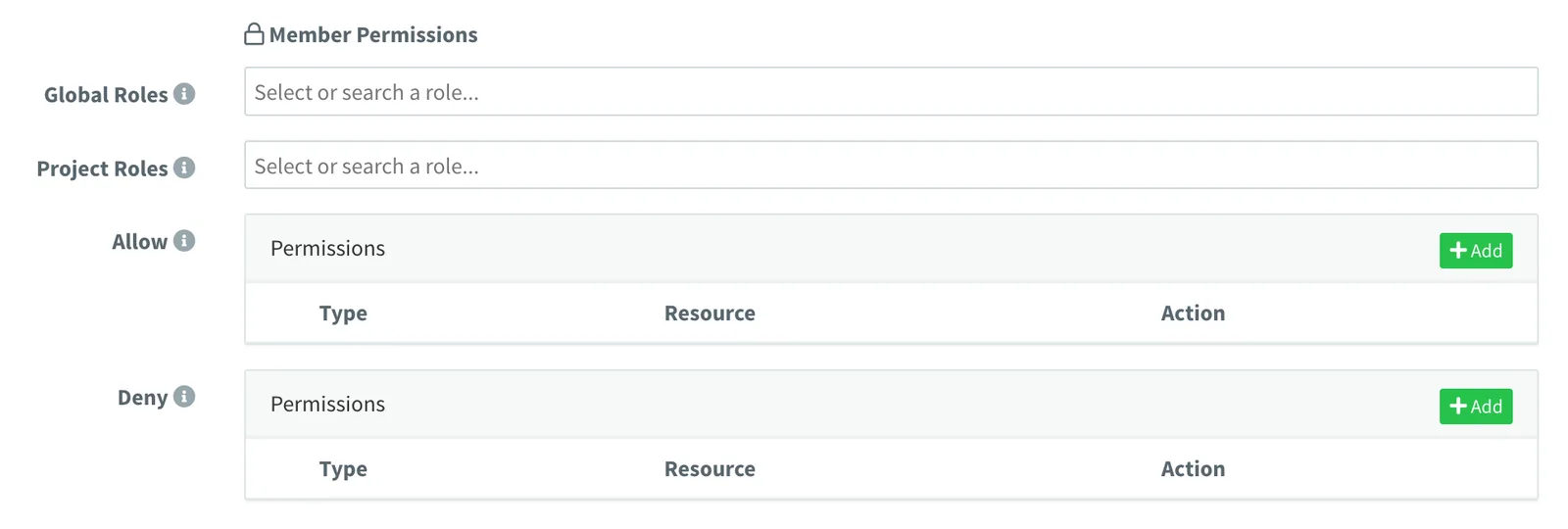
- Project member permissions can now be established by roles in addition to custom member permissions, simplifying permissions management. All global roles, project roles, and custom permissions can be established together (if required).
Improved
- Members will go to the first allowed section after login or refresh, instead of the default Project Dashboard, i.e., devices or dashboards, if they do not have access to read the project dashboard.
- Device resource streams now include different signals: start, stop, data, and error (on IOTMP devices), in order to keep track of streams.
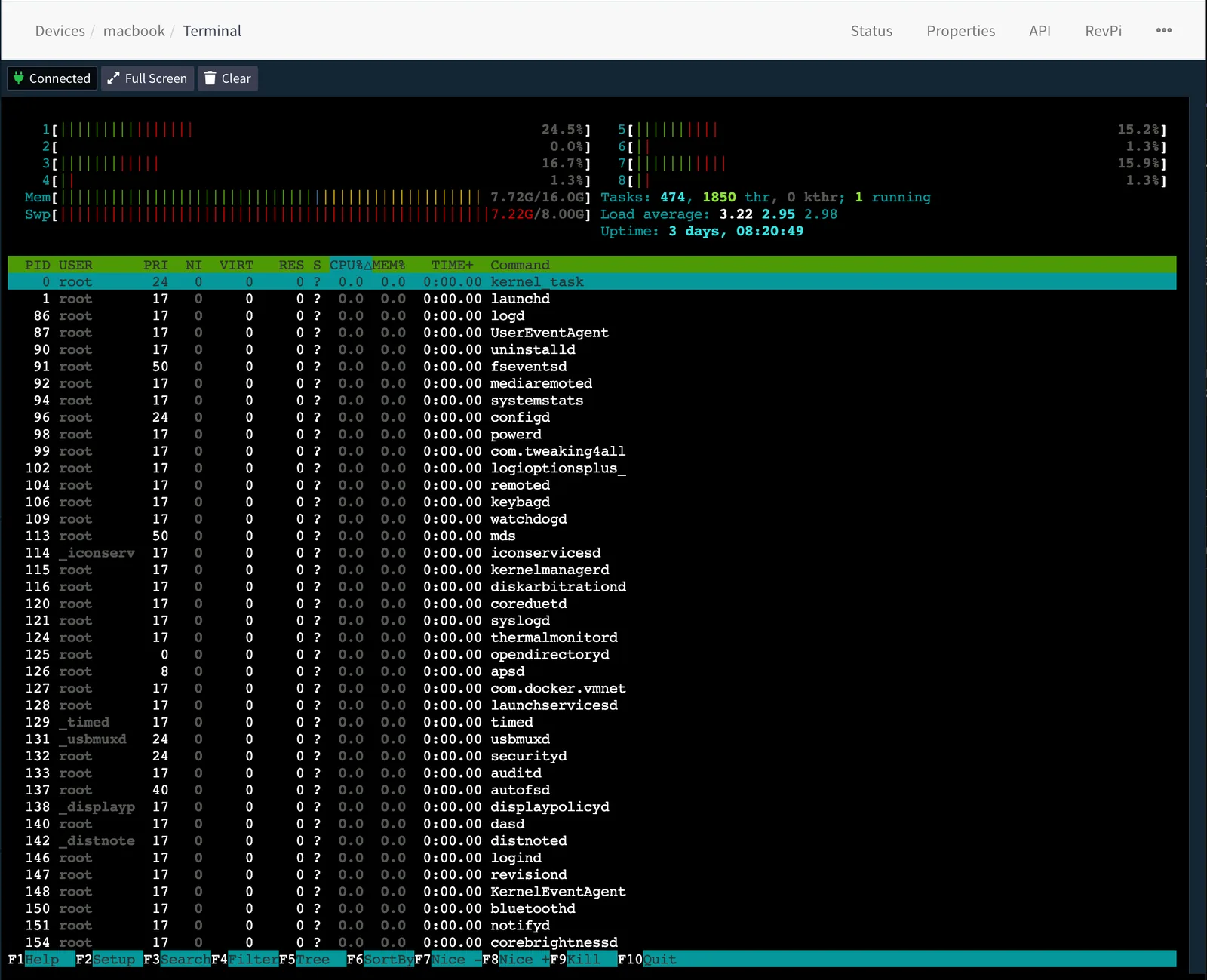
- Device Terminal now supports multiple concurrent sessions (with the IOTMP linux client).
- The server can now use wildcard certificates, stored as
*.mydomain.comin the certificates folder. Provisioning wildcard certificates over the 'Domains' section is not possible. - Internal socket server can now filter socket connections based on IP address. Used at this moment internally for proxies' security.
Fixed
- Very high loads over websockets could cause a crash under some circumstances.
- Automatic transition to newly created resources when they are nested more than 2 levels (i.e., while creating a new project member).
- Potential crash with multi-thread product initialization at startup.
- Switching between projects or opening/closing projects is forbidden under some circumstances.
- Set projects displayed on proxies (proxies do not support projects).
- Missing selectors when configuring specific token permissions, i.e., over a proxy.
- Access Tokens are now limited to the project scope where they are defined.
- Payload not being sent on IOTMP devices.
4.5.4
Release Date: 2022-07-14
Discussion Topic: Thinger.io Community Forum
Improved
- File Storage Explorer does not download binary files automatically when clicked, it just displays a download button.
- Storage API now determines if a file without an extension is
text/plainorapplication/octect-streamto set the correctcontent-typeon the HTTP response. - Add option
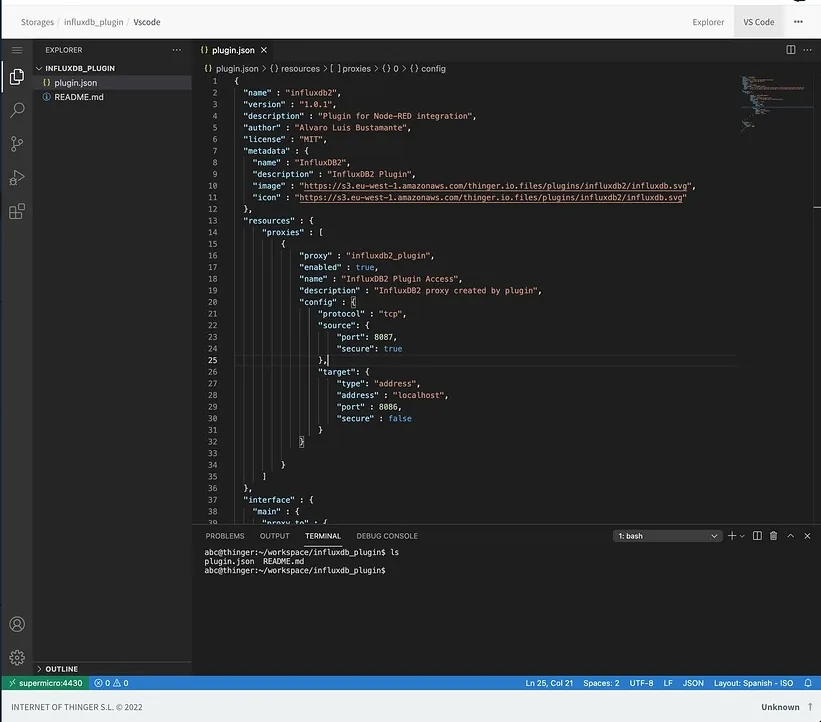
rewrite_base_pathto avoid base path rewrite in plugins' reverse proxy. - File Storages can now be opened with VS Code when the plugin is installed.
4.5.3
Release Date: 2022-07-13
Discussion Topic: Thinger.io Community Forum
Added
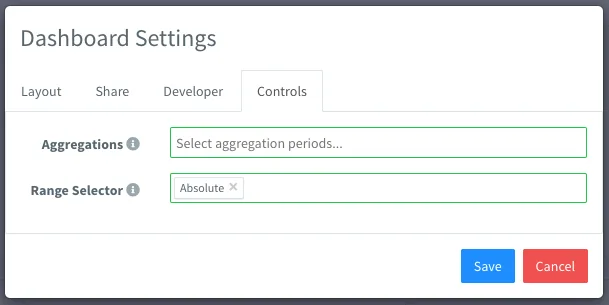
- Support for limiting range selector on dashboard (i.e., allow only relative and/or absolute range selection).
- Screen helpers for all resources on Thinger.io, with links to documentation, API, features, etc.
Improved
- Location set from a device property now overwrites geo-ip location, and:
- Trigger
device_location_changedevent with a new location. - Execute the Geofence configuration to trigger any action based on location change.
- Fixed location is now displayed correctly on Assets Maps.
- Trigger
Fixed
- Fix Bucket query when fields contain a path with dots, i.e., environment.temperature
4.5.0
Release Date: 2022-06-28
Discussion Topic: Thinger.io Community Forum
Added
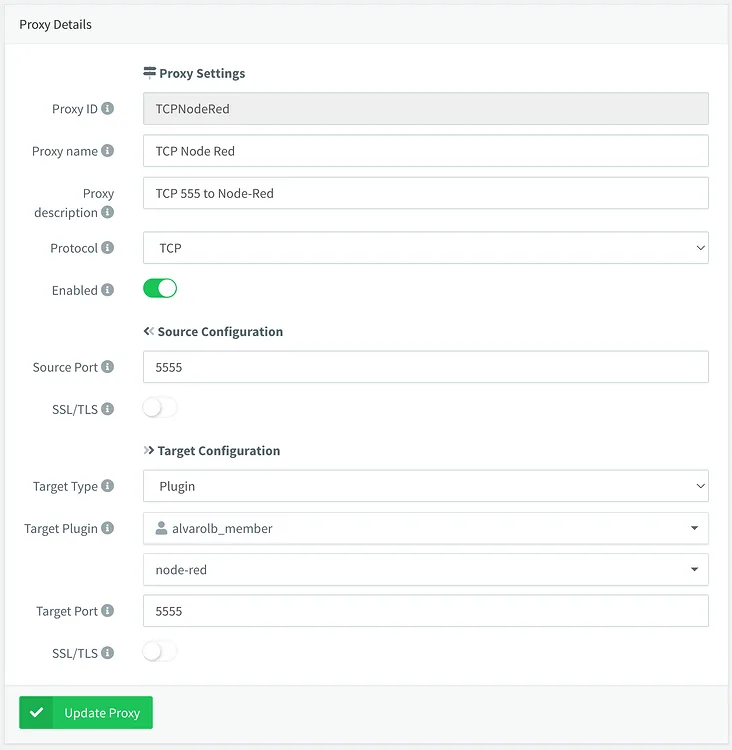
- New administration feature called 'Proxies' (starting on MEDIUM instances), which allows creating custom proxies to plugins or local services, i.e, redirect TCP or UDP traffic to Node-RED (for example, for COAP devices), or provide access to local InfluxDB2 install.
- New plugin InfluxDB2 (starting on MEDIUM instances, as it requires Proxies feature). It supports accessing the InfluxDB2 GUI and API for custom configurations, dashboards, alerts, ingestion, etc.
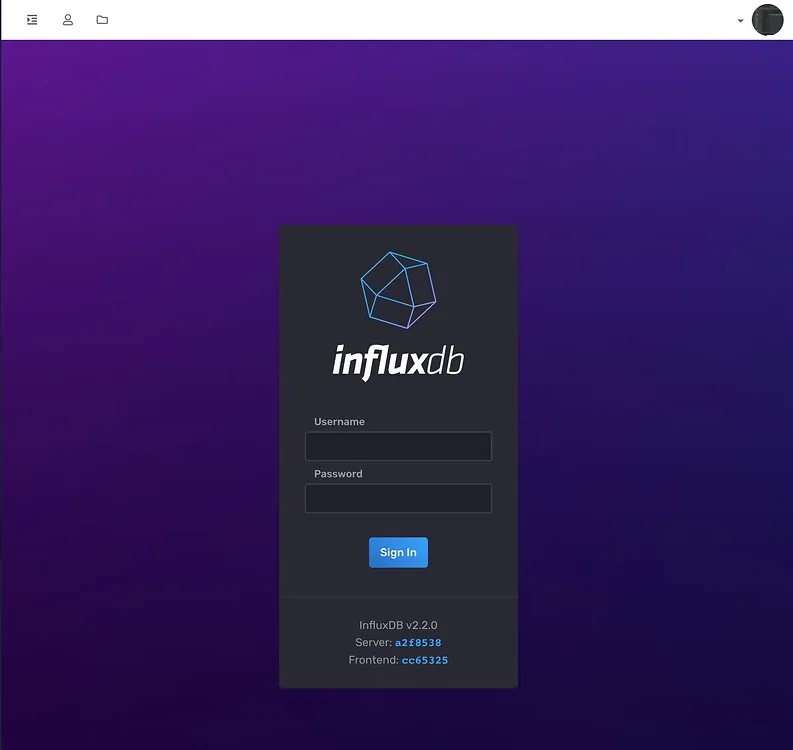
- A plugin install can now initialize any resource in the console, i.e., InfluxDB2 plugin automatically initializes a proxy.
- Plugins can now be defined without a task, i.e., the InfluxDB2 plugin does not deploy any additional container.
Improved
- Swagger API Generation (tested on the proxies API).
- Plugin installs from File Storages.
- The left menu now correctly displays the current selected plugin.
Fixed
- Some fixes on dashboards using image widget and map widget with geofences.
- Devices API v2 not respecting the v2 specification (wrapping response inside 'out').
- Loading bucket data view without access to bucket config (required for loading tags information), i.e., when a member does not have permissions for ReadBucketConfig.
- Plugins API now supports "id" query parameter, required for Plugin selector.
4.4.0
Release Date: 2022-06-20
Discussion Topic: Thinger.io Community Forum
Added
- Bucket view now displays tag values in the first column.
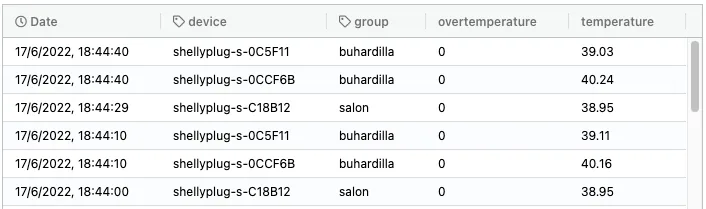
- Bucket's data query API now supports a new query param 'fields' for selecting specific fields from a bucket, i.e., ?fields=temperature, humidity.
- Bucket's data query API now includes a v2 endpoint, removing the unnecessary 'val', or aggregation/transformation name, on each measurement.
Improved
- Dashboards now select only required fields from a bucket, improving bandwidth/resources for buckets with several fields.
- Bucket view now auto-resizes columns according to the content size.
- Bucket view now displays a 'Loading' overlay while fetching data.
- InfluxDB2 performance relies on InfluxQL queries when possible.
- Grafana plugin is now able to automatically configure data sources (both InfluxDB1 (compatibility) and InfluxDB2).
4.3.2
Release Date: 2022-06-15
Fixed
- Map widget initialization occurs when the map is placed on a dashboard tab.
4.3.1
Release Date: 2022-06-14
Fixed
- Fix the problem while installing plugins on small instances.
4.3.0
Release Date: 2022-06-12
Discussion Topic: Thinger.io Community Forum
Added
- Support for switching projects in the mobile view.
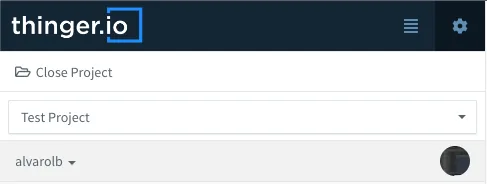
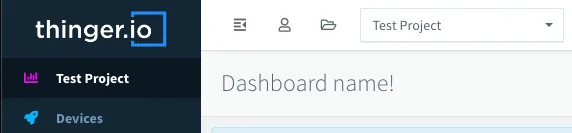
- Show dashboard name on the project dashboard instead of the default navigation bar.
Fixed
- The project dashboard switches when the user is not a member.
4.2.0
Release Date: 2022-06-08
Discussion Topic: Thinger.io Community Forum
Added
- Open Graph support for title, description and image, configurable for each brand, i.e., when sharing a link over a social network.
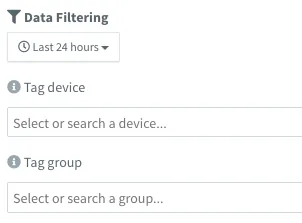
- The bucket data viewer now includes a filter by time.
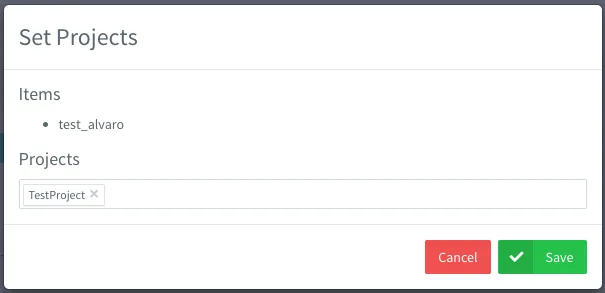
- The Set Project dialog now keeps previously assigned projects on the resources.
- Full support for new time-series backend: InfluxDB2.
- Server API updates with support for querying branch information and statistics from localhost.
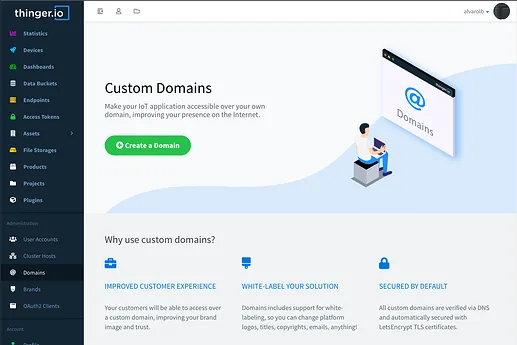
- Landing pages for each resource type, providing information and links to resources.
- Support for launching processes inside plugins and getting the command response over HTTP/WebSocket.
- Shell over a plugin instance is now executed inside the plugin container (using exec).
- Shell over a plugin now adapts to the original terminal size.
- Show page title according to navigation state, i.e., 'Devices | esp32 | terminal'.

- Console rebrand based on new image/logo, including emails.
Improved
- InfluxDB2 queries perform poorly when using 'heavy' buckets with multiple tag values.
- Data bucket import now excludes empty or null values.
- Internal proxies to plugins, required for supporting the latest Grafana version and its security requirements.
- Plugins can now (and should) set the image version inside the task. Image field (i.e. grafana/grafana:8.5.4), so it can be decoupled from the plugin version.
- InfluxDB2 + Grafana integration, with automatic source configuration on install.
- Console terminals now use a custom user-friendly scrollbar.
- Dashboard view on mobile when controls are enabled (timespan selector and aggregation).
- Mobile navigation occurs when clicking on the menu or showing tables.
- Data bucket viewer now displays local time instead of ISO date on bucket entries.
- Better compatibility for showing last update timestamp on dashboard widgets (even time series charts).
- Using 'password' type on account management.
- Fix the tachometer widget scaling and value update.
Fixed
- Multiple dashboard queries on dashboards when using buckets with several tag values.
- Undesired timestamp plot on time series chart when no field mapping is present on the widget source.
- The slider widget malfunctions when setting the step width smaller than 1.0.
- Dashboard aggregation controls are shown on the community version (only supported on private instances).
- The console terminal is not releasing the window.
- The plugin markdown is not shown.
- Migration to the new dashboard sources is not working correctly on control widgets.
- Download bucket exports are not working on the community.
- Problems with device terminals after the 4.0.0 upgrade.
- Search by id or name problem after introducing 'domain' on resources.
- MQTT Fix potential crash with malformed inputs.
- Email fixes when using multiple brands and multiple email servers.
4.0.0
Release Date: 2022-05-18
Discussion Topic: Thinger.io Community Forum
Added
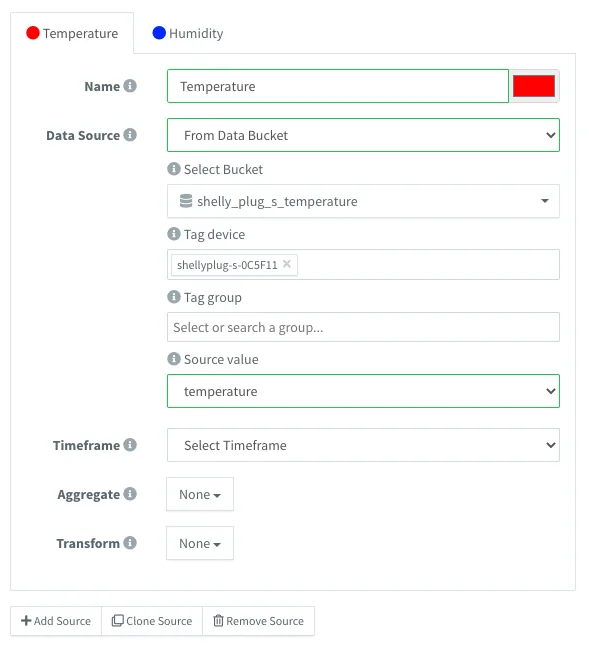
- Support for multiple time series sources on time series widgets, i.e. charts, html time series, and maps.
- Add new "Product" section to allow defining device profiles, that will help when managing devices at scale.
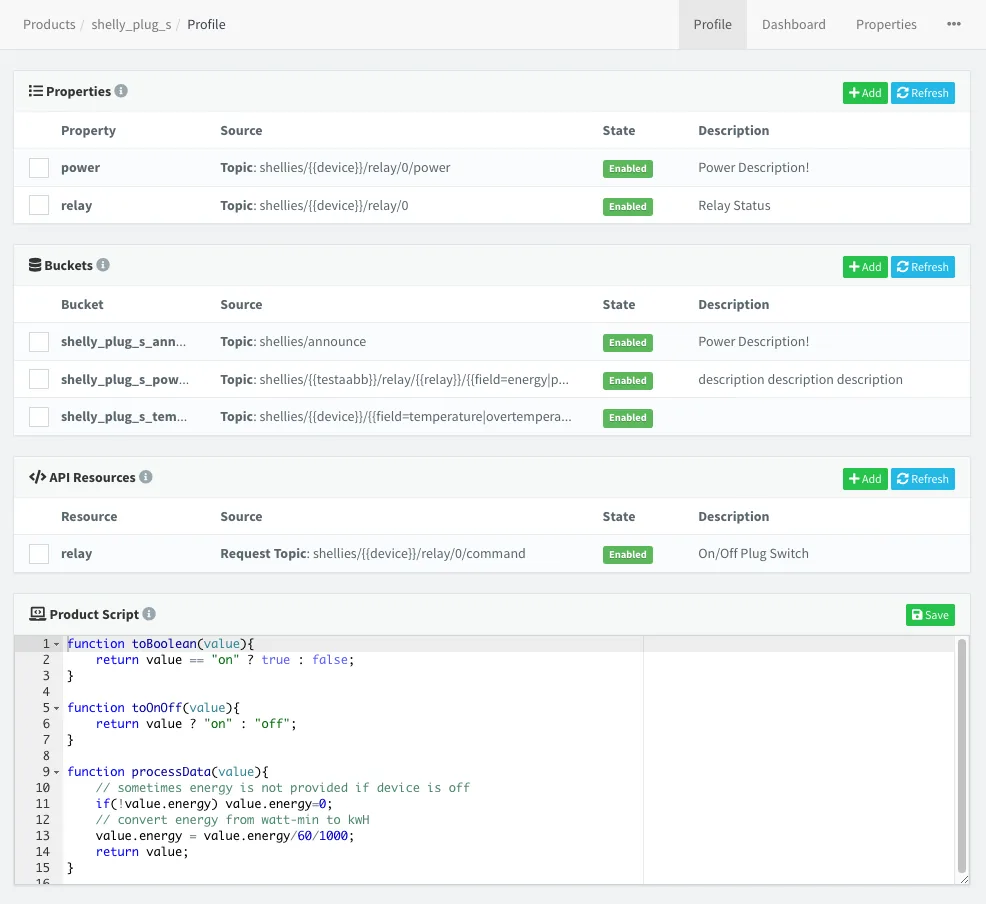
- It supports updating device properties from MQTT topics/device resources.
- It supports defining buckets from MQTT topics/device resources.
- It allows creating custom device APIs for MQTT/HTTP/IOTMP devices.
- Add support for processing data payloads with NodeJS runtime.
- Add support for defining per-product dashboard, which is inherited by each device. Devices now automatically open the product dashboard if it is available.
- It adds another property hierarchy for devices, with this order Product > Type > Group > Device.
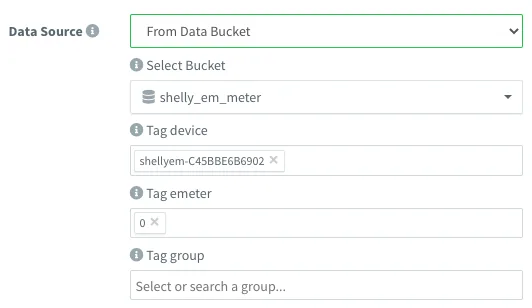
- Data buckets now supports tags: multiple data from the same type can be stored in the same bucket.
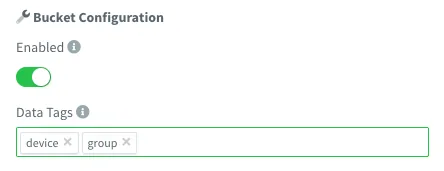
- Dashboard support for buckets with tags.
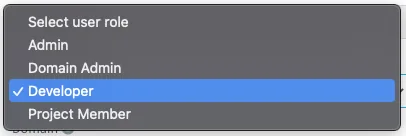
- New role named "Domain Admin", with the ability to manage developer/members inside the specified domain(s).
- Initial support for device shadow information, i.e., being able to display last stream data on a dashboard even if de device is disconnected.
- Add a new Inspector tool for any resource, so, it is possible to see live Events related to monitored resources, i.e., MQTT live data sent by a device.
- Disabling a device from its settings disconnects the ongoing connection.
- APIs now support additional content types: messagepack, cbor, ubjson, and form data.
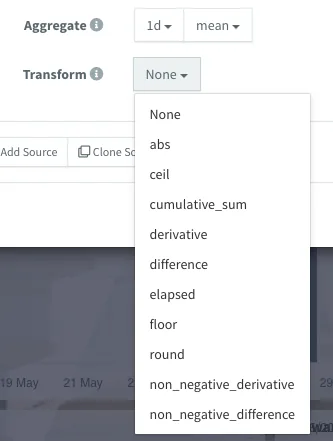
- Support for InfluxDB transformations on dashboards.
- Support for MQTT retained messages.
Improved
- Aggregated data in dashboards now uses the browser's timezone to display data correctly.
- Device API now lazy loads device resources when clicked, useful for devices with several resources.
- Device API now keeps track of opened resources when refreshing the API with the button.
- Tokens and Device Tokens can be easily copied with a button.
- Allow plugins to update current token permissions.
- Auto-hide track waypoints on the map widget depending on the map zoom level.
- The bucket data view now displays the real field case in the columns.
Fixed
- Brand email configuration is not working properly.
- Profile Settings link not working.
- Buckets source switch is not working when changing from a device resource to anything else.
- Disabling a bucket did not stop a device resource from streaming properly.
- Closing the host's dashboard throws an error on the console.
- Resource selector not taking the correct selected id when using similar ids.
- Device event 'device_authentication_failed' is not thrown.
- Device enable/disable setting is not working properly.
- Fix Device API curl example when the body request is 'false'.
- Endpoint HTTP request body editor does not show until the 'Test' section is opened.
- Fixed the butter-bar not showing while loading pages.
- Fixed Image/MJPEG widget not updating images or updating after modifications.
- MQTT client timeout is not being used.
3.4.2
Release Date: 2021-11-11
Discussion Topic: Thinger.io Community Forum
Added
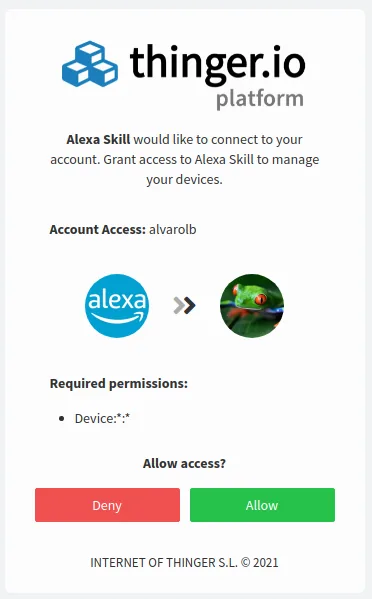
- Initial version for OAuth2 Client authentication flow, i.e., connecting third-party apps like Alexa.
- New plugin: HTTP Device, supporting scaling HTTP device deployments.
- Hide the Menu option for members.
- Improved HTML Widgets with support for custom AngularJS directives!
- Opening a restricted link will redirect to the target URL after login.
- Support for disabling Swagger API pages. Available on Host Settings > Deployment.

- Now it is possible to configure X-Frame-Options to allow adding iframes on known pages. Available on Host Settings > Deployment.

- Endpoints have an optional field name for displaying & search purposes.
- Dozens of new server events that can be used with Node-RED, i.e., any resource create/update/delete.
- API Endpoint '/v1/server/events' to query all available server events.
- API Endpoint '/v1/server/assets' to query server asset types.
- API Endpoint '/v2/users//events' with support for registering/unregistering server events, providing commands feedback.
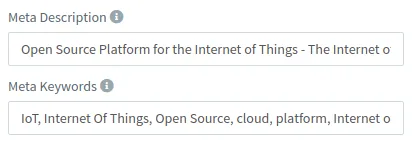
- Brand configuration for web metadata, like keywords and description.
- Access tokens now provide a field with the hostname for easier cloud integration.
- Devices can now be enabled or disabled from settings.
Improved
- Dashboards refresh buckets and properties sources in real-time.
- Removed "#!" from URLs. Previous URLs are still valid.
- Platform security by preventing refresh token re-usage.
- Improve the refreshing token mechanism on the frontend (avoiding multiple queries).
- The internal event system is now much more flexible and fault-tolerant.
Fixed
- Show server version option in custom brand configuration.
- Set Project button is not showing sometimes while changing between projects.
- Add resource button with broken layout when switching to a project with some selected items.
- Server not registering above 50 MQTT listeners after restart.
- Password update from the users section is not triggering the internal event for database update.
- New instances are not showing the Hosts section after initial deployment.
- Time series chart with absolute dates not working.
- Set project dialog is not showing the Project selector under some circumstances.
- Access token link not working on shared dashboard settings.
- Device connection event trigger order on reconnection when 'reusing' credentials.
- Server Event 'device_state_listener' not triggering with MQTT devices on disconnect.
3.3.0
Release Date: 2021-08-10
Added

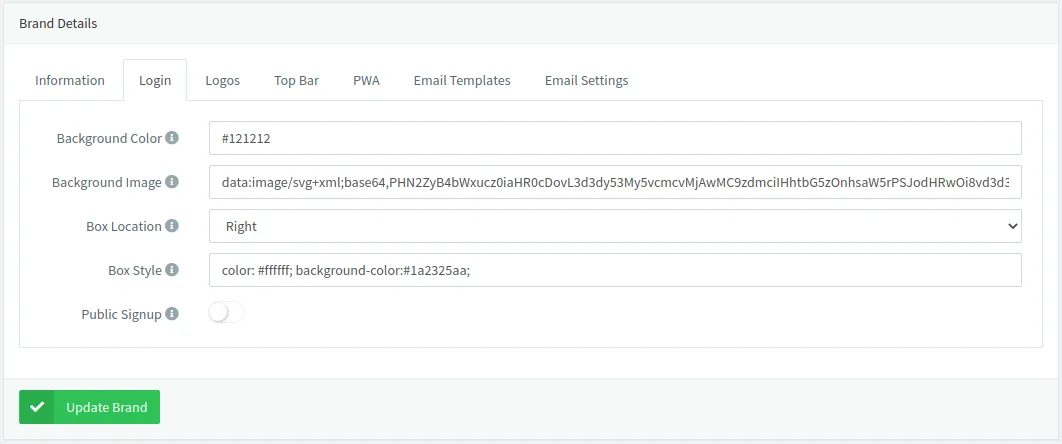
- Support for branding on login form, signup, forgot password, etc. It is possible to set the background color, image, location of the forms, and hide the public signup.
Fixed
- A problem with
PATCHandPUTmethods on properties, causing issues with the Project dashboards or the slider widget. - Groups section in the console should be working now for members with allowed permissions
- Fix
Set Projectmenu button for types and groups. - Assets menu now behaves correctly according to member permissions
3.2.2
Release Date: 2021-07-29
Added
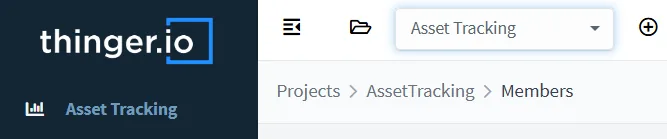
- Configurable default project for members after login.

- A configurable dashboard for each project, shown by default after the member logs in or project.
- Console interface adapts to member permissions, hiding unavailable actions or sections.
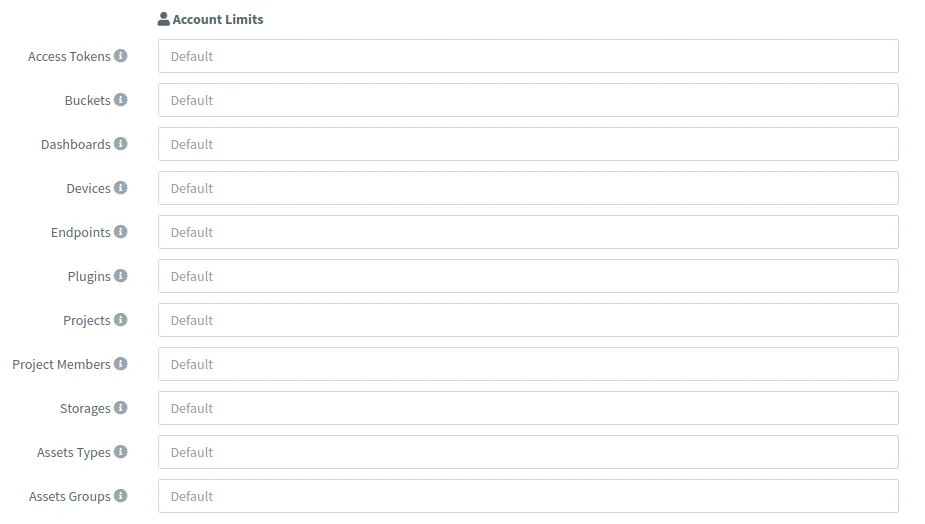
- Account management now allows changing per-user account limits (dashboards, devices, etc.).
- Configurable Bucket data retention policy per-user account and default setting.

- Impersonate functionality to check other accounts easily from the admin account.

- Support for linking dashboard widgets to another dashboard.
- Websocket support for IOTMP and MQTT devices.
- Support for selecting a timestamp as a field from bucket data.
- Dashboard background now supports HTML color, i.e., #aabbcc instead of a URL image.
Improved
- Keep menu and sub-menu items as "active" respecting the hierarchy.
- Refactored bucket layout section with different sections grouped by functionality.
- Hide the project column when there is a project selected in the console.
- Hide "ugly" resource names when navigating on resources inside a project, i.e., user.device.
- Increased keep-alive tolerance for better device connection stability.
- Disable close project button for members.
Fixed
- Apex Charts color contrast in title, subtitle, and axis labels.
- Device creation error when switching from Generic to HTTP after filling in some fields.
- Bucket download links for community buckets exported to S3.
- Disable internal database creations for members.
- Bucket export state when export fails.
- DB error while updating a device without stats.
- Invalid property update event when modified from dashboard slider (or PATCH REST API).
- Disable property creation when parent resource does not exist.
3.1.0
Release Date: 2021-05-05
Added
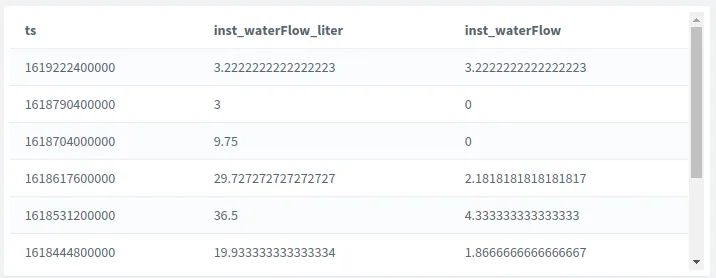
- New HTML widget for its use with time series data (i.e., display tables).
- Current HTML widget now supports multiple values to be selected.
Fixed
- Install/upgrade custom plugin version.
- Geofences are not working for some polygons.
- Fix the LED colors editor (each color in a single row).
- Set X and Y axis limits on time series charts to prevent freezes with wrong values.
- Fix a problem with the min and max y-axis on the time series chart when set to zero.
- Fix legacy bug regarding buckets query & merging.
- Allow modification of an existing widget type.
- Fix template replacement when using
{{}}as a pattern.
Improved
- Starting a plugin will show its log by default (some plugins require boot time, so this provides feedback to the user).
- Plugins with master or latest tags will force an update when installing or upgrading.
- Security when mounting volumes inside plugins.
3.0.0
Release Date: 2021-04-16
Added
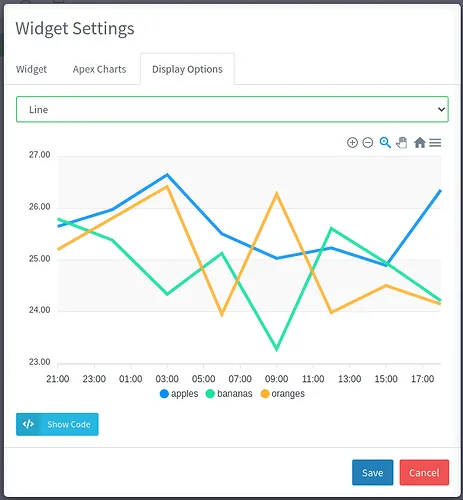
- Apex Charts are now available (in BETA)!
- Add aggregation based on the client browser's timezone.
- Allow MQTT 3.1 client connections (in addition to 3.1.1).
- Initial support for VSCode plugin (starting from Medium instances). Contact us for more details.
- Added openapi.json to support restish.
- Add support for displaying last known location of a device on the map.
Improved
- Show plugins in menu only if the plugin is running to avoid confusion.
- Assets Map widget options are now more legible with different backgrounds.
- Upgraded widget buttons.
- Dashboard error handling with a time series chart.
- Thinger.io Docker image is now smaller.
- Plugins engine now supporting installs from Storages, setting custom user, etc.
Fixed
- A problem with instances using the server "www." subdomain.
- Storage editor not opening due to Chrome security fix.
2.9.9
Release Date: 2021-02-28
Added
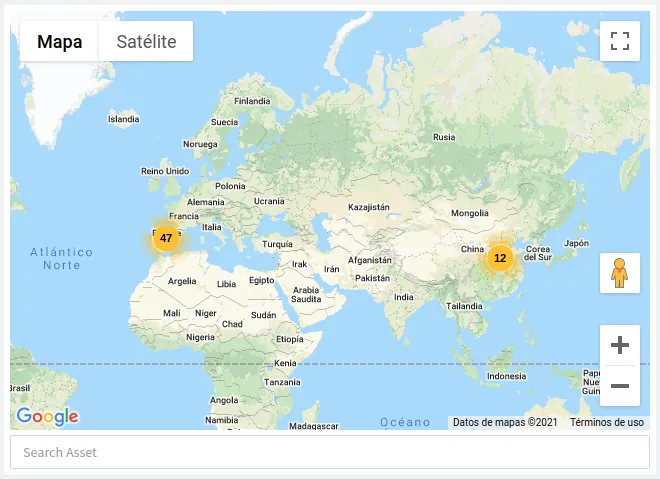
- New widget "Assets Maps" for viewing all assets by type/group in map, with search capabilities.

- New widget "Source Switcher" acting as previous template feature: allow to change the device/bucket within a tab.
- Add support for disabling fullscreen button on widgets (@rin67630).
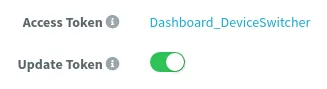
- Add an option in the shared dashboard settings to automatically update the permissions from the shared link.
- Add support to modify min row height in dashboards.
- Buckets can now support an asset type and group.
- Add an option for setting asset types and groups for devices/buckets creation and from its settings/lists.
- Devices can hold now a friendly name, i.e., a serial number, plate id, etc.
- Support for creating new accounts (members and developers) without a password. The user will be required to initialize the password via email.
- New page that allows the developers/members initialize their accounts passwords.
- Support for multi-brand email templates and servers. Brands can now define its own emails templates and custom mail servers for communicating with users.
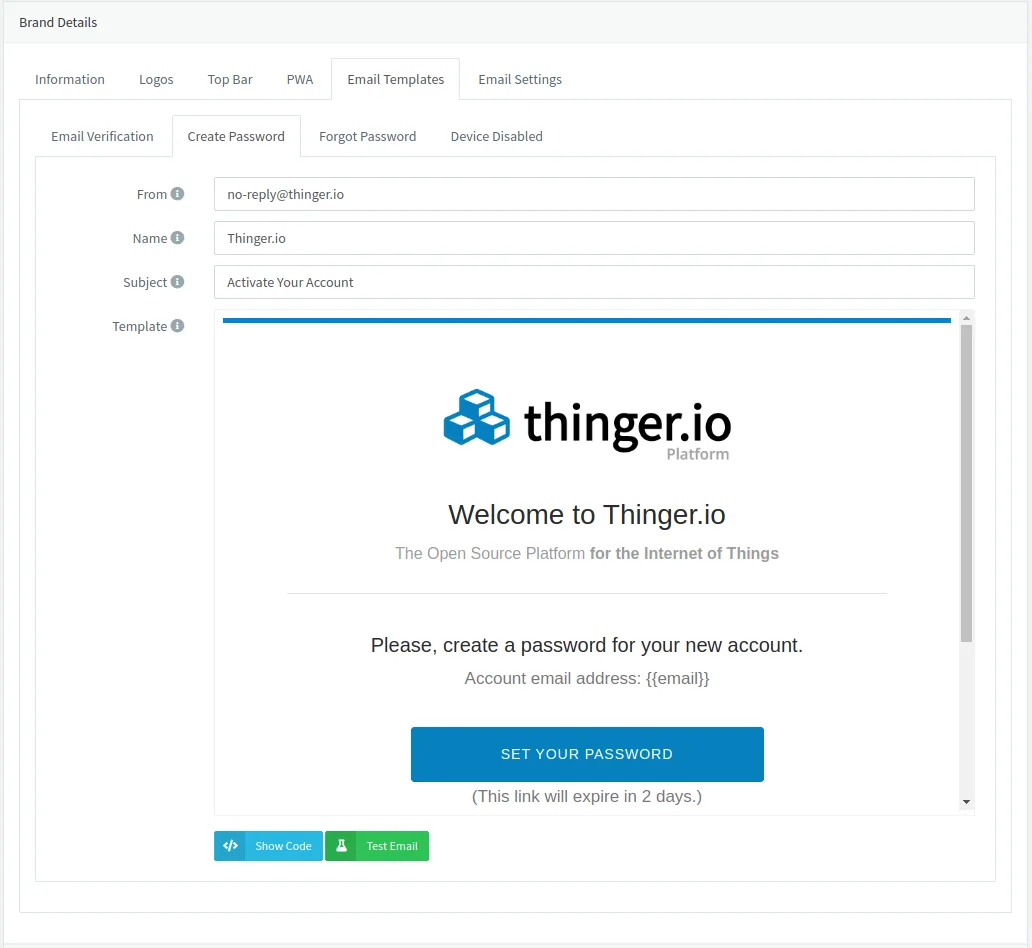
- Added email template editor and mail server settings inside Brands section with options for template testing.
- Add STARTTLS support in SMTP for old servers not supporting direct SSL/TLS connections.
Improved
- Changed legacy email templates.
- SMTP interface will correctly send the From Name.
- Users without a verified email address can verify it automatically after initializing/resetting their password (which requires an email).
- All source selectors will display the friendly name of the resource, i.e, the friendly name of a project, device or bucket.
- Search supports now both searching by id and friendly name in all resources.
- Control Widgets (buttons/sliders) now support mapped values (i.e., a field inside a resource).
- Propagate websocket proxy error to caller in clustered deployments.
- Asset types and groups are automatically created in the device/bucket creation (from API).
Removed
- Email communications when bucket export, clear, and delete succeed/fail.
- Google Vector Maps are used by default in dashboards, as they were not performant enough.
Fixed
- Swagger API rendering problems. Now it is completely usable again.
- Tachometer widget when setting major axis to 0 (@hjfosse).
- Fix case search root resources (domains, hosts, brands, etc.).
- Fixed an error while removing the panel title and subtitle (not updating).
- Cropped the aggregation menu from the charts widget when the chart was smaller than the menu.
- Fix the chart aggregation menu padding, hiding the right selector border.
- Fixed some problems when loading multiple maps on dashboards.
2.9.8
Release Date: 2021-02-03
Added
- Initial support for column sorting in all console lists (devices, buckets, dashboards, etc.).

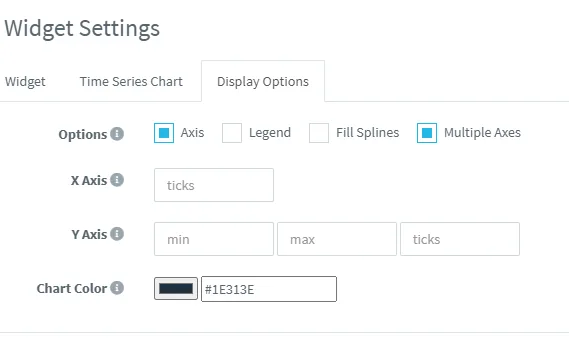
- Add support for configuring axis on chart widget.
- Add support for setting placeholders in widgets title and subtitles.
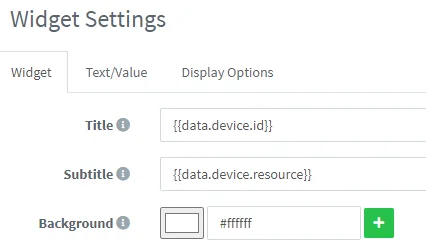
- Add support for showing last widget update.
- Experimental support for IOTMP protocol on private instances that will allow:
- Clients running on different languages (currently C++, Node.JS, web). Support needed for Python, Java, etc.
- Resource Path Parameters.
- Custom return code for HTTP methods.
- Publish/Subscribe to MQTT topics.
- Listen to server events.
- Remote Shell on Linux.
Improved
- Forgot, login, change password and signup forms metadata for improved browser compatibility.
Fixed
- Device tokens are not opening under some circumstances.
- Email settings are not being updated.
- Properties listing on types and groups (removed Source column).
- Legacy PSON error while decoding uint64_t values.
2.9.7
Release Date: 2020-11-09
Added
- Add dashboard 'Developer' tab in settings showing source config, so users can share, copy, or edit dashboards from editor.
- Add dashboard tabs, so, one dashboard can contain multiple tabs with different names and icons.
- Add dashboard widget: push button (on only while it is pressed).
- Add support for nested values on endpoint templates, i.e.,
{{location.lat}}{{location.lng}}. - Add role field in accounts list showing: Admin, Developer, and Project Member.
- Add icon color on progressbar widget.
- Add inner icon size for button widgets.
- Add full screen mode for properties editor.
- Add brand config for show/hide support links and server version.
Improved
- Dashboards settings are split on three different tabs.
- Map widgets loading & initialization, now using vector maps instead of raster.
- Disable popup exit when clicking outside, (i.e), when editing a property.
- Font Awesome icons can be defined now as 'fas fa-...' to allow other styles (i.e. regular icons 'far fa-...').
- Led indicator colors now works with boolean values (as 0, 1) (thanks rin67630).
- Property list does not wrap source or time. Improved mobile view.
- Tachometer widget now appears correctly centered inside widget.
- Reduce Docker image size: ~6 MB.
Fixed
- Bottom shadow on button widget.
2.9.6
Release Date: 2020-10-28
Added
- Add (BETA) support for "template" dashboards, which allows switching resources (devices/buckets) directly from the dashboard.
- Add template settings in dashboards.
Improved
- Improve UI by adding an icon according to its type to resource selectors.
- Improve messages in the dashboard when the device is not available.
Fixed
- Fix JSON validation problem when creating tokens under some circumstances (i.e., from Dashboard with device properties) (thanks rin67631).
2.9.5
Release Date: 2020-10-15
Fixed
- Change device credentials are not working properly (thanks rin67630).
- Map size on load.
- Remove the plugin problem.
- Removing the user account correctly cleans all user plugins.
- Bug with passwords being too long.
Improved
- Disable console being embedded into an iframe for security reasons (Clickjacking).
2.9.3
Release Date: 2020-10-01
Added
- Add support for users with role 'Project Member', especially useful for end users
- Project Members are not limited by the regular max user license limit.
- Project Members customize the menu, hiding features not available for end-users
- Add support for setting a custom profile picture, removing the Gravatar approach.
- Add support for changing roles to accounts between user, admin, and member.
Improved
- User deletes now correctly erases all buckets, running plugins, and other critical resources associated with the account.
- Token and members' permissions with the possibility to set wildcards on actions, i.e.,
List*,Read*, etc. - Adding a member to a project now displays a selector with search capabilities (for admins).
Fixed
- Batch users removal.
- Fix removing properties from types and groups after their deletion.
- Fix and restart other hosts in the cluster from the Cluster Host Admin.
- Remove bucket exports after bucket deletion.
- Remove the contextual "Set projects" button on resources that do not support it.
- Avoid sending current project params on requests that do not support it.
- "Close" project after account logout.
- Other minor UI fixes.
2.9.2
Release Date: 2020-09-21
Added
- Add support for defining asset types and asset groups.
- Add support for defining geofences at device, type, and group levels.
- Add support for showing geofences in device overview.
- Add support for "inherited" properties in devices from their asset types and groups.
- Viewer for asset types, groups and all assets in the map.
- Generated device tokens point to the custom instance, so the Mobile APP can be used with private instances.
- Contextual menu on device list supports changing its type, group, and project.
- Contextual menu on any other resource supports changing its project.
- Resource lists now show the current project of each resource. Also, type/group for devices.
Improved
- The Map widget contains more features, like showing track route, default zoom level, map type, path color, show waypoints, default location, show geofences, or hide default Google Maps control.
- Dashboards now show the dashboard name in the page title to differentiate between several open dashboards.
- Now it is possible to do insensitive case searches in lists or other resource selectors.
- Property selectors now apply filtering at the DB level when searching.
Fixed
- Some problems with maps not loading properly or showing "ghost" markers.
- Printing nested values, i.e., location.lat, from buckets onto a dashboard.
- Fixed properties listing for devices with the same root identifier.
- Fixed bucket export listing for buckets with the same root identifier.
- Minor bug fixes and improvements.
2.8.2
Release Date: 2020-07-21
Fixed
- The brand limitation was not applied correctly.
- Updating a device property from a shared dashboard.
2.8.0
Release Date: 2020-07-14
Added
- Add plugin settings for enabling public access to them (useful for plugins managing their own authentication, like Grafana).
- Add support for writable filesystems on plugins (useful for installing plugins, i.e, inside Grafana).
- Add changelog viewer.
Fixed
- Fixed plugin management control states.
- Fixed Dashboard switch button when modifying a value from a property.
- Minor bug fixes and improvements.
Security
- Fixed plugin privileges when running a shell over a container. Now all containers run with UID and GUID 1000.
2.7.6
Release Date: 2020-07-10
Added
- Admin section "Cluster Hosts", supporting viewing all Thinger.io nodes in the cluster, and:
- View host resources in real time, like connections, CPU/RAM usage, etc.
- Configure Thinger.io: HTTP Server, Thinger Server, MQTT Server, Email, Buckets, SSL Certificates, Accounts, Deployment and Restart Server.
- View host logs in real-time.
- Brand support for PWA (Progressive Web Applications), setting theme color, icons, App name...
- Dashboard settings:
- Now supports dashboard backgrounds.
- Now supports setting round corners on widgets.
- Allow alpha widgets, setting colors like "#000000aa".
- Allow hiding the header with a shared dashboard.
Fixed
- Timezone update in settings.
- Date visualization on buckets according to timezone.
- Complex object visualization on buckets.
- Dashboard edition on mobile.