

A domain lets your instance answer on a hostname of your own, such as iot.example.com. When you verify it, the server gets a Let's Encrypt TLS certificate for that hostname and renews it automatically. Domains are part of the Administration menu, available to administrators.
When to use it
- To offer the console to your customers on your company's hostname.
- To give each customer or tenant its own hostname, each with its own brand.
- To connect devices and call the REST API through your own hostname.
Domains and brands
A domain only manages the hostname and its certificate. Its look (logos, colors, login page, emails) is a brand whose ID is the same hostname: there is no other link between the two. To white-label the console on a hostname, create the domain, verify it, and then create a brand with the same hostname. The guide White-label the console walks through the whole setup.
Prepare the DNS
Before you verify a domain, make the hostname reach your instance:
- Create an
AorAAAArecord with the public IP of your instance, or aCNAMErecord that points to the hostname you already use to open the console (for example,acme.aws.thinger.io). No TXT record or verification value is needed. - Port 80 of the instance must be reachable from the internet: Let's Encrypt checks the hostname over HTTP.
For iot.example.com, the record in the DNS zone of example.com looks like one of these:
| Name | Type | Value | TTL |
|---|---|---|---|
iot | CNAME | acme.aws.thinger.io (the hostname of your instance) | 300 |
iot | A | 203.0.113.10 (the public IP of your instance) | 300 |
The record can take some minutes to propagate, up to its TTL.
Add a domain
Console
Open Domains
Go to Administration > Domains and click Add Domain (or Create a Domain if you have none yet).
Fill in the form
Set the Domain Name to your hostname, for example
iot.example.com. Name and Description are optional. Click Add Domain. The Domain Name cannot be changed later: to use another hostname, remove the domain and add a new one.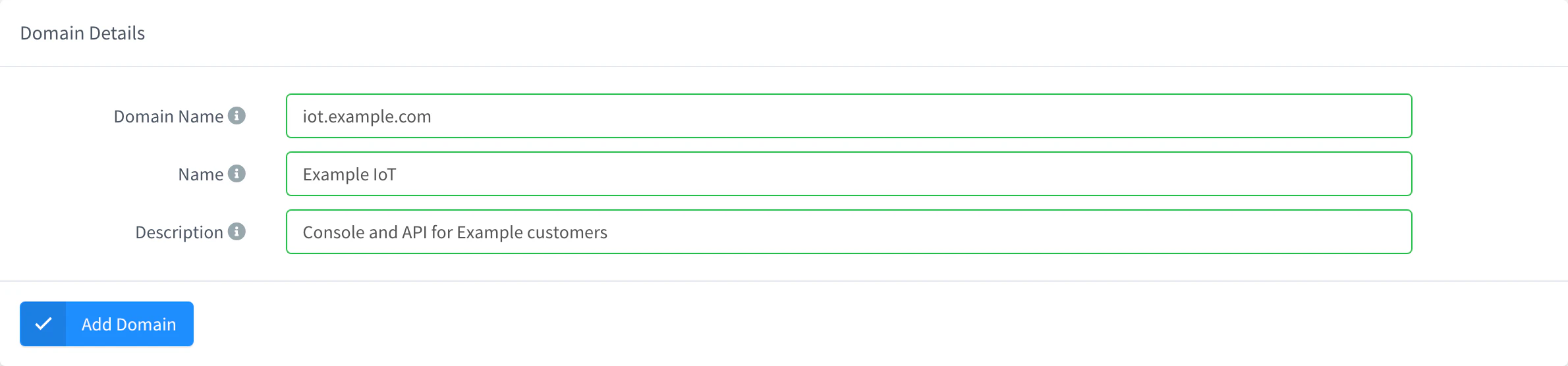
Add a domain Verify it
Open the domain. Until it is verified, DNS Configuration reminds you to add a
CNAMEorArecord for the hostname that points to the instance (see Prepare the DNS). Click Verify Domain. When the certificate is issued, the console says the domain is verified and available athttps://iot.example.com. If it fails, it shows the reason (for example, the DNS record does not resolve yet).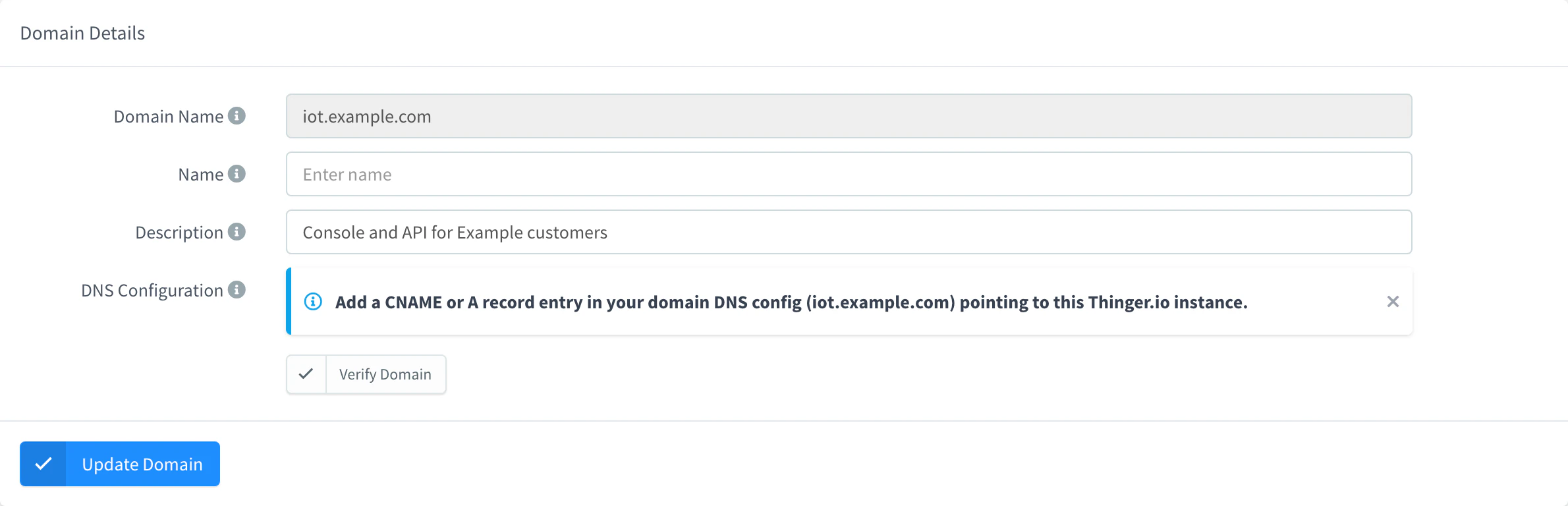
A domain waiting for verification
API
YOUR_SERVER is the hostname of your instance, and YOUR_TOKEN an access token of an administrator.
curl -X POST "https://YOUR_SERVER/v1/domains" \
  -H "Authorization: Bearer YOUR_TOKEN" \
  -H "Content-Type: application/json" \
  -d '{"domain": "iot.example.com", "description": "Console for Example customers"}'
Then verify it. The call returns the Let's Encrypt error if the certificate cannot be issued.
curl -X POST "https://YOUR_SERVER/v1/domains/iot.example.com/verify" \
  -H "Authorization: Bearer YOUR_TOKEN"
CLI
The CLI has no commands for domains. Use the console, the API or an agent.
AI
Add the domain iot.example.com to my instance. Tell me which DNS record I have to create, wait until I confirm it is done, and then verify the domain.
The agent uses thinger_resource_create with the domain type and thinger_resource_call with its verify action. See MCP tools.
Domain status
Administration > Domains shows a dot next to each domain; hover over it to read its status:
| Dot | Status | Meaning |
|---|---|---|
| Gray | Domain not verified | The domain was never verified. |
| Red | Domain verification failed | The last verification failed. Open the domain to see why and verify again. |
| Green | Domain verified | The certificate is issued. The hostname serves the console over HTTPS. |

Certificates renew automatically some weeks before they expire, as long as the DNS record keeps pointing to the instance. If you change or remove the record, renewal fails and HTTPS stops working on that hostname when the current certificate expires.
Remove a domain
Removing a domain deletes its certificate at once: the hostname no longer serves the console over HTTPS. Its brand, if any, is not removed.
Console
Go to Administration > Domains, select the domain and click Remove, then confirm with Remove.
API
curl -X DELETE "https://YOUR_SERVER/v1/domains/iot.example.com" \
  -H "Authorization: Bearer YOUR_TOKEN"
CLI
The CLI has no commands for domains.
AI
Remove the domain iot.example.com from my instance.
Limits
- Each domain is a single hostname, and its name cannot be changed: remove the domain and add it again with the new hostname. Wildcard domains (
*.example.com) need a DNS challenge and only work on instances hosted by Thinger.io. - Verification needs port 80 open to the internet; instances that are not reachable from the internet cannot verify domains.
- The number of domains depends on your plan. See Plans and limits.