

An Arduino without a network connection gets one with an Ethernet shield or an external Ethernet module. The Thinger.io Arduino library connects the Arduino Ethernet shield (and other boards that use the Ethernet library) with ThingerEthernet, and the ENC28J60 module with ThingerENC28J60. Neither uses TLS: they connect to the server port without TLS.
For Ethernet on other boards, see ESP32, Portenta H7 and Opta and the Arduino Yún.
Set up the board
Install the libraries
Install thinger.io from the Library Manager, and the library of your hardware: Ethernet for the Ethernet shield, or UIPEthernet for the ENC28J60 module.
Create the credentials file
The sketches read the credentials from
arduino_secrets.h, in the sketch folder:arduino_secrets.hcpp#define USERNAME "YOUR_USER" #define DEVICE_ID "YOUR_DEVICE" #define DEVICE_CREDENTIAL "YOUR_TOKEN"DEVICE_CREDENTIALholds the device credentials.
Each example is in File > Examples > thinger.io > Arduino.
Arduino with Ethernet shield
The Arduino Ethernet shield plugs on top of an Arduino and connects it to a wired network. The library and the sketch need more than the 2 KB of RAM of an UNO: use an Arduino Mega or another board with more memory.
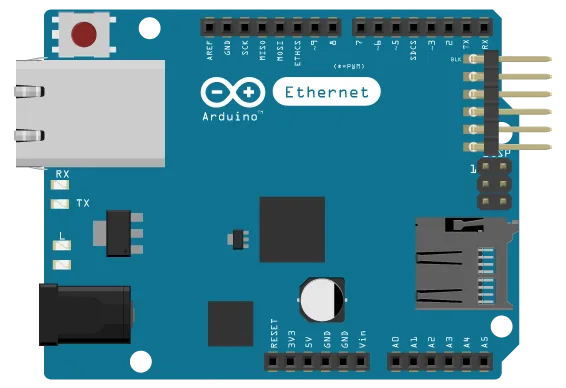
Example ArduinoEthernet. The board gets its address over DHCP:
#define THINGER_SERIAL_DEBUG

#include <ThingerEthernet.h>
#include "arduino_secrets.h"

ThingerEthernet thing(USERNAME, DEVICE_ID, DEVICE_CREDENTIAL);

void setup() {
  // open serial for debugging
  Serial.begin(115200);

  pinMode(2, OUTPUT);

  // pin control example (i.e. turning on/off a light, a relay, etc)
  thing["led"] << digitalPin(2);

  // resource output example (i.e. reading a sensor value, a variable, etc)
  thing["millis"] >> outputValue(millis());
}

void loop() {
  thing.handle();
}- The class starts the shield with the MAC address
DE:AD:BE:EF:FE:EDand waits up to 30 seconds for a DHCP address. If two boards with this sketch share a network, give each one its own MAC address, as below. - It renews the DHCP lease on its own.
Fixed address or your own MAC
thing.set_network_setup() takes a function that starts the network your way. The function returns true when the network is ready. Use it for a fixed address, another MAC address or a shield on other pins, such as the MKR ETH Shield:
#define THINGER_SERIAL_DEBUG

#include <ThingerEthernet.h>
#include "arduino_secrets.h"

ThingerEthernet thing(USERNAME, DEVICE_ID, DEVICE_CREDENTIAL);

bool network_setup(){
  byte mac[] = {0x90, 0xA2, 0xDA, 0x00, 0x00, 0x01};
  // Ethernet.init(5);  // chip select pin of the MKR ETH Shield
  Ethernet.begin(mac, IPAddress(192, 168, 1, 50));
  return true;
}

void setup() {
  // open serial for debugging
  Serial.begin(115200);

  // start the network with this function instead of DHCP
  thing.set_network_setup(network_setup);

  // resource output example (i.e. reading a sensor value, a variable, etc)
  thing["millis"] >> outputValue(millis());
}

void loop() {
  thing.handle();
}
Arduino with ENC28J60
The ENC28J60 is a low-cost Ethernet controller from Microchip, sold on small SPI modules. It needs the UIPEthernet library.
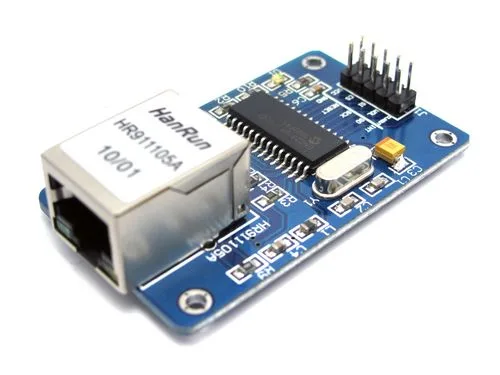
Example ArduinoENC28J60. DHCP takes much memory on small boards, so the example sets a MAC address and a fixed IP address with Ethernet.begin(), before any other network use. As with the Ethernet shield, use an Arduino Mega or another board with more than 2 KB of RAM:
// requires the UIPEthernet library
#define THINGER_SERIAL_DEBUG

#include <ThingerENC28J60.h>
#include "arduino_secrets.h"

ThingerENC28J60 thing(USERNAME, DEVICE_ID, DEVICE_CREDENTIAL);

void setup() {
  // open serial for debugging
  Serial.begin(115200);

  // fixed IP address: DHCP is too big for the sketch
  uint8_t mac[6] = {0x00, 0x01, 0x02, 0x03, 0x04, 0x05};
  Ethernet.begin(mac, IPAddress(192, 168, 1, 125));

  pinMode(LED_BUILTIN, OUTPUT);

  // pin control example (i.e. turning on/off a light, a relay, etc)
  thing["led"] << digitalPin(LED_BUILTIN);

  // resource output example (i.e. reading a sensor value)
  thing["millis"] >> outputValue(millis());
}

void loop() {
  thing.handle();
}
Change the IP address to a free address of your network. ThingerENC28J60 does not start the module itself: the Ethernet.begin() call in setup() is required.
See also
- Supported boards: every board, its class and its OTA support.
- Coding guide: device resources, Data Buckets, properties and endpoints.
- Arduino library reference: every class and function.