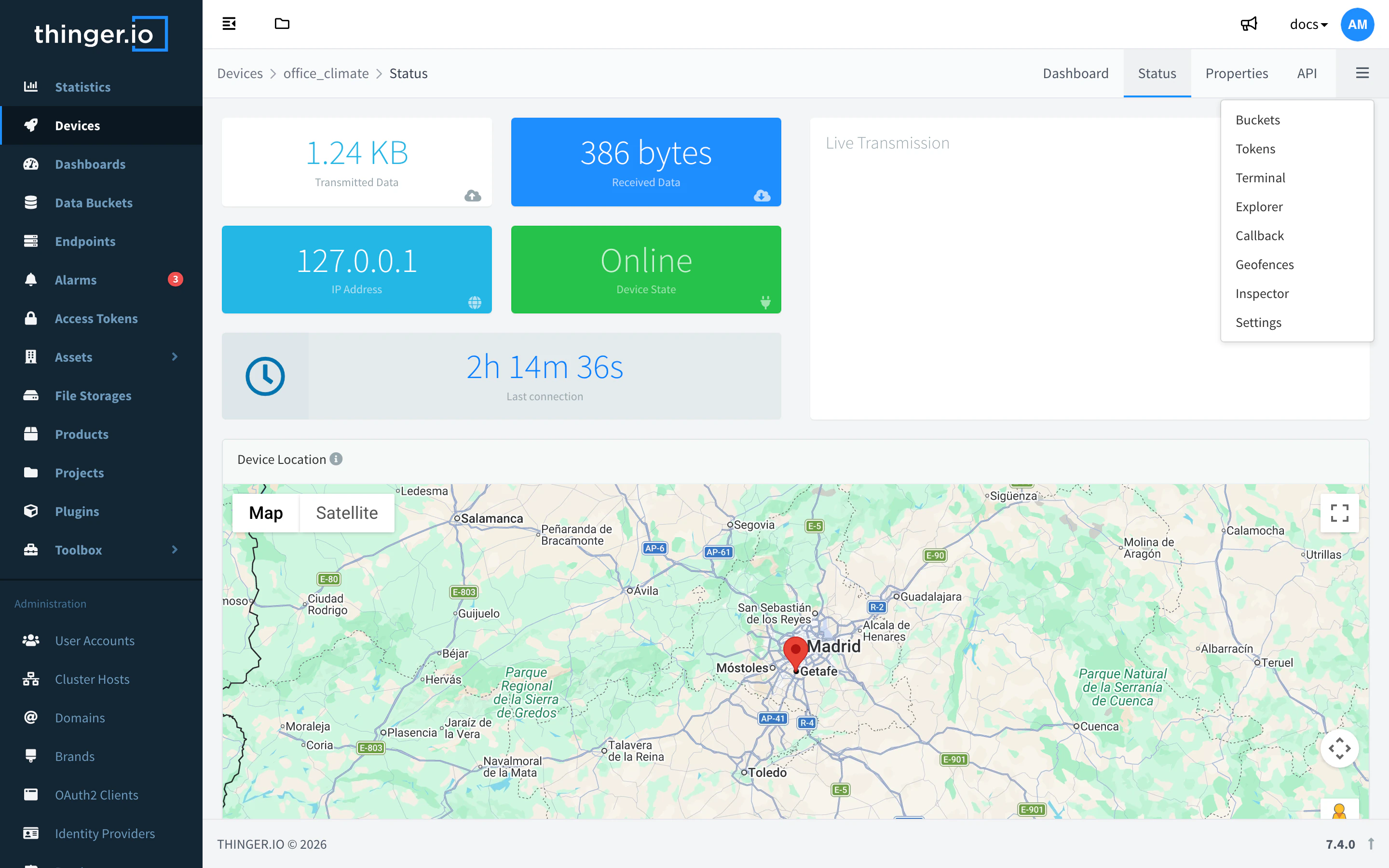
The console is the web interface of your Thinger.io instance. On the free Cloud account it is at console.thinger.io; on a private instance, at your own domain. The main menu on the left gives access to every feature, in the order below.
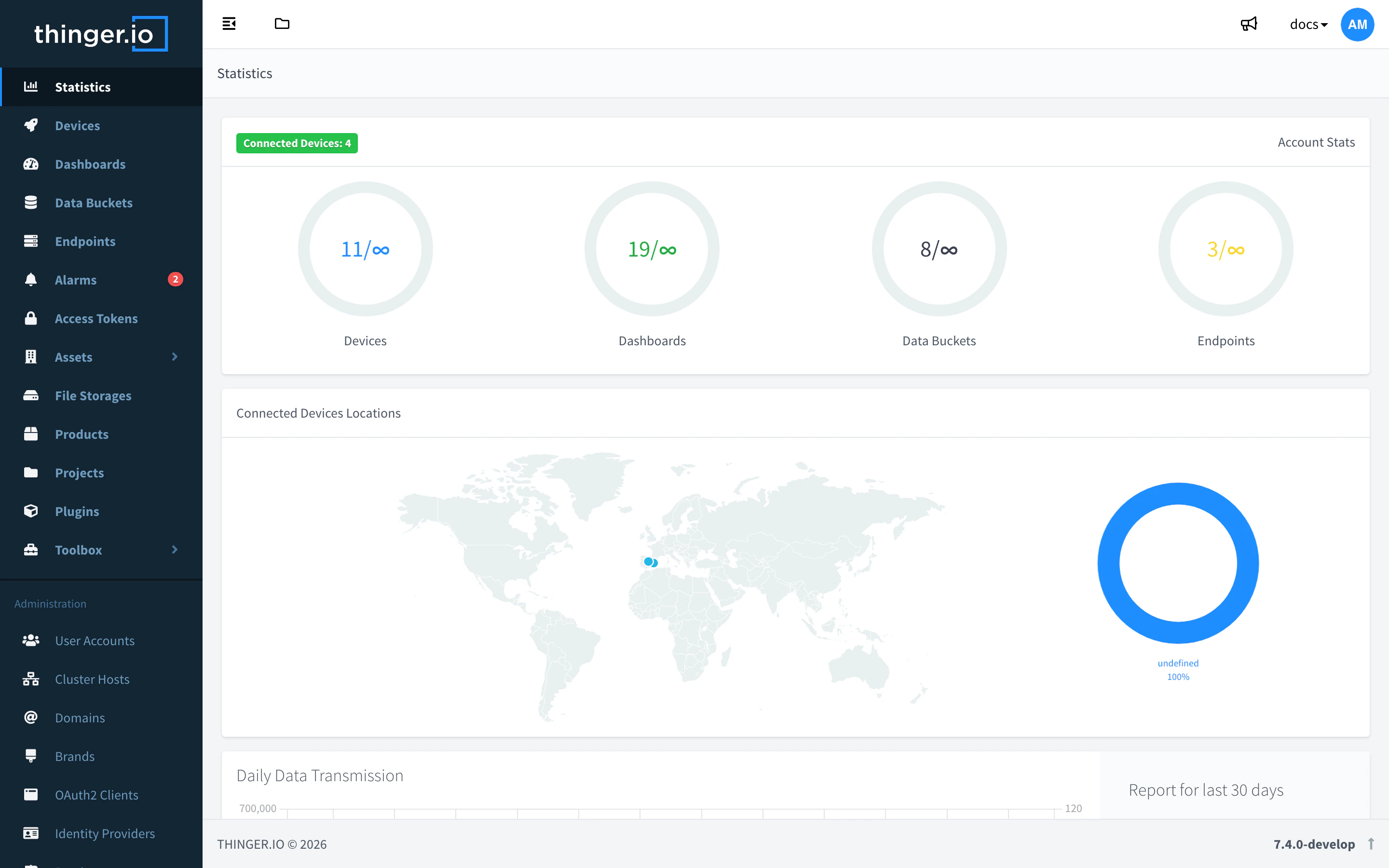
Statistics
Statistics is the page the console opens after you sign in. It summarizes your account:
- Account Stats: how many devices, dashboards, Data Buckets and endpoints you use, against what your plan allows, and the number of Connected Devices.
- Connected Devices Locations: a map with the last known position of your connected devices.
- Daily Data Transmission: connections, data sent and data received by your devices in the last 30 days.
When you work inside a project, this entry shows the name of the project instead, and opens its dashboard.
Main menu
| Menu | What you find there | Learn more |
|---|---|---|
| Statistics | The summary of your account. | This page |
| Devices | Your devices: add them, see their state, call their device resources, edit properties, open their remote tools. | Devices |
| Dashboards | Screens of widgets that show and control device data. | Dashboards |
| Data Buckets | Time series storage for device data. | Data Buckets |
| Endpoints | Integrations with other services: HTTP, email, Telegram. | Endpoints |
| Alarms | Rules that watch data and notify when a condition is met. A badge shows the active alarms. | Alarms |
| Access Tokens | Tokens with scoped permissions for the API, scripts and agents. | Access Tokens |
| Assets | Overview, Types and Groups to classify devices and other resources. | Assets |
| File Storages | File repositories on the instance. | File Storages |
| Products | Templates for fleets of devices. | Products |
| Projects | Sets of resources shared with other users. | Projects |
| Plugins | The Marketplace and My Plugins. | Plugins |
| Toolbox | Syncs and Claims. | Toolbox |
| Plugins (second group) | One entry per installed plugin, to open its interface. | Management |
| Administration | User Accounts, Cluster Hosts, Domains, Brands, OAuth2 Clients, Identity Providers, Proxies and Billing. Only for administrators of the instance. | User Accounts |
| Account | Profile and Security of your user. | Account |
| Support | Links to the documentation, the community, the helpdesk, the device libraries on GitHub and support by email. | — |
Some entries depend on your role and your plan: project members do not see Plugins or Administration, and the free Cloud account does not include plugins (see Plans and limits).
Inside a device
Open a device in Devices to see its own menu: Status (connection state, IP address, data transmitted), API (call its device resources), Properties, Tokens, Terminal, Explorer, Geofences and Settings, among others. The entries depend on the device type: the remote tools, for example, are only for IOTMP devices.