

Asset types and asset groups classify your devices. A type says what a device is, such as a boiler or a meter; a group says where or whose it is, such as a site, a building or a customer. Each device can belong to one type and one group, and inherits the properties you set on them.
When to use it
- To give every device of a kind the same configuration, such as a temperature threshold, from one place.
- To organize devices by site or customer, with groups nested inside other groups.
- To filter device lists, dashboards and agents by type or group.
- To see where your devices are on a map, with their connection state.
The Assets menu has three entries: Overview (the map of every device with a location), Types and Groups.
Create an asset type or group
YOUR_SERVER is iot.thinger.io on the free Cloud account, or the domain of your private instance.
Console
Open Types or Groups
Go to Assets > Types and click Add Asset Type, or go to Assets > Groups and click Add Asset Group.
Fill in the form
For a type, set the Type ID, the Type name and an optional Type description. For a group, set the Group ID, the Group name and an optional Group description. To nest the group inside another one, choose it in Optional Parent Group.
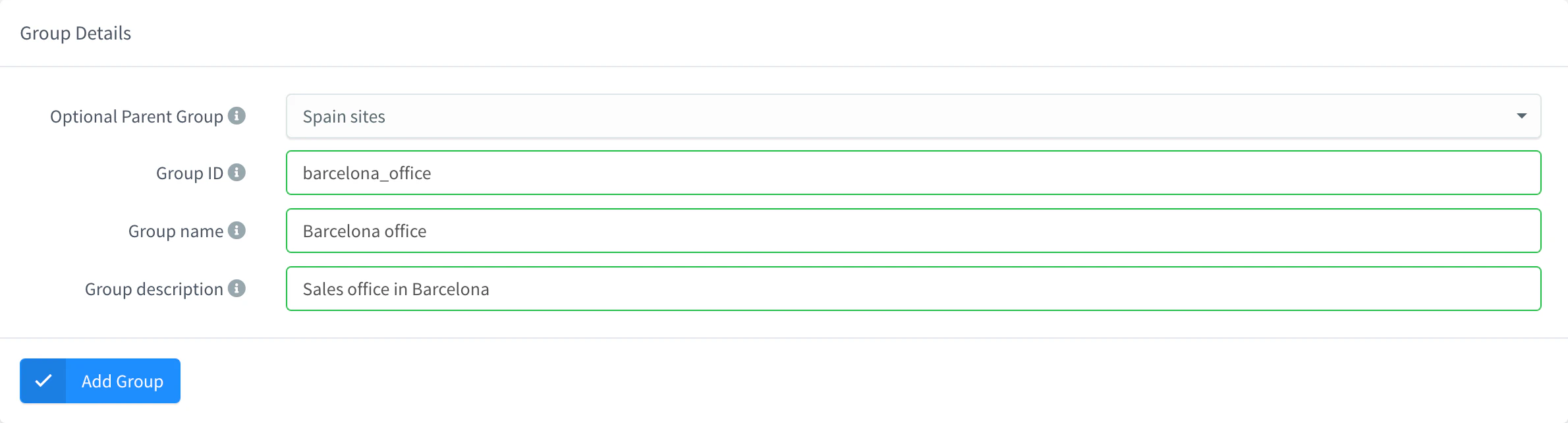
Add an asset group Save it
Click Add Type or Add Group. The type or group opens on its Overview tab.
API
curl -X POST "https://YOUR_SERVER/v1/users/YOUR_USER/types" \
  -H "Authorization: Bearer YOUR_TOKEN" \
  -H "Content-Type: application/json" \
-d '{"type": "boiler", "name": "Boiler", "description": "Gas boilers with remote control"}'curl -X POST "https://YOUR_SERVER/v1/users/YOUR_USER/groups" \
-H "Authorization: Bearer YOUR_TOKEN" \
-H "Content-Type: application/json" \
-d '{"group": "madrid_line_2", "name": "Line 2", "parent": "madrid_plant"}'YOUR_TOKEN is an access token with permission to create types or groups. parent is optional and must be an existing group.
CLI
The CLI has no commands for asset types or groups. Use the console, the API or an agent.
AI
Create an asset type called boiler, and an asset group called madrid_line_2 inside the group madrid_plant.
The agent uses thinger_resource_create with the asset_type and asset_group types. See MCP tools.
Assign devices to a type or group
Console
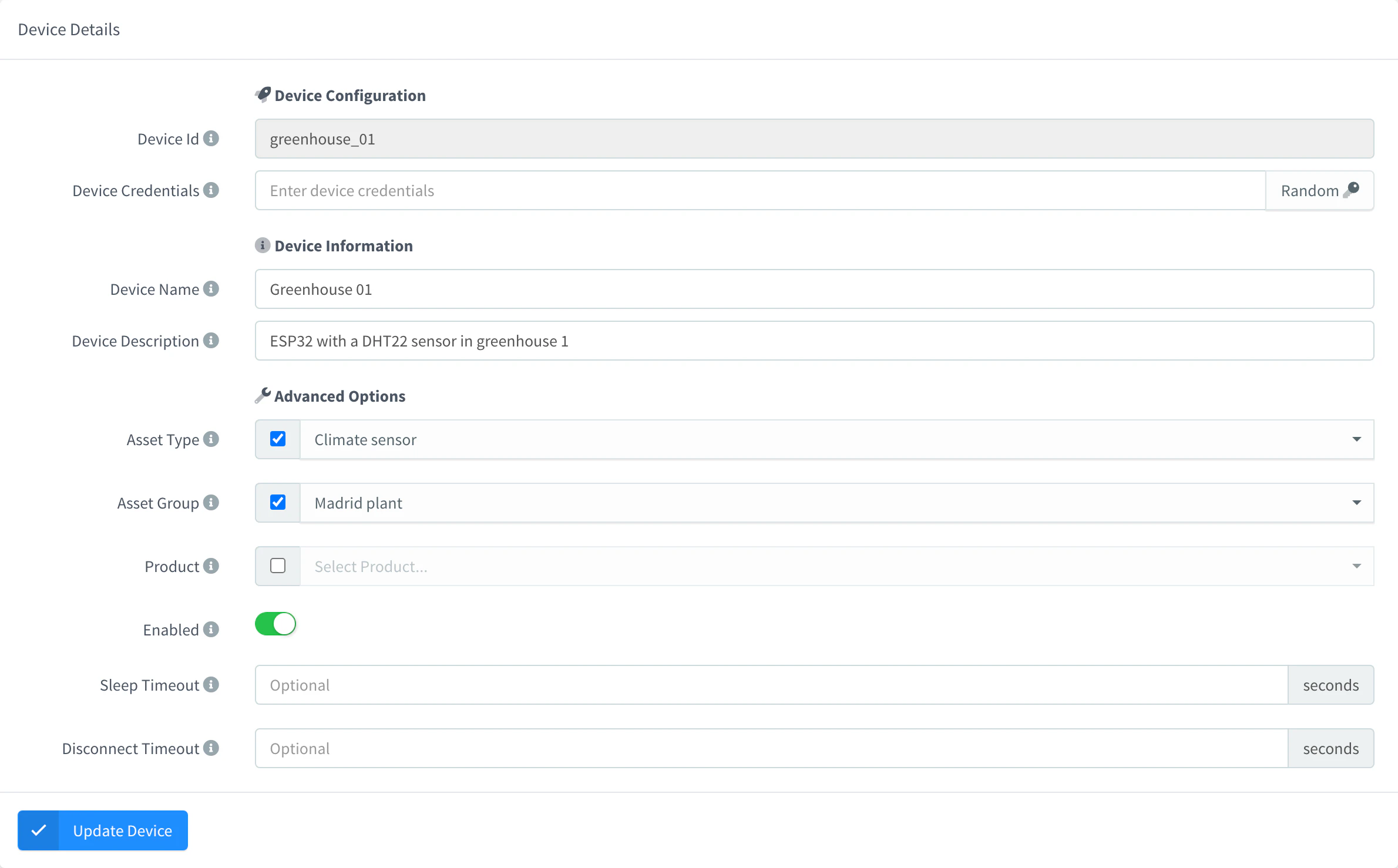
Open the device, go to Settings, and under Advanced Options choose the Asset Type and the Asset Group. Click Update Device.
To change many devices at once, select them in Devices, and choose Set Type or Set Group in the context menu of the list.
API
curl -X PUT "https://YOUR_SERVER/v1/users/YOUR_USER/devices/YOUR_DEVICE" \
  -H "Authorization: Bearer YOUR_TOKEN" \
  -H "Content-Type: application/json" \
  -d '{"asset_type": "boiler", "asset_group": "madrid_line_2"}'
Set the same fields when you create the device. List the devices of a type or group with GET /v1/users/YOUR_USER/devices?asset_type=boiler or ?asset_group=madrid_line_2.
CLI
The CLI cannot set the asset type or group of a device. Use the console, the API or an agent.
AI
Put every device whose ID starts with boiler_ in the asset type boiler and the asset group madrid_line_2.
The agent lists the devices with thinger_resource_list and updates each one with thinger_resource_update.
Share properties with a type or group
A property of an asset type or group is inherited by every device in it. When a device reads a property, the first one that defines it wins, in this order: the device itself, its asset type, its asset group, its product. Delete the property on the device to use the inherited value again.
Console
Open the type or group, go to the Properties tab, add the property and save it. Open a device of the type to see the inherited value among its properties.
API
curl -X POST "https://YOUR_SERVER/v1/users/YOUR_USER/types/boiler/properties" \
  -H "Authorization: Bearer YOUR_TOKEN" \
  -H "Content-Type: application/json" \
  -d '{"property": "max_temp", "value": 80}'
Groups use POST /v1/users/{user}/groups/{group}/properties. In GET /v3/users/YOUR_USER/devices/YOUR_DEVICE/properties, an inherited property carries "source": "type" or "source": "group".
CLI
The CLI cannot set type or group properties. thinger device property YOUR_DEVICE lists the properties of a device, inherited ones included.
AI
Set the property max_temp to 80 on the asset type boiler, and check that the device boiler_01 inherits it.
The agent uses thinger_resource_create with the asset_type_property or asset_group_property type.
See your assets on a map
Assets > Overview shows on a map every device that reports a location, green when connected and red when disconnected. Use Search Asset to find one, Show Connected and Show Disconnected to filter them, and Clustering to group nearby markers. The Overview tab of a type or group shows only its own devices and, with Show Geofences, its geofences. The Geofences tab of a type or group defines the areas that raise events when its devices enter or leave: see Geofences.
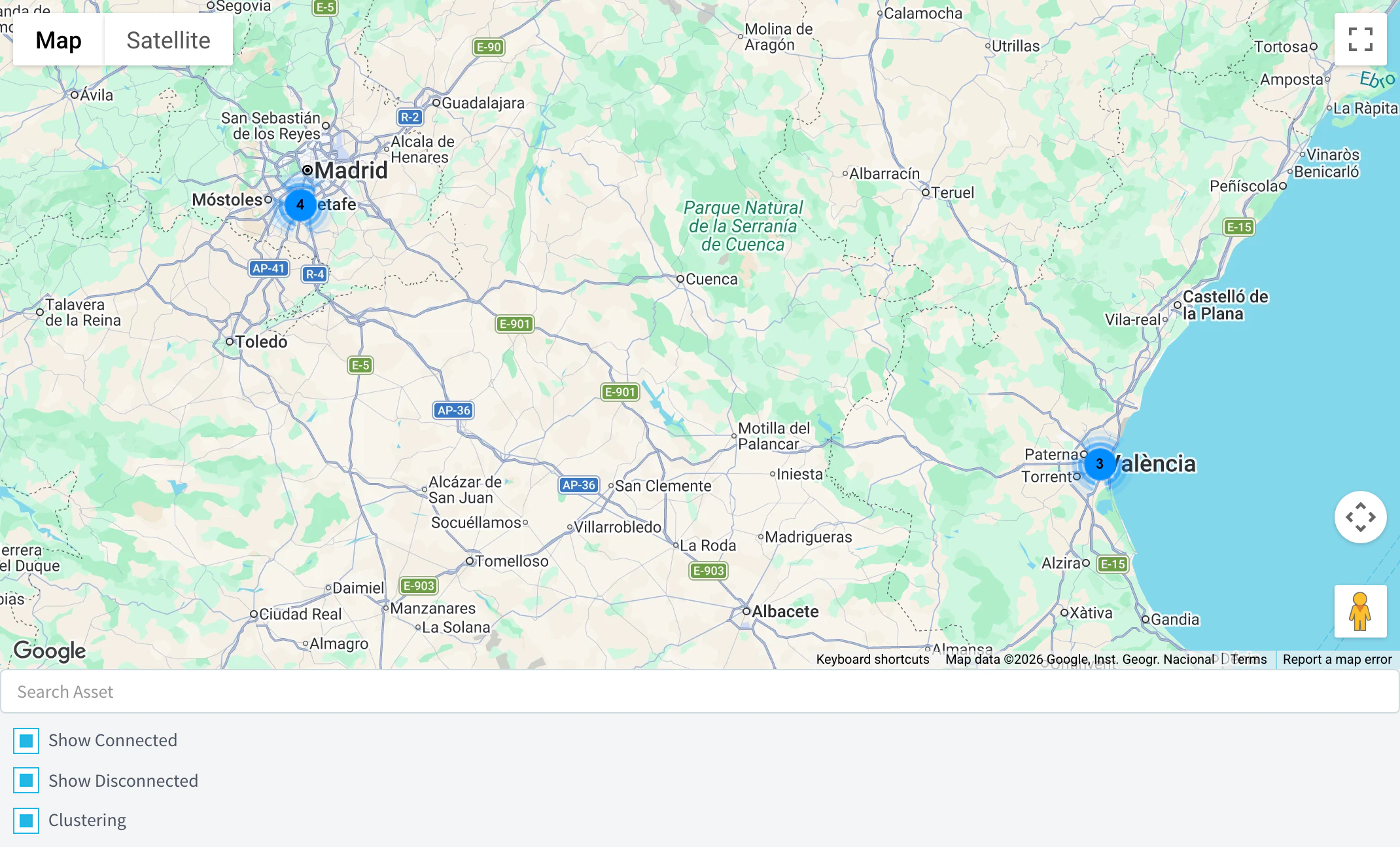
The same data is available from GET /v1/users/{user}/assets/locations, filtered with type, group or product: see the REST API reference.
Limits
- IDs use letters, numbers and underscores. The ID of a type or group cannot change after you create it, and neither can the parent of a group.
- A group cannot be its own parent, and its parent must exist first.
- Devices inherit the properties of their own group only, not those of its parent groups. The
asset_groupfilter of the device list also matches the exact group, without its subgroups. - Creating a device with an asset type or group that does not exist creates it, empty.
- Removing a type or group (Remove in the context menu of its list) deletes it and its properties. Its devices keep the type or group ID in their settings.
- The number of types and groups depends on your plan: see Plans and limits.