

The Dashboard tab of a product holds a dashboard that every device of the product shows in its own Dashboard tab. You design it once, with the widgets of a regular dashboard or as a dashboard app, and each device fills it with its own data.
When to use it
- To give every device of a fleet the same screen, without building one dashboard per device.
- To show the data that the product keeps for each device, with From Device Bucket widgets.
- To show a dashboard app that receives the device being viewed as its subject.
Design the product dashboard
YOUR_SERVER is iot.thinger.io on the free Cloud account, or the domain of your private instance. YOUR_PRODUCT is the product ID.
Console
Open the Dashboard tab
Open the product and go to its Dashboard tab. The editor works as in Dashboards.
Choose a device to preview
Choose one of the devices of the product in the selector at the top. The widgets show its data while you edit; on each device, they show the data of that device instead.
Add the widgets
Add widgets that read device resources, device properties or From Device Bucket data of the preview device, and save the dashboard.
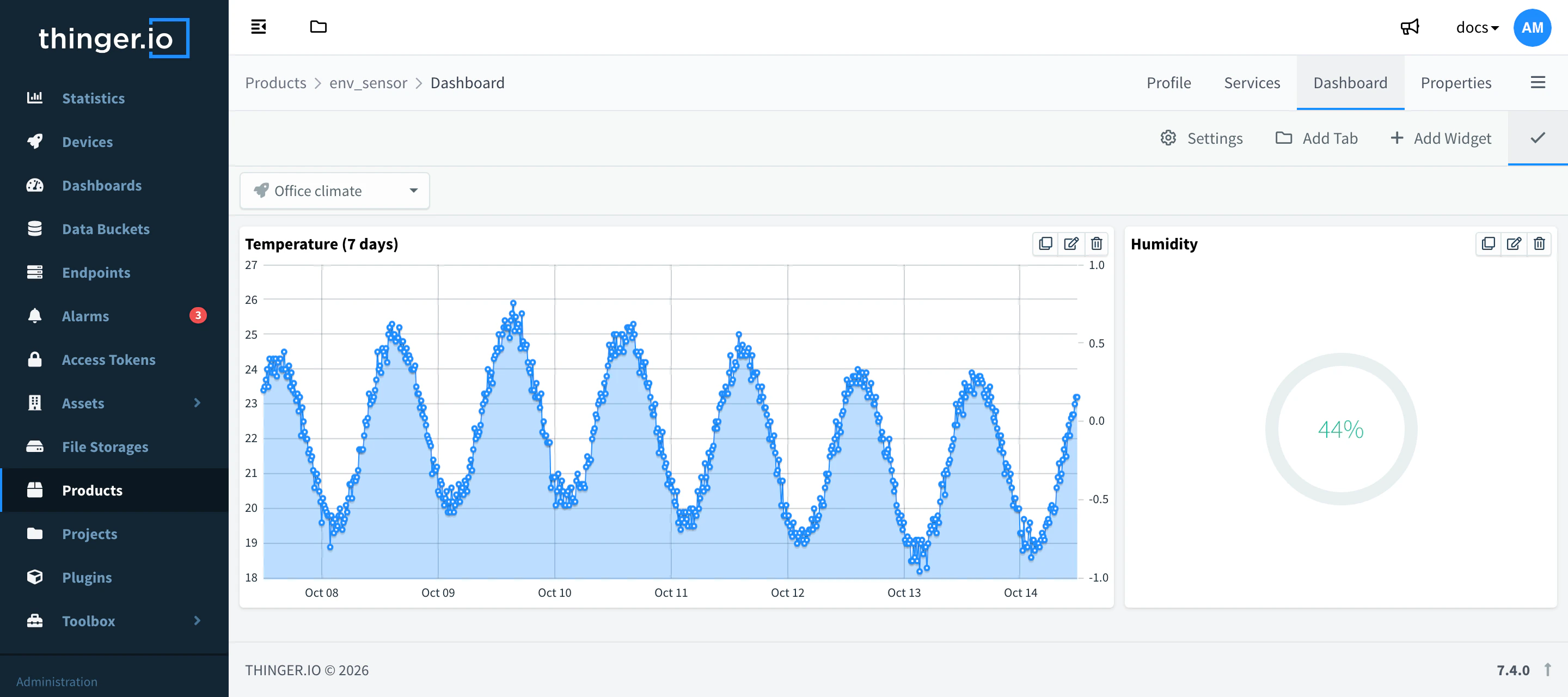
Product dashboard in edit mode
API
The product dashboard is the property dashboard of the product. Read it with:
curl "https://YOUR_SERVER/v1/users/YOUR_USER/products/YOUR_PRODUCT/properties/dashboard" \
  -H "Authorization: Bearer YOUR_TOKEN"
Write it with PUT on the same path. For a dashboard app, its value points to the app: {"value": {"source": "url", "url": "/v1/users/YOUR_USER/storages/YOUR_STORAGE/files/"}}.
CLI
Publish a dashboard app as the dashboard of the product:
thinger dashboard publish dist --storage meter_app --to product:YOUR_PRODUCTthinger product property-get YOUR_PRODUCT dashboard reads the current one. The CLI cannot edit widget dashboards. See the CLI reference.
AI
Publish the app in ./dist as the dashboard of every device of the product YOUR_PRODUCT.
The agent uses thinger_dashboard_publish with the destination {type: "product", id: "YOUR_PRODUCT"}. See MCP tools.
Change the dashboard of one device
A device can have its own dashboard instead of the one of its product: edit it from the Dashboard tab of the device. To keep users from changing it, restrict the dashboard property with the permissions of product properties.
Limits
- The product dashboard shows only what the viewer may read. Project members need access to the device, and to the File Storage of an HTML widget or a dashboard app.
- A dashboard app in a public storage receives the session token of whoever opens it: see Dashboard apps.