

A property is a named JSON value stored on a resource: a configuration a device reads when it starts, a threshold, a location, the contact of a site. Properties stay on the platform when the device is offline, and devices, dashboards, products, scripts and agents can read and write them.
When to use it
- To keep the configuration of a device, such as its sampling interval, and change it without touching the firmware.
- To share a value with many devices at once, on their asset type, asset group or product.
- To keep the last state a device reported, such as its firmware version or its location.
- To store data about a site, a customer or a project that dashboards show.
Where properties live
| Resource | Where to edit them | Learn more |
|---|---|---|
| Device | Properties tab of the device | Devices |
| Asset type and asset group | Properties tab of the type or group | Assets |
| Product | Properties tab of the product | Products |
| Project | REST API, MCP | Projects |
| Plugin | REST API, MCP; usually its configuration | Plugins |
| Your account | Account > Profile > Properties | Account |
The properties of a product are not the same as the Properties card of its profile: that card defines properties that the product writes on each of its devices, from their data. See Products > Properties.
Inheritance
A device reads a property from the first level that has it: the device itself, then its asset type, its asset group and its product. Set a value on the product, the type or the group to give it to all their devices, and on a device to override it for that device only. The value is replaced as a whole, not merged.
In the Properties list of a device, the Source column shows where an inherited value comes from, and the API adds a source field to inherited properties.
Add or replace a property
A property has an ID (letters, numbers, _ and -), a JSON value and, optionally, a name and a description. Writing a property that already exists replaces its value.
YOUR_SERVER is iot.thinger.io on the free Cloud account, or the domain of your private instance.
Console
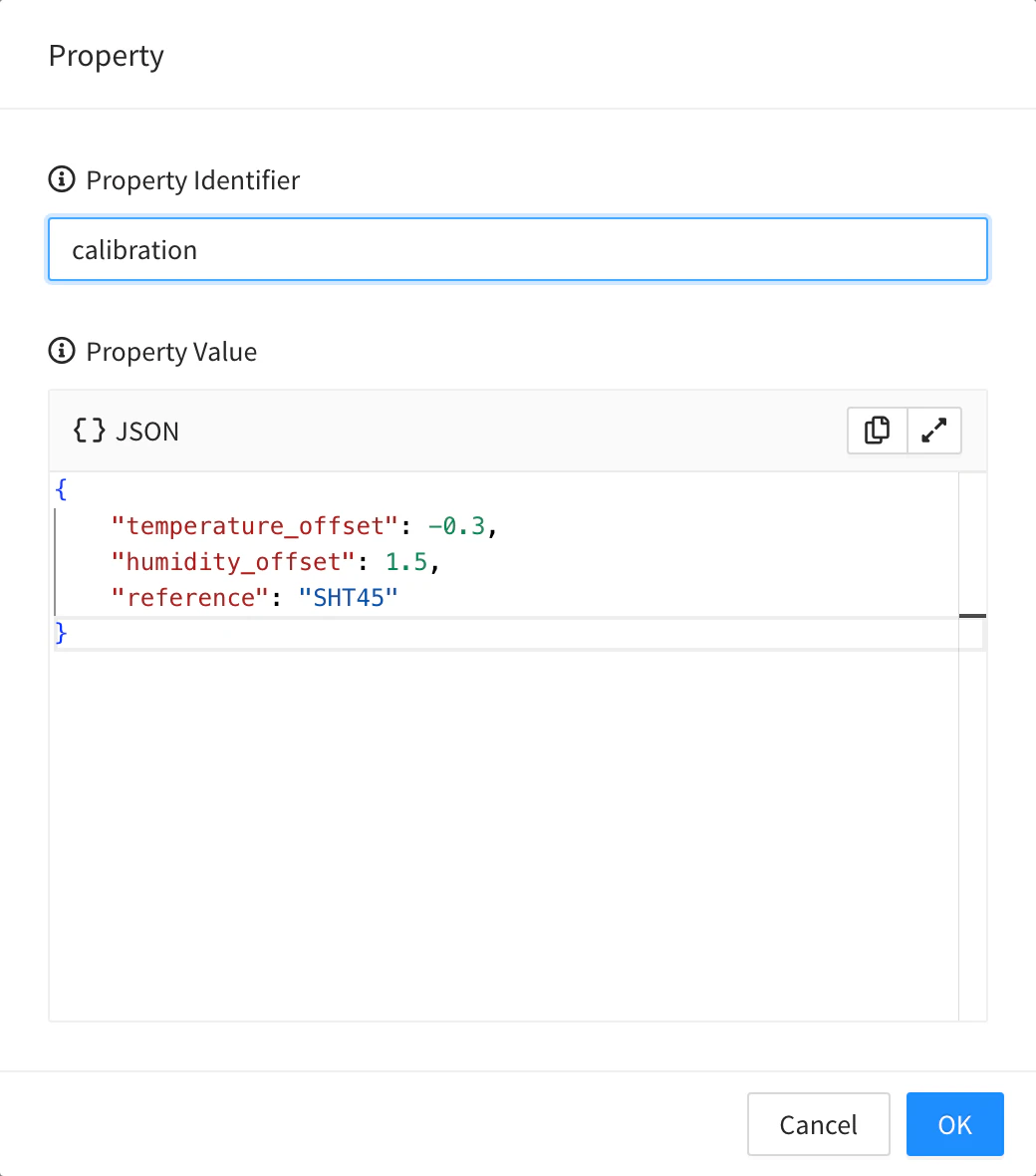
Open the resource, go to its Properties tab and click Add. Set the Property Identifier and the Property Value (any JSON: a number, a string, an object or an array), and save. A property called location shows a map where you can search an address; it fills in the coordinates and the timezone.
API
curl -X POST "https://YOUR_SERVER/v3/users/YOUR_USER/devices/YOUR_DEVICE/properties" \
  -H "Authorization: Bearer YOUR_TOKEN" \
  -H "Content-Type: application/json" \
  -d '{"property": "config", "name": "Configuration", "value": {"interval": 60, "threshold": 30}}'
Other resources have the same calls on their own path: /v1/users/{user}/types/{type}/properties, /groups/{group}/properties, /products/{product}/properties, /projects/{project}/properties, /plugins/{plugin}/properties, and /v1/users/{user}/properties for your account. PUT on .../properties/{property} with {"value": ...} replaces the value.
CLI
thinger device property-set YOUR_DEVICE config '{"interval": 60, "threshold": 30}'thinger device property YOUR_DEVICE config reads it back, and thinger device property YOUR_DEVICE lists all of them. For products, use thinger product property-list, property-get, property-set and property-delete. The CLI has no commands for the properties of asset types, groups, projects or your account. See the CLI reference.
AI
Set the config property of YOUR_DEVICE to an interval of 60 seconds and a threshold of 30.
The agent uses thinger_resource_create or thinger_resource_update with the type of the resource: device_property, asset_type_property, asset_group_property, product_property, project_property, plugin_property or property for your account.
Change part of a value
To change some fields of an object and keep the rest, merge them into the value instead of replacing it.
Console
The console edits the whole value: open the property, change the fields you need and save. If the product defines a form for the property, the console shows the form instead of the JSON.
API
curl -X PATCH "https://YOUR_SERVER/v3/users/YOUR_USER/devices/YOUR_DEVICE/properties/config" \
  -H "Authorization: Bearer YOUR_TOKEN" \
  -H "Content-Type: application/json" \
  -d '{"value": {"threshold": 25}}'
The other fields of value, such as interval, are kept. Dot keys work too: {"value.threshold": 25}.
CLI
The CLI replaces the whole value: read it, change it and write it back with thinger device property-set.
AI
Change only the threshold of the config property of YOUR_DEVICE to 25 and keep the other fields.
The agent uses thinger_resource_update with merge: true.
Use properties from devices and dashboards
- Devices: the Arduino library reads and writes the properties of its own device with
get_propertyandset_property. See Arduino coding. HTTP devices fill properties with the data they send through a property of their product: see HTTP devices. - Dashboards: widgets can show and edit properties, and dashboards can use them as placeholders. See Dashboards.
- Products: product properties can be filled from device data, have forms and limit what project members see. See Products > Properties.
- Events: every change emits an event, such as
device_property_updateorproduct_property_create. See Events.
Properties with a meaning
Some property IDs are read by the platform:
| Property | Used for |
|---|---|
location | The position of a device, as lat and lon. Maps show it, and writing it checks the geofences. |
geofences | The geofences of a device, asset type, asset group or product. |
mapConfig | The map view saved with the geofences. |
dashboard | The dashboard of a device, product, asset type, asset group or project. |
Limits
- The property ID uses letters, numbers,
_and-, and cannot change. - An inherited value is changed where it is defined. To change it for one device only, create a property with the same ID on the device.
- Plan limits are not listed here: see Plans and limits.