

The Properties card of a product profile defines properties that every device of the product has. Each entry can fill the device property from a source, such as an MQTT topic, and can give it a default value, a form to edit it in the console and permissions for project members.
When to use it
- To keep the last status or configuration a device reports as a property, for example from the
devices/{{device}}/statustopic. - To give every device a configuration value, such as a threshold, that users can change from a form.
- To hide a property from project members, or make it read only for them.
Add a property to the profile
YOUR_SERVER is iot.thinger.io on the free Cloud account, or the domain of your private instance. YOUR_PRODUCT is the product ID.
Console
Open the Properties card
Open the product on its Profile tab and click Add in the Properties card.
Set the source
Set the Property Identifier. On the Property Source tab, choose where the value comes from (Device Resource, Device Stream, Device Topic, Device Event or Product Stream) and the Payload. Click Add Source to fill the property from several sources, and turn on Patch to merge each value into the property instead of replacing it.
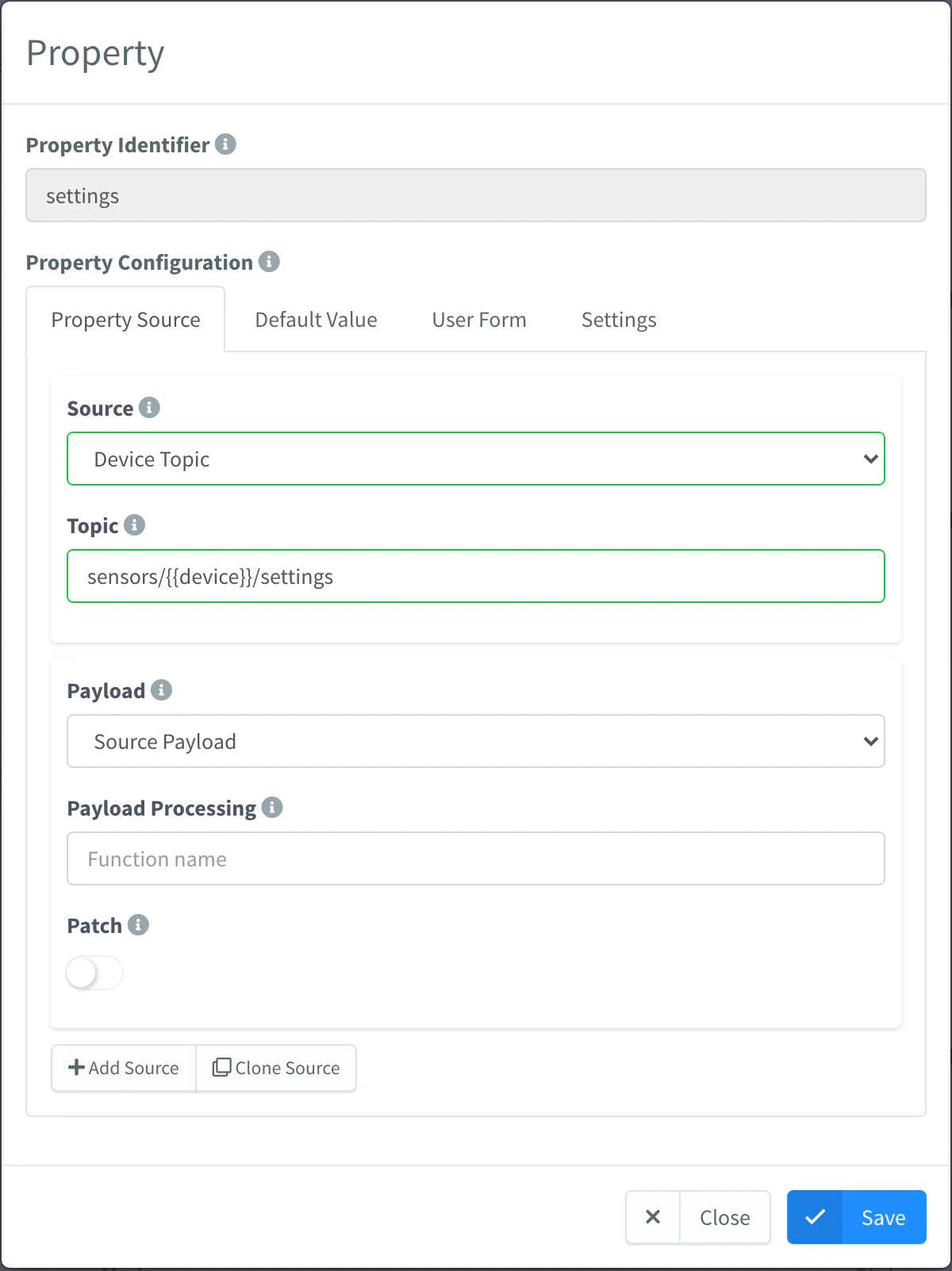
Product property fed by a device topic Set the default value and the form
On Default Value, type the JSON value devices start with. On User Form, define the fields the console shows to edit it.
Set who sees it
On Settings, set the Property Name, the Property Description and the Property Type (Default or Configuration). Hidden and Read Only choose the roles that cannot see or cannot change the property. Click Save.
API
curl -X PUT "https://YOUR_SERVER/v1/users/YOUR_USER/products/YOUR_PRODUCT/profile/properties/status" \
  -H "Authorization: Bearer YOUR_TOKEN" \
  -H "Content-Type: application/json" \
  -d '{
    "name": "Status",
    "enabled": true,
    "data": {
      "source": "topic",
      "topic": "devices/{{device}}/status",
      "payload_type": "source_payload"
    },
    "default": { "value": { "state": "unknown" } }
  }'
data can be an array to use several sources. perm.hidden and perm.readOnly take the roles (owner, member) the restriction applies to. PUT .../profile/properties replaces every entry at once.
CLI
The CLI cannot edit profile entries. Include them in the profile.properties of the document you pass to thinger product create YOUR_PRODUCT --from product.json.
AI
Add a status property to the product YOUR_PRODUCT that stores the last message each device publishes on its status topic (devices/YOUR_DEVICE/status for YOUR_DEVICE), starting with state unknown.
The agent uses thinger_resource_create with the product_profile_property type. See MCP tools.
Set a value for every device
A default value makes the property a property of the product: it appears in the product Properties tab, and every device inherits it until it sets its own value. You can also add or change those product properties directly.
Console
Open the product on its Properties tab, add or edit the property and save it.
API
curl -X POST "https://YOUR_SERVER/v1/users/YOUR_USER/products/YOUR_PRODUCT/properties" \
  -H "Authorization: Bearer YOUR_TOKEN" \
  -H "Content-Type: application/json" \
  -d '{"property": "settings", "value": {"threshold": 30}}'
In the property list of a device, an inherited product property carries "source": "product".
CLI
thinger product property-set YOUR_PRODUCT settings '{"threshold": 30}'property-list, property-get and property-delete read and remove them. See the CLI reference.
AI
Set the threshold of every device of the product YOUR_PRODUCT to 30 with a product property called settings.
The agent uses the product_property type.
A device reads a property from the first place that defines it: the device itself, its asset type and group, and then its product.
Limits
- An entry with the Template Payload option and an empty template writes nothing.
- A product created with its whole profile in one request (
POSTwithprofile, orthinger product create --from) does not create the product properties of the default values. Save the properties entries again (PUT .../profile/properties) to create them. - Removing an entry with a default value also removes the inherited value from the devices.