

The Flows card of a product profile moves data for every device of the product: each flow listens to a source and sends what it receives to a target. Use it to forward MQTT messages to an HTTP service, to call an endpoint when a device disconnects or to pass data between products.
When to use it
- To forward the telemetry of a device to another service with an endpoint.
- To react to device events, such as a disconnection, with a notification.
- To copy a device resource or a topic into a property, or to publish it on another topic.
- To pass data from one part of the profile, or one product, to another with a product stream.
Sources and targets
A flow takes its data from the same sources as properties and buckets (Device Resource, Device Stream, Device Topic, Device Event or Product Stream; see Sources, targets and payloads) and sends it to one of these targets:
| Target | target | What it does |
|---|---|---|
| Device Resource | resource | Calls a device resource of the device (IOTMP devices). |
| Device Stream | resource_stream | Streams the data as a device resource of the device. |
| Device Topic | topic | Publishes to an MQTT topic, optionally Retained. |
| Device Property | property | Writes a property of the device. |
| Product Function | function | Runs a function of the product script. |
| Endpoint Call | endpoint_call | Calls an endpoint. |
| Plugin Endpoint | plugin_endpoint | Sends the data to a path of a plugin. |
| Product Stream | product_stream | Publishes the data on a stream of a product. |
Product streams
A product stream is a named channel inside a product. A flow or an API resource with the Product Stream target publishes on it, and any property, bucket or flow with the Product Stream source and the same Stream receives the data, with the device it came from. The target names the Product, which can be another product: that is how one product hands data to another.
Listeners receive data from the moment they start: a flow, bucket or property that you add or enable gets the next value published, not the last one.
Add a flow
YOUR_SERVER is iot.thinger.io on the free Cloud account, or the domain of your private instance. YOUR_PRODUCT is the product ID. This flow calls the endpoint notify_email when a device disconnects.
Console
Open the Flows card
Open the product on its Profile tab and click Add in the Flows card. Set the Flow identifier.
Set the source
On Flow Source, choose Device Event, the Event
device_state_change, and filter it by the statedisconnected. Choose Source Event as the Payload.Set the target
On Flow Target, choose Endpoint Call and the Endpoint. Use a Template Payload to shape what the endpoint receives.
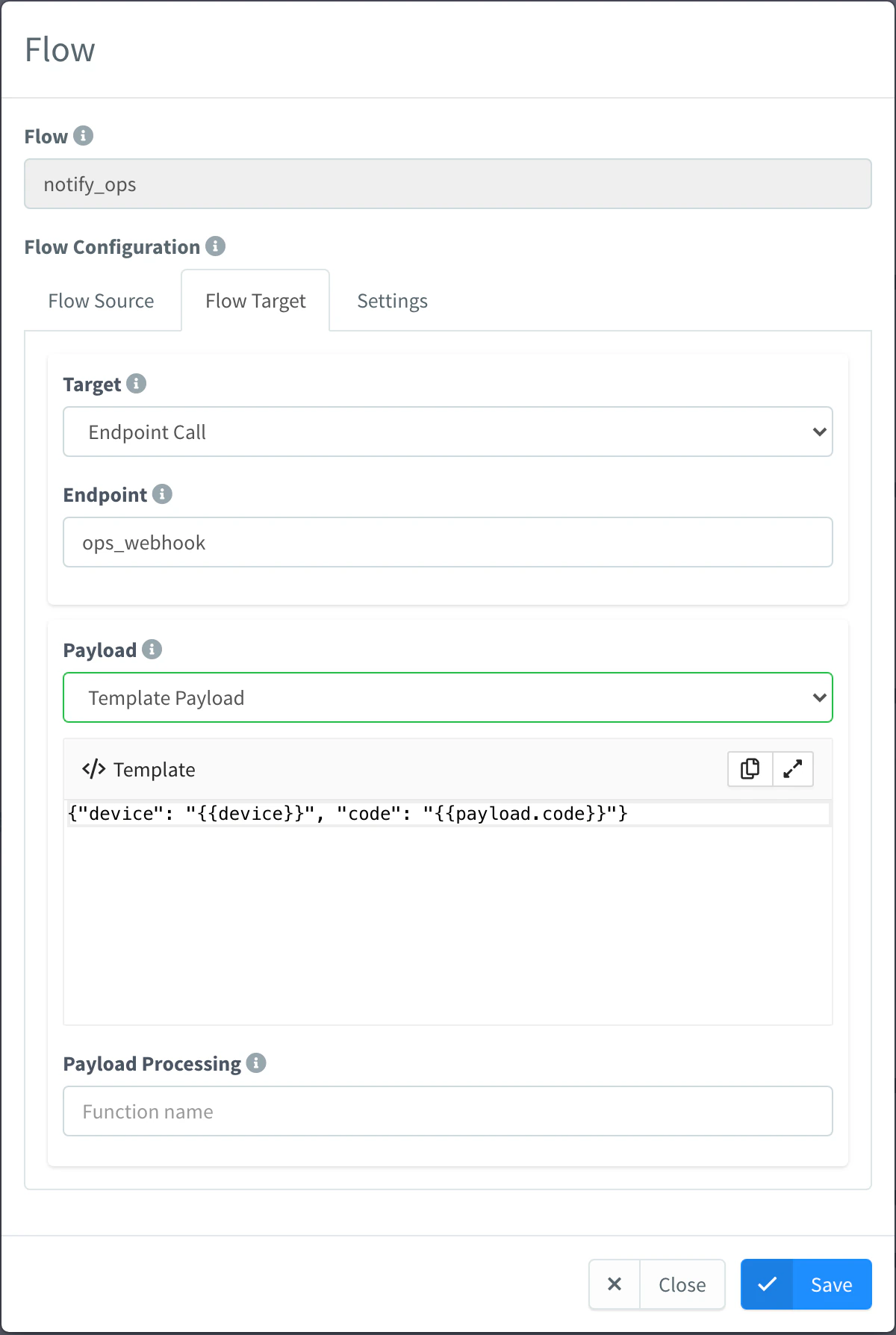
Flow that calls an endpoint Save it
On Settings, leave Enabled on. Turn on Split Data to send each element of an array on its own. Click Save.
API
curl -X PUT "https://YOUR_SERVER/v1/users/YOUR_USER/products/YOUR_PRODUCT/profile/flows/offline_alert" \
  -H "Authorization: Bearer YOUR_TOKEN" \
  -H "Content-Type: application/json" \
  -d '{
    "enabled": true,
    "data": {
      "source": "event",
      "event": "device_state_change",
      "filter": { "state": "disconnected" },
      "payload_type": "source_event"
    },
    "sink": {
      "target": "endpoint_call",
      "endpoint": "notify_email",
      "payload": "{\"text\": \"{{device}} is offline\"}"
    }
  }'
To publish on a product stream, use "sink": {"target": "product_stream", "product": "YOUR_PRODUCT", "product_stream": "readings"}; to listen to it, "data": {"source": "product_stream", "product_stream": "readings"}.
CLI
The CLI cannot edit profile entries. Include them in the profile.flows of the document you pass to thinger product create YOUR_PRODUCT --from product.json.
AI
Add a flow to the product YOUR_PRODUCT that calls my endpoint notify_email with the device ID whenever one of its devices disconnects.
The agent uses thinger_resource_create with the product_profile_flow type. See MCP tools.
Flows for data that does not name its device
A flow that listens to a topic shared by many devices, or that an external system feeds, can find the device of each message with a Device Identifier Resolver: a function of the product script that returns the device ID from the payload. With Handle Device Connectivity on, the device shows as connected while its data arrives. This is how a gateway feeds its subdevices.
Limits
- A flow only runs for devices assigned to the product, while the flow and the product are enabled.
- The Product Stream target needs the Product; without it, the flow fails.
- The Endpoints card of the profile is deprecated: use a flow with the Endpoint Call target.