

The Services tab of a product publishes a web interface or a remote desktop that runs on, or next to, each device of the product. The console opens it through the IOTMP connection of the device, so you reach it without a public IP, a VPN or open ports on the device network.
When to use it
- To open the local web interface of a gateway, a PLC or a router, such as Node-RED on port 1880.
- To control the desktop of an industrial PC or a panel over VNC.
The device must be connected over IOTMP, for example with the Linux client. The target address is seen from the device: 127.0.0.1 is the device itself, and another address reaches a machine of its local network.
Add a service
YOUR_SERVER is iot.thinger.io on the free Cloud account, or the domain of your private instance. YOUR_PRODUCT is the product ID.
Console
Open the Services tab
Open the product, go to its Services tab and click Add.
Set the target
Set the Service Identifier and choose the Service Type: Web Service or VNC Remote Desktop. On the configuration tab, set the Target Hostname, the Target Port and, if the target uses TLS, SSL/TLS. For VNC, VNC Settings sets View Only Mode, Auto Scale, Shared Desktop, the Compression Level and the Image Quality.
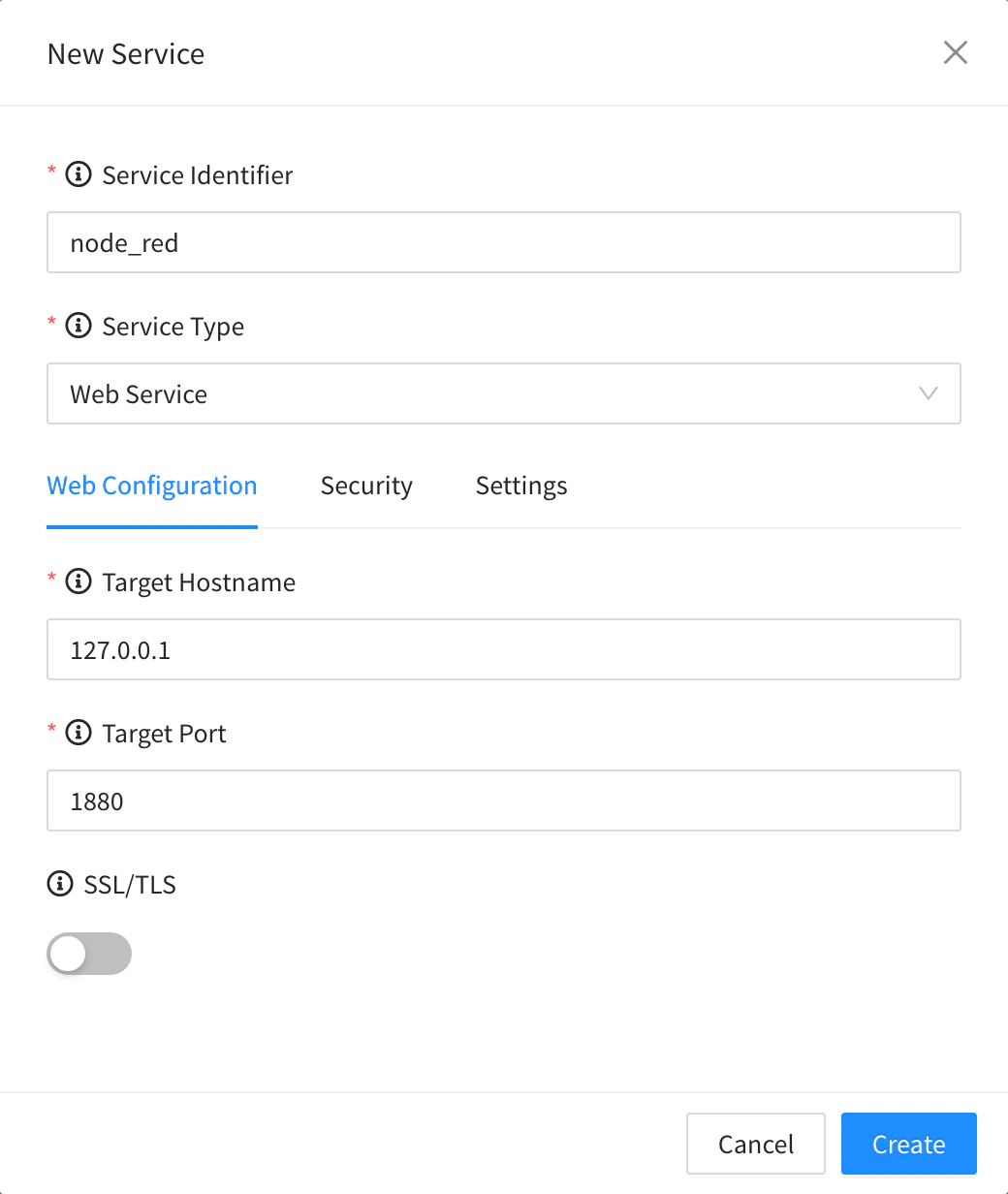
Web Service of a product Set the security and save
On Security, turn on IP Filtering and set the Timeout Minutes if you need them. On Settings, set the Name shown in the device menu, leave Enabled on and click Create.
API
curl -X PUT "https://YOUR_SERVER/v1/users/YOUR_USER/products/YOUR_PRODUCT/services/node_red" \
  -H "Authorization: Bearer YOUR_TOKEN" \
  -H "Content-Type: application/json" \
  -d '{
    "type": "web",
    "name": "Node-RED",
    "enabled": true,
    "target": { "address": "127.0.0.1", "port": 1880, "secure": false }
  }'
"type": "vnc" adds a vnc object with viewonly, scale, shared, compression and quality. GET .../services lists them.
CLI
The CLI cannot manage product services. Use the console, the API or an agent.
AI
Add a web service called Node-RED to the product YOUR_PRODUCT that opens port 1880 of each device.
The agent uses thinger_resource_create with the product_service type. See MCP tools.
Open a service
Each enabled service appears as an entry in the menu of every device of the product, with the Name of the service (a VNC service without a name shows as Desktop: followed by its ID). Click it to open the web interface or the desktop inside the console. Opening a web service or a remote desktop needs its own permission, so you can grant it to some project members only.
Limits
- Services work only with IOTMP devices, while they are connected.
- The target must be reachable from the device.
- Removing a service, or disabling it, removes its entry from the devices.